Top Virtual Assistant Tools 101: Part 4 – All About Project Management System Apps

A business runs smoothly when the numerous tasks that facilitate its flow are handled well. A project management system is something that a business, no matter if large or small, can benefit from. There are so many details and things to keep track of when running projects that it is easy to miss something that can lead to dire financial consequences when matters are not controlled immediately. Fortunately, there are tools that can help businesses be on top of their game in this digital age.
What is a Project Management System?
A project management system comprises different features that allow businesses to manage projects and other detailed tasks more efficiently. Simply put, project management software helps managers to oversee and assist key daily responsibilities to key operations and other processes smoothly and achieve desired results. With its offline and online tools, it makes for better coordination, collaboration, organization, and other required aspects of project management.
As the technology evolved, so did business practices that enabled these types of software to connect to the internet and thereby made things more instantaneous and convenient. Multi-location projects are much more manageable and speed up the processing of deliverables for both products and services.
Top Benefits for Companies

Companies that work on multiple projects can get overwhelmed by the sheer volume of things that need to be done. Additionally, employees are grouped by teams and assigned to work on many projects at the same time. Organizing these things on top of managing employees can be challenging with deadlines to hit. Here are the top benefits of using a project management system.
Makes Planning Easier
Project planning in itself involves a lot of details, but what if there are many? To ensure that the resources and efforts to make sure that important steps are listed down and tasks are assigned in an orderly manner, project management software is a useful tool for managers and employees to reference.
A consistent management plan helps everybody be on the same page. Task priority and scheduling are crucial for time-sensitive projects, so this tool can help identify and prioritize those that need to be done first. All in all, the planning process is more streamlined.
Collaboration Convenience
Most project management systems come with a suite of native communication tools that allow employees to communicate with other members. Having this collaborative convenience lessens communication gaps that can result in time and resource wastage. Communicating in one place makes everything simpler because all data or information are in one platform. It also has notification tools that alert the persons responsible for any changes or updates in instructions and decisions.
Furthermore, task delegation is much more efficient when managers decide to assign new or urgent tasks to other available team members. The efficiency of teams is kept in check with these types of platforms as well.
Safer File Access and Sharing
One of the biggest concerns for organizations is data security. But with a unified project management system, file access and sharing can become easier and more secure. Putting all data in one place is a practical and safer alternative than using other unsecured mediums that may lead to dire security consequences. Most project management software has cloud-based storage where users can procure files, edit them, and even leave feedback.
These platforms also have a changelog feature that tracks users who may have made changes to the files. With unified document storage, it lessens errors as opposed to sending hundreds of emails with attached files that may be missed by the sheer volume. Additionally, project management platforms also have a built-in calendar where team members can easily see upcoming meetings and other important events.
Encourages Remote Working
The great thing about online project management systems is that they are available online. Companies with remote teams from different locations can manage and continue their work because of these platforms. Even when employees are not in the same physical office, workflow is still seamless and cohesive.
Optimizes Productivity
When there is less confusion with tasks and team members know what they are supposed to do, work productivity improves. Project management systems are great for keeping everything together internally. When projects are organized in one place, and reports are readily available, teams can make important business decisions much faster.
What are the Most Common Project Management App Features?

Not all systems and software are the same. Some tools are more sophisticated than others, but they may comprise some of these features.
Project Planning and Scheduling – Most software can handle more than one project, and with it, you can use it to list down, estimate, schedule, and track all activities.
Monitoring and Time Management – It is easier to see how much time went into tasks and develop solutions to make work more efficient. A project management software can also trace delays in projects and if they are on track or not.
Budgeting and Resource Allocation – Not only does it help monitor time, but it also keeps track of how much of the budget is utilized. It also notes how resources are used and what tasks are being worked on to keep up with deadlines.
Communication and Collaboration – Some project management apps come with built-in chat and messaging features that allow users to communicate directly. These features allow real-time collaboration, which is convenient for time-sensitive tasks and projects.
File and Documentation Storage – All relevant files and documents can be directly stored in a project management software. It can easily be retrieved, opened, edited, replaced, or deleted.
Report Creation – Instead of manually exporting data from multiple software and tools, a good project management system will allow you to do it in one place. Manually created reports can be tedious as the file size may be too big, and it cannot be shared with other managers who may want to add or edit the report. Reporting is crucial because it helps businesses track progress and growth, helps develop marketing plans, improve budget planning, and aid in decision-making.
How to Choose the Best Project Management Apps

If you are new to using project management software, it can be overwhelming to choose from hundreds of tools available on the market. The biggest and most costly mistake employers and managers can do is to buy the first project management tool they can find online. Both free and paid tools have a wide variety of features and benefits, but how do you choose the right one? Here are some tips to help you out.
Define Project Requirements
Not all projects are the same, and that is why it is easy to get lost in the details, especially if organizations are handling more than one. Most project management platforms have multiple features that help streamline coordination and collaboration easier. It’s best to identify the most common project requirements and find the tool that satisfies most of them.
Some team members may be using different tools to track aspects of their projects, but it can be disorganized. Migrating to a new tool may be challenging, and so, a good project management tool should be easy to use. With everyone on the same platform, updates are easier to track, and transparency is improved.
Identify Pain Points
It is important to determine the team’s issues and challenges when it comes to accomplishing tasks. After all, efficiency is achieved when the process is optimized. Some of the most common issues are:
- Task disorganization
- Missed deadlines
- Unclear communication
- Little to no transparency
- Inconsistent workload
- Contradicting schedules
You can factor in the identified pain points when choosing project management tools that the team needs. Understanding the current challenges will involve interacting with all team members to know which areas need more attention.
Test and Try Again
Suppose you found a project management tool that goes best with what the team currently needs. Contact the providers that you have shortlisted and ask for a free demo or trial for a limited time. This is a crucial stage to see how well it works for the organization.
Have the entire team try out the software and evaluate it together. Ideally, there should be a ranking system to assess how the tool is working for everyone. Take note of all feedback and use all the information to decide what tool performed the best.
Look at Reviews
Another way to guide your purchasing decision is to look at online reviews from other users. This method can be used whether you decide to test-drive tools or not because trial periods may be too time-consuming or laborious for some organizations. The most popular and established project management software has hundreds to thousands of reviews that anyone can check out.
Determine Flexibility
An organization may be made up of multiple teams that have different areas of responsibility. And as such, they will have different needs. Some teams may work together on one project, while others may need to monitor and gather feedback. A company-wide project management tool should offer customization and flexibility to cater to those needs without disrupting workflow or cause confusion.
Some project management tools offer a more visual way to keep track of things like a calendar or timeline. This feature will be easier for the progress monitoring or QA team. Another team may benefit from customizable templates to streamline repetitive tasks for projects.
Flexibility should also extend to pricing for paid management software. Many vendors offer plans based off on features and the number of users. Scalability should also be considered before purchasing because as the company grows, the software should also be able to keep up.
Popular Apps For Managing Your Projects [Free & Paid]
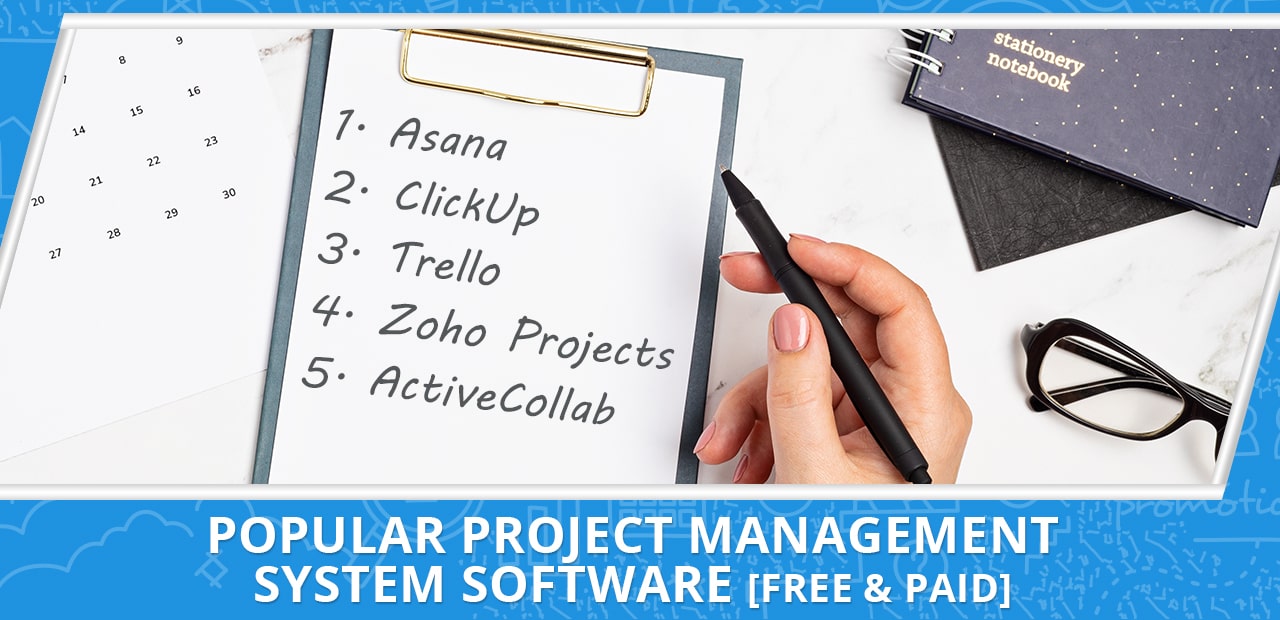
To help you find the best platform for your organization, here is a helpful list of free and paid project management system apps.
- Asana – One of the most popular platforms out there, Asana is an all-in-one tool for project management that includes timelines, activity logs, file storage, direct messaging, calendar, and more. It is free for up to 15 team members and can be upgraded to paid plans with extra features.
- ClickUp – The most attractive aspect of ClickUp is that it is free for users up to 100 MB but comes with cost-efficient monthly paid plans. Its top features include different views and other customizable features.
- Trello – Trello is most known for its Kanban boards that allow users to organize project tasks more simply. The visual cards are customizable and may contain custom labels, due dates, checklists, images, comments, or attachments. Anyone can sign up for a free plan, but you need to pay to unlock extra features.
- Zoho Projects – Perhaps one of the easiest project management tools in this list is Zoho Projects. The free plan is limited to three users for up to two projects and comes with a Gantt chart viewer accessible to both desktop and mobile apps. Zoho Projects have paid plans that you can try out for up to 10 days.
- ActiveCollab – A collaborative tool that allows users to organize tasks and other relevant work in one place, ActiveCollab is great for collaboration, as its name implies. Free accounts are limited to three users only but can be upgraded to add more members and access to better features.
[activecampaign form=66]
Conclusion: Do You Really Need a Project Management Tool?
A project manager is there to make sure that projects are on track, so why should anyone need a tool for this purpose?
This depends. If you are a one-person team and efficient on your own, then no. However, as you take on increasingly complex projects, it may be hard to track them manually and on your own. In this scenario, you can create a free account for any project management tool of your choice.
For small businesses with the goal of scaling in the future, a project management tool is a must-have. As the team and workload grow, it helps managers get the most important things done efficiently and on time. Using this centralized tool is necessary for tracking the important details that are crucial in completing projects.
Next month’s Virtual Staffing 101 article will be about Time and Activity Tracking Tools.
READ MOREHow to Write a Virtual Assistant Cover Letter [Examples + Free Templates!]

Are cover letters necessary to apply as a virtual assistant? Contrary to popular belief that this practice is outdated, you will be surprised at how many employers prefer having it on top of your resume and application letter. The process of applying for a position at an organization takes several steps, and while it is open for every one qualified, taking the time to submit a well-written cover letter will help you stand out from the rest.
What is a virtual assistant cover letter?
A cover letter is usually a one-page document that allows you to introduce yourself and elaborate on your job qualifications in a more personal way. While most traditional workplaces accept it, individuals who work online or virtual assistants also write cover letters to be considered for a position. A well-written cover letter is concise and briefly touches on information from your resume, especially including career experience and achievements.
When writing a cover letter, it is always best to personalize its contents depending on the job requirements and of the company. That is to say that it is advised to customize cover letters as best as you can when applying for multiple organizations.
What should the contents of the VA cover letter include?
Assuming that you have the contents of your resume updated with all relevant work experience and other information in there, you can now get started on writing your virtual assistant cover letter. If you have never written one before, it can be overwhelming, or you might go ahead and write a three-page cover letter to highlight all your skills in the most detailed way possible. However, always remember to keep your cover letter a one-pager only.
So, what should you write in your cover letter? While it is tempting to put your whole career and life into a single page, it is best to curate and highlight the best stories from it. It gives the reader a more concise and clear idea of who you are as a future employee, what you can do, and the value you can bring to the organization.
To get a better idea of what to put, read the job description and note the needed qualifications. Include any application instructions and review all that is needed and take the steps needed to follow the instructions.
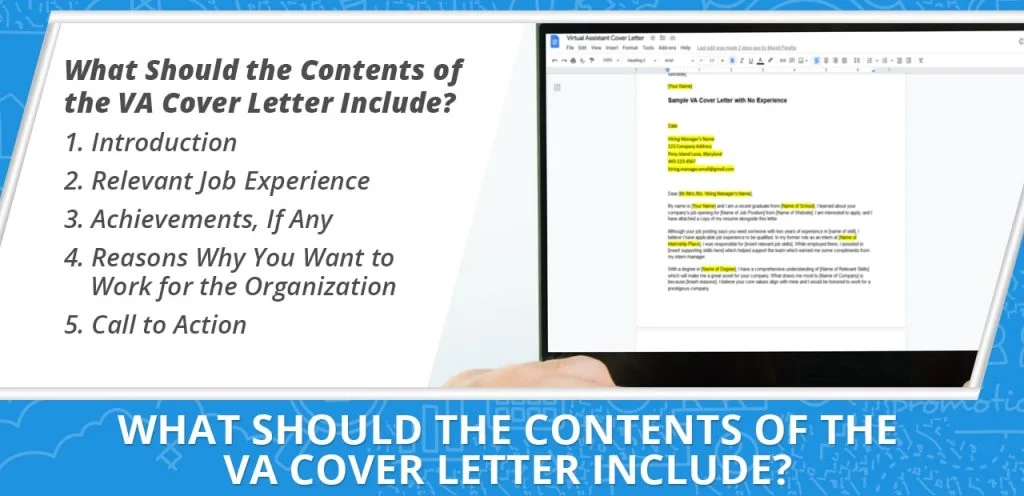
Start the letter with an introduction, complete with your name and intention. Briefly mention specific relevant job experience and the solutions you came up with for past job challenges. And most of all, include the reasons why you want to work for the organization.
Then, conclude it with a call to action, such as including your contact information like an email or a cellphone number where you can be reached. Your cover letter should convince the reader that you are a qualified candidate and, ultimately, the right person for the job.

Tips for writing a polished virtual assistant cover letter
How do you make one sheet of paper stand out from the rest? This is a crucial turning point as a cover letter may be the only thing hindering hiring managers and employers from reading your well-crafted resume. It can be frustrating to work so hard on making a masterpiece out of your resume and have it end up in a pile or leave on unread because the cover letter was not interesting enough. Here are some tips to help you out:
Follow instructions.
Many job descriptions have instructions on how to apply for the job. Read the instructions carefully and follow them. Sometimes, following the instructions to the letter is a test to see how you handle little details. Although not following all the detailed instructions may not fully disqualify a candidate, the hiring manager or employer may take note that the ability to follow directions may not be your strongest suit.
Save your resume and cover letter in PDF.
Using this file format will preserve the format of your resume and cover letter. You don’t want your hard work to go to waste when it looks untidy and misarranged because the reader is not using the same program as you. And the worst thing that could happen is that they might not be able to open the file at all. PDF is a universal file format, and exporting your application materials in a PDF document will save you a lot of trouble in the long run.
Check the file names.
Even if you have the best virtual assistant cover letter or resume, there is a chance that your application may be lost in the shuffle if you name it simple as “Resume” or “Cover Letter.” You may only have one of those files on your computer, but hiring managers and employers who are screening hundreds of applicants may have the same files over and over again. To distinguish yours from the rest, properly label the file names of your resume or cover letter with your first and last name.
Don’t reuse resume details.
An impressive cover letter should do more than state what is already written in your resume. First off, draw more attention to the specific skills and experience to highlight yourself as an ideal candidate. Mention relevant skills to support them. Explain briefly but clearly why you would be the right person for the job. Impress the reader that you have done your research on the organization by mentioning its mission, vision, and values by relating it to your own.
All about keywords.
For big organizations that hire several to hundreds of people, they may be using resume software that looks for keywords that match skills, qualifications, and experiences. Use the same keywords and phrases from the job description to help the software qualify you.
Be transparent.
Study your resume and look for things that may prompt hiring managers to do a double-take. Take action by preemptively explaining the cause and outcome of the issues. If, for example, you have two years where you were unemployed, explain the gap as briefly and honestly as you can and reiterate how you have managed to keep up with the skills needed in your career.
Review and proofread.
Once you have crafted your resume and cover letter, always take the time to review and proofread everything more than once. You might have missed a word or a typo in there. If writing is not your best skill, have a friend review it for you or use a grammar check tool or app to help you out.
When is a portfolio needed?
All the time. Even if the job post did not mention it. A professional portfolio showcases a collection of your best work from past employers. It is proof of your competence and skills. If you have relevant certifications that will be helpful for the virtual assistant job post that you want, you may want to include them. Some job positions require a portfolio, while others do not, but since you want to work online as a virtual assistant, it is a necessity. Hiring managers or employers themselves will want something that they can see, and from there, they can decide if you have the right qualifications and skills needed for the job.

How to create a professional work portfolio
If you have experience but have never created a professional portfolio before, here are some tips to help you build one. Gather the most important information and examples that are relevant to the job you want to apply for. It may contain proof of licenses, certifications, degrees, letters of recommendation, references, testimonials, and reviews.
You can also include work samples to show your skills.
If you only have minor experience, buff up your portfolio with an about me section, a written list of skills, biographical information, and awards and accomplishments from school, if any.
Make your portfolio visually appealing by adding relevant pictures and infographics.
This is important for visual roles such as web designer, graphic designer, and creative director positions. It is best to stick to a uniform design aesthetic that goes well with your career. Take note of your portfolio’s colors and patterns, which should aim to make the most important information stand out.
Create a digital master copy of your work portfolio and create a copy so you can customize it for specific job applications. Fortunately, there are plenty of tools and software you can utilize to create an online work portfolio. You should be able to easily change the contents according to the requirements in the job description.
For virtual assistant careers involving working online such as digital marketing or SEO, consider making an online portfolio. It is beneficial for these careers to have an established online presence. Having the ability to network and link to others is the most convenient way to show that you are what you say you are in your resume. Furthermore, this online portfolio could open opportunities down the road as future potential employers may be looking for new hires, and your online portfolio would pop up and interest them.
What if I have little to no work experience?
Everyone starts at some point in their careers. Others are fresh from school and recently graduated, some are looking for a career change, and others may not have the required number of years of experience. Whatever the case is, it should not hinder you from applying for a job knowing that you have what it takes. It should not stop you from writing your application materials as well.
Approach this mindset within justifiable reasons.
For example, if an organization is looking for a candidate with eight to ten years of experience and you only have two, it is best to move on and find other job positions to apply for. However, if a job listing only cites two to three years of experience, and you have one to one and a half, you have a chance to qualify.
Make up for the experience by providing proof of any applicable experience in the past, no matter how minute.
For example, if you have encountered this type of work as an intern, you can include it in your resume and cover letter. Another thing you should do is make a case for why you are valuable and what you can do with your skill sets. However, that means you will be answering specific questions regarding the job, so be prepared for that.
If you know someone already working in the company, it will help your lack of experience if they vouch for you. Employee referral helps prove your case.

Sample virtual assistant cover letters
There is no need to be nervous about writing a virtual assistant cover letter, especially if you have never written one before. Below are samples and templates that you can reference for your own.
Sample virtual assistant cover letter template (You can customize this!)
Date
Hiring Manager’s Name
123 Company Address
Pony Island Lane, Maryland
443-123-4567
hiring.manager.email@gmail.comDear [Mr./Mrs./Ms. Hiring Manager’s Name],
My name is [Your Name], and I am writing to express my interest in [Job Position] that I saw listed on [Name of Website]. I have more than 2 years of experience in [Insert Skills Here] and I am confident that my expertise is in line with the responsibilities listed in your job advertisement.
[Discuss accomplishments, stories, and other characteristics or traits that made you stand out in your previous workplace. Attach certifications and other proof along with the resume to further prove your point. Consider using a bulleted list for important information.]Please find my resume, portfolio, and other credentials attached to this email for more information. Please feel free to contact me at 122-334-567 anytime during the day. I look forward to hearing from you. Thank you for your consideration.
Sincerely,
[Your Name]
Virtual assistant cover letter example: Digital Marketer VA
Date
Hiring Manager’s Name
123 Company Address
Pony Island Lane, Maryland
443-123-4567
hiring.manager.email@gmail.comDear [Mr./Mrs./Ms. Hiring Manager’s Name],
As a long-time admirer of your company, I was excited to see an opening for the Digital Marketing position on [name of website]. This is an excellent opportunity for me to showcase my skills and all the things I have learned in all my years of experience.
I have worked in digital marketing and business advertising for over five years. Together with my team, I spearheaded a project that challenged my creativity which led me to come up with innovative solutions. With the limited budget of only $5,000, we were able to create campaigns that received over a million impressions and thousands of conversions that made our clients happy.
Highlights of my qualification include:
- 1st qualification
- 2nd qualification
- 3rd qualification
- 4th qualification
With my eagerness for continuous learning, I am confident that I am the right fit for your organization. With my enthusiasm for the dynamic field of digital marketing, I do my best to keep updated with the latest trends and best practices.
I would be delighted to have the opportunity to work with talented professionals at [Name of Company]. If you are interested to know more about my skills and qualifications, you can contact me by email or through Skype. I look forward to hearing from you. Thank you very much.
Sincerely,
[Your Name]
Sample virtual assistant cover letter (VA with no experience)
Date
Hiring Manager’s Name
123 Company Address
Pony Island Lane, Maryland
443-123-4567
hiring.manager.email@gmail.comDear [Mr./Mrs./Ms. Hiring Manager’s Name],
My name is [Your Name] and I am a recent graduate from [Name of School]. I learned about your company’s job opening for [Name of Job Position] from [Name of Website]. I am interested to apply, and I have attached a copy of my resume alongside this letter.
Although your job posting says you need someone with two years of experience in [name of skill], I believe I have applicable job experience to be qualified. In my former role as an intern at [Name of Internship Place], I was responsible for [insert relevant job skills]. While employed there, I assisted in [insert supporting skills here] which helped support the team which earned me some compliments from my intern manager.
With a degree in [Name of Degree], I have a comprehensive understanding of [Name of Relevant Skills] which will make me a great asset for your company. What draws me most to [Name of Company] is because [Insert reasons]. I believe your core values align with mine and I would be honored to work for a prestigious company.
I can be reached anytime via email at [exampleemail@example.com] or by phone, 895-678-9989. Thank you for your time and consideration. I look forward to hearing from you soon.
Sincerely,
[Your Name]
Takeaway
Remember that there is no one-size-fits-all virtual assistant cover letter for jobs out there. The purpose of adding a cover letter is to demonstrate your eagerness to be a part of the organization. While a well-written resume and cover letter will open doors, it is up to you to make use of the opportunities that have been presented to you.
READ MORE15 Tasks A Virtual Legal Assistant Can Do For You

As law firms join the worldwide move to modern offices and hybrid work arrangements, more and more lawyers have started outsourcing their busy work to virtual assistants. If your office has never hired a virtual legal assistant, you may be wondering what they are and what they can do for you.
What is a virtual legal assistant?
The demands of a legal practitioner can be overwhelming. The long hours, meetings, deadlines, and intense pressure can take a toll on a lawyer’s mental wellbeing. In fact, a 2017 study published by the American Bar Association reports that about 28% of lawyers suffer from depression while another 19% experience severe anxiety. Notably, the study found that a significant number of lawyers would not recommend pursuing law as a career.
As they try to stay on top of their game and win cases, lawyers also have to run their practice or oversee the various administrative tasks in a law firm. But there simply isn’t enough time in a lawyer’s day to manage everything that his office needs to do. That’s where a virtual legal assistant comes in.
A virtual legal assistant (VLA) is a professional who provides administrative or personal assistant services. The VLA works remotely from anywhere in the world, usually as an independent contractor. Virtual legal assistants don’t require office equipment or supplies and are only paid for the hours they put in.
Lawyers or law firms hire virtual legal assistants to handle the repetitive but essential tasks of a law office, including transcription, file management, legal research, email and call handling, and the like. As such, virtual legal assistants should have some basic knowledge about the legal profession.
It’s important to note that a virtual legal assistant is not a legal practitioner. The duties of a VLA do not include providing legal advice. Let’s take a look at what they can do:

Tasks to outsource to a virtual legal assistant
-
Sort through emails
Take a look at your unread emails. Chances are there are lots of them. According to Adobe, a white-collar worker spends about 4 hours each day sorting through their work email. That’s 4 hours you could have used doing more important tasks. A VLA will go through your work emails and notify you of important correspondence.
-
Respond to inquiries
As a lawyer, you’re always on your feet. You have clients to meet, witnesses to interview, and proceedings to attend. Of course, there’s also your non-work life to be mindful of. You can’t waste time answering the phone or replying to messages. The virtual legal assistant will respond to client inquiries as they sort through the emails. They will also make sure you are aware of all the inquiries and how they were handled just so they won’t be left in the dark.
-
Manage your calendar
It will be your remote legal assistant’s duty to manage your calendar and keep you on track. The VLA will make sure you don’t miss meetings, appointments, and important deadlines by reminding you of your schedule. Having an organized calendar will also help the VLA keep track of your activities so they can make changes if necessary.
-
Plan and book trips
Lawyers travel a lot. Litigators, for example, may need to fly or hit the road to meet clients or witnesses. This becomes a necessity if the other person is in a hospital or incapable of traveling. There are also lawyers that need to travel to attend trials, arbitrations, or business deals.
You can’t waste time booking flights and finding hotels to stay in. Your precious time is best spent doing research and studying for the case you’re handling.
-
Organize files
The virtual legal assistant is tasked with keeping all the files organized. Lawyers cannot afford to lose or misplace even one document. In a worst-case scenario, a lost document such as a vital piece of evidence may cost the lawyer the case.
The files should be accessible from any device so you can take a look whenever and wherever you are. The VLA should also show you the ins and outs of the filing system in case your assistant is unavailable.
-
Draft contracts
A contract is a set of promises that is legally binding. It ensures that the parties involved will stay true to what has been agreed upon. A contract can be a verbal agreement but this can easily be disputed. To make sure that the promise is upheld, you have to put it into writing.
The virtual legal assistant will help draft contracts using the details you will provide. They should make sure that the contract can be clearly understood so both parties will be comfortable signing it.
-
Create presentations
Lawyers often rely on presentations to communicate their capability to prospective clients. Your chances of you representing them may depend on how clear and impressive your presentation is. The virtual legal assistant may assist you by creating PowerPoint presentations that convey your message with less text and more graphs, figures, and other visuals.
Slide presentations may also come in handy while preparing and during a trial. In fact, when done right, these presentations will help the jury understand your points more clearly. You must work closely with your VLA when making these vital presentations.
-
Assist in pre-trial preparations
The virtual legal assistant will provide the lawyer assistance in preparing for trials. They will be tasked with writing reports, drafting contracts, and other legal documents necessary in a case. The VLA may also be asked to procure documents that will be used as evidence such as affidavits and formal statements.
-
Conduct research
There is a bit of investigation involved in law practice. By that, we don’t mean going undercover and doing stakeouts. Pretending to be somebody else to obtain information is also illegal as Hewlett-Packard learned the hard way in its 2007 pretexting case.
Much of the investigation will be done through thorough legal research. Proper research is vital to a case and while lawyers gain that skill from law school and during practice, they can’t find everything they need all at once. The virtual legal assistant can aid the lawyer by doing some of the necessary research.
-
Transcribe recordings
Unless your name is Boris Konrad or Alex Mullen, you probably can’t memorize everything that is said during proceedings, depositions, and client interviews. This is why lawyers often have a recorder with them. They also sometimes hire someone to record everything.
A virtual legal assistant may also be tasked with transcribing recordings. Obviously, the VLA has to listen carefully to the recording so a keen sense of hearing is a plus. Lots of patience is necessary as it normally takes four hours to transcribe an hour of recording with just one speaker. A one-hour recording with two speakers will take six hours to fully transcribe. Familiarity with legal terminologies and even the case being discussed is a huge advantage.
-
Handle bookkeeping and accounting
Accounting and bookkeeping require complete attention to be done right. A simple mistake will be problematic. However, lawyers are almost always too busy to focus on the financial side of the business. What they can do is hire a virtual legal assistant to take care of them.
-
Invoicing and billing
The virtual legal assistant may also count billing and invoicing as one of their duties. There are various accounting tools that your firm can utilize to better organize your finances. The VLA can prepare the attorney invoice and send the billing documents to the clients after you have reviewed them. At the same time, your virtual assistant can prepare their invoices along with other staff members if you have any.
-
Website management
Lawyers need to market themselves and their firms so people are aware of the services they are offering. The more effective their marketing tactics are, the more business opportunities are generated.
A website is one tool that can help lawyers and small firms get noticed. The remote assistant will be responsible for maintaining the website. Part of the task includes producing SEO-driven content that will help the website rank high in searches. If your website is highly visible in Google and other search engines, it may translate to more clients.
The virtual legal assistant also needs to update the website regularly. Aside from regularly posting fresh content, the VLA should also make sure the website is mobile compatible. Lots of people use their smartphones for browsing. You want your potential clients to see everything clearly upon visiting your website.
You need to establish your brand. Your VLA will help with your online bio and LinkedIn profile that will establish you as a dependable and trustworthy lawyer. In other words, people should see you as the right person to represent them.
-
Social media management
Your virtual legal assistant will be in charge of your digital marketing campaign so they will also handle your social media accounts such as Facebook, Twitter, and Instagram. The main purpose of these social media accounts is to enhance your market. The VLA will regularly post relevant content on these platforms that should be easy to read on both computers and phones. They will also increase social media engagement by interacting with users.
-
Video creation
YouTube is another popular social media platform that you can use to market your law firm. Take videos of yourself talking about different cases and legal tips. The virtual legal assistant will then edit the videos and make them more palatable to your audience. The VLA can also research topics that you can discuss and write the script for the video.

What to look for in a virtual legal assistant
Hard skills:
-
Technical writing
One of the main tasks that will be asked of a virtual legal assistant is to draft contracts and other important documents. Obviously, a VLA needs to know how to compose error-free write-ups. One simple typographical error can be detrimental to a case. Mistakes in spelling, grammar, or sentence construction can cause misunderstanding. Aside from having proper writing skills, the VLA should also be thorough in reviewing all documents they write.
-
File, project, and schedule management
A productive workplace is one that is organized. There can only be progress in the office when everyone knows what they’re supposed to be doing and everything is where they’re supposed to be.
The ability to be organized is one of the most important skills to look for in a virtual employee. The VLA candidate should know how to build a file system that is easily accessible even by old school lawyers who can’t keep with technology. The VLA should also be an expert in organizing the work calendar so you don’t miss out on deadlines, meetings, events, and projects.
-
Technical research
A virtual assistant should be computer and internet savvy. They work on their computer all day so these skills are definite must-haves. A VLA candidate should know more than the basics of computer use. Some programs they should be familiar with include Microsoft office particularly Word, Excel and PowerPoint. Familiarity with apps that can be used to improve productivity in your office is also a plus.
Research skills are necessary for the success of a case. The VLA should be able to locate expert witnesses who can give testimonies based on their specializations. A background check on your potential witness may also be necessary.
The VLA will also have to do some research related to the cases you are handling. This will include looking for legal documents and unearthing some facts about the case and those involved.
Research skills will also be necessary for marketing your services. The VLA should know how to look for trends and other marketing gems that can help get you more clients.
-
Transcription
As mentioned, the virtual legal assistant will likely be asked to transcribe recordings. It’s not enough to just play and listen to the recording. A VLA needs the right typing skills, which includes typing fast but accurate. They will also need to edit their work for errors so editing skills are a must-have, too. Plus, the VLA should have a little background on lawyer lingo and legal processes.|

Soft skills:
-
Professional communication skills
Communication is vital in a remote work setting. The virtual legal assistant should be able to convey their messages and concerns to their employer clearly so that all tasks will be done without a hitch. At the same time, the VLA should know how to communicate properly with potential clients as they will be tasked with handling inquiries and follow-ups.
-
Positive attitude
Look for a VLA with a pleasing personality and a great attitude, particularly towards work. As a remote worker, a VLA should know how to prioritize and take their work seriously. They should also be motivated to perform well.
-
Flexibility
Many remote workers have multiple jobs so they set a certain time to focus on each one. One advantage of this is that they will try to accomplish as much as they can during your work hours. However, you may want your VLA to be flexible. There will be times when you need to have something done immediately so it will be advantageous for you if your VLA is available when you need them.
-
Trustworthiness
As a lawyer, you’re dealing with sensitive information. If any piece of vital information is leaked out, you may lose a case. You will also lose potential clients if people found out that your office cannot be trusted.
You need to look for a virtual legal assistant that values confidentiality. In fact, it should be one of the core principles of every remote employee and freelancer. Since there is no physical interaction between an employer and a virtual legal assistant, the latter should do what they can to prove that they can be trusted. If they break that trust, potential employers will think twice before obtaining their virtual legal assistant services.

Common concerns about hiring a virtual legal assistant
-
“I don’t know what a virtual legal assistant is.”
One of the most common reasons why lawyers are wary of hiring a virtual legal assistant is that they don’t know what a virtual legal assistant actually is. Many lawyers who have been at it for years or even decades are quite hesitant to adapt to current trends, including those related to the practice. Since many old-timers are not that keen on technology, they may not be aware of virtual assistants. Some may even dismiss the fact that remote workers are necessary in this day and age.
Solo practitioners and lawyers of small local law firms may also not see the need to hire virtual legal assistant services. However, you’ve spent years studying law not accounting, information technology, or secretarial jobs. A virtual legal assistant will take such tasks not directly related to your practice off your hands.
-
“What if my virtual legal assistant suddenly quits?”
In any kind of business, it’s always difficult if even one employee suddenly calls in sick. Most of the time, this can be remedied. The employer will have to make the necessary adjustments to compensate for the worker’s absence.
The problem multiplies tenfold if an employee suddenly quits or disappears completely without any notice. This is a legitimate concern for lawyers regarding virtual legal assistants.
It is the responsibility of virtual legal assistant companies to have VLAs in their stable that are ready to provide service anytime it is needed. But truth be told, it may be difficult for the lawyer to adjust to a new remote assistant, especially if they are currently handling a case.
One possible remedy to this potential problem is to hire a virtual legal assistant from a reputable company. Lawyers should also consider hiring someone with extensive experience who values the code of ethics. They may come at a price but they’re definitely worth it.
-
“How do I know what my virtual assistant is working on?”
Another common concern of lawyers is that their virtual legal assistant doesn’t accomplish their tasks on time or not at all.
One way to avoid this is to constantly communicate with each other. It can be as simple as sending messages or having calls to check on the status of certain tasks. However, most attorneys are too preoccupied to regularly check on their virtual legal assistant. The VLA should take it upon themselves to constantly send updates to their employer.
When assigning tasks, the lawyer should indicate the order of priority. The remote assistant can then work on the time-sensitive projects first before proceeding with other tasks. Again, effective communication is vital. If you have a task that suddenly needs to be prioritized, you should communicate this clearly to your virtual assistant.
Another solution is to use a time tracker or task management system. Such software allows the employer to see the status of a task designated to the virtual legal assistant. On instances that you cannot reach your virtual legal assistant, you can still check on a task by logging into the task management software.
-
“How do I trust someone I’m working with remotely?”
Since a lawyer’s job is complicated, it’s understandable why some are quite apprehensive when dealing with a virtual legal assistant. For one, they cannot physically see and interact with the person. Some lawyers may find it difficult to delegate and explain tasks to a computer screen.
Furthermore, some law practitioners may have a difficult time trusting someone they cannot physically interact with. It’s true that one can get a better feel about a person after seeing them face-to-face. This is impossible with remote assistants.
Before hiring a VLA, you will have to interview the person. Make the most of this opportunity to know the applicant. Once the applicant is hired, keep the communication lines open so you can integrate the VLA easier.

Tips for hiring a legal assistant
It’s unlikely to have face-to-face interviews with your VLA candidates. That’s unfortunate since you can better gauge a person’s personality and capability when he or she is sitting in front of you. As such, you can still learn about the candidate through a virtual hiring process. If you have worked with virtual assistants before, you may have an idea of how to hire a VLA. In case you are new to the concept, here are some tips on how you can find the right virtual legal assistant for you.
-
Make a list of qualities and skills
Determine the qualities and skills that you need in a VLA and indicate them in your job post. This should help ensure those who will apply for the job are qualified. As the applications pile up, use this list to narrow down your choices.
-
Hire a VA that’s good at something you’re not
You may have topped the bar exams but you’re not that well-versed in bookkeeping and accounting. Hiring a VLA that is not that good with numbers means you either have to do the accounting yourself or hire an actual accountant. That’s not a good idea if you’re just starting out.
In the same breath, your virtual legal assistant should be capable of doing tasks that you’d rather not do. Even if accounting can be your second career, you don’t really need to crunch numbers. Let your VLA handle this and focus more on the cases you’re handling.
-
Find someone with the same work ethic and style
It’s important to work with someone with the same principles and working style as you. Once you hire your virtual assistant, you want the transition or integration to be as smooth as possible. The quicker your VLA adjusts to how you do things, the better the workflow will be.
-
Set clear expectations
You have to make it clear during the hiring process what your expectations are. The virtual legal assistant candidate should know what they are supposed to do under your employ. At the same time, they should be aware of what they can expect from you or your firm. This should help both parties decide if you are right for each other.
[activecampaign form=68]
Whether you’re a newbie lawyer or a veteran of many years, you need all the help you can get. Hiring a virtual legal assistant (VLA) is one way to lessen the work and alleviate the stress. You can designate a number of tasks to your VLA so you can focus on the more important aspects of the job and life.
As a lawyer, you need to keep learning and improving your craft. You may find that difficult if the stress of running the administrative side of your practice is holding you back. Outsourcing can be the answer to all your problems. Hire a virtual legal assistant and take a load off your shoulders.
READ MOREVA Spotlight: Marichelle
This month’s spotlight goes to Marichelle, an eCommerce virtual assistant (VA) who has been with the company for four years now. She first worked as an all-around Amazon VA for one of our clients, and she is currently working as a purchasing VA for another. As a purchasing VA, her main task is to search for items on Amazon so she can help her client boost their online store. With how long Chelle has been working with us, she now considers 20four7VA as her second home.
What Made You Decide to Become a VA?
I have a teenager now. She is a growing teenager and it is a crucial stage in her life. So, I decided to spend as much time as possible with her to get to know her better. I also want to be available when she needs me. Through this work, I am fortunate that I can provide for her better and spend time with my husband as well.
What Was Life Like Before You Started Working for 20four7VA?
I used to work for a call center company in Makati, Philippines for a year. I go to work from 6:00 pm to 2:00 am from Monday to Friday all while battling with traffic congestion in the city which makes my days longer. It’s even worse on holidays like Christmas and other events. With that said, I thought to myself that spending this much time for work is no longer worth it and that is how I decided to work as a virtual assistant (VA).
What is Life Like Now that You’re Working With 20four7VA?
I can say that I have a better work-life balance now. I get to spend time with my life, no more commute-related stress, and I save a lot of money from no longer buying work clothes, bus fare, and other related expenses like eating out.
Why Did You Choose 20four7VA?
It (20four7VA) was actually recommended to me by my very good friend. When she recommended 20four7VA, she told me that the opportunities are endless as long as we do our job well. I decided to give it a try and I have stayed here ever since.
How Has 20four7VA Helped You Grow?
When I started here in 20four7VA, I have no experience and at that time, luckily, work experience was never an issue. Because it is my first time in this field, 20four7VA has equipped me with thorough training and they thoroughly explained the step-by-step processes of working as an Amazon VA. The company gave us free training up until I reached my full potential and I learned a lot from my clients because they also trained us. I am grateful for the support from my work colleagues and the staff because they helped me get through every challenging task that I had.
What Are the Top 3 Benefits of Working with 20four7VA?
One perk of working with 20four7VA is the work stability. Before I ended the contract with my first client, they offered me another job contract. I guess it’s because they know how I work and because of that I know that 20four7VA actually offers endless job opportunities. Another perk is the free training, and lastly, the on-time weekly salary.
What Advice Would You Give Someone Who’s Thinking About Applying at 20four7VA?
I guess they have to empty their cups to learn new things because we need some improvements for ourselves. Working remotely is different from working regular jobs that we’re used to.
What Qualities Should a VA Have?
At 20four7VA, we should have integrity as we work remotely because we work without being monitored so we just have to be honest.
If You Were to Recommend 20four7VA to Your Best Friend, What Would You Say?
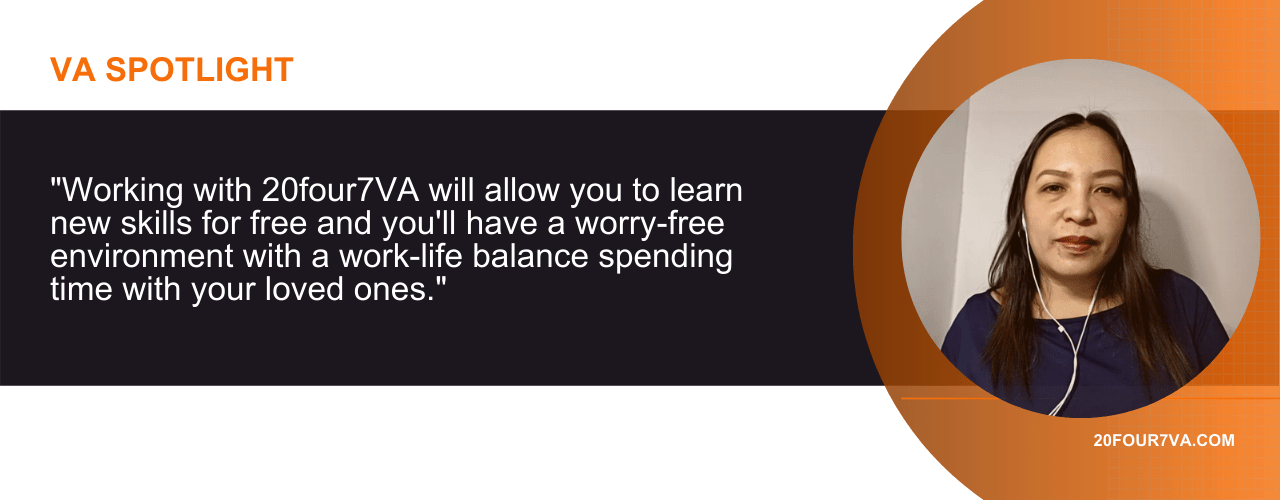
I would just recommend it to my friend and if she decides to apply, I would say that she made the right choice. Working with 20four7VA will allow you to learn new skills for free and you’ll have a worry-free environment with a work-life balance that allows you to spend time with your loved ones.
What can you say about Marichelle’s experience as a remote employee in 20four7VA? Share your thoughts in the comment section below. To get the latest news and updates, head on over to our official careers Facebook page for more information.
Want to be featured in your very own VA Spotlight articles? Click the link below to launch our VA Spotlight Intent Form.
READ MOREBeginner’s Guide on How to Start Your Own Social Media Marketing Agency + Insider Tips!

Accessibility to computers and gadgets like mobile phones have enabled many of us to spend more time online. In this digital age, it is not surprising to see the continuous growth of social media. In fact, more than 3.7 billion people around the world are using it and it is expected to increase in the next few years.
What is Social Media?
Social media is a collective platform that includes websites and applications for creating, sharing, and exchanging of information to communities or the public. People commonly use browsers and mobile apps to digitally interact with others through the internet. There are many types of social media services to create user-generated content including photos, videos, text posts, and comments. The most common platforms are Facebook, YouTube, Twitter, Instagram, and TikTok.
According to a Pew Research fact sheet, social media use by adults in the US has increased over time since 2006. Most users check social media sites frequently in a day as well. In fact, an average user spends two and a half hours per day on these platforms. Additionally, GlobalWebIndex found that more than half of those who browse social media have been reported to look and research products and services.
What a Social Media Marketing Agency Can Do

It is not a secret that a large majority of people around the world are using social media as connection to the internet becomes more accessible. The trend only increases as time passes by and it has only made one thing clear: social media marketing is one of the most direct and effective ways for businesses to reach customers.
The demand for social media marketing has skyrocketed and the right agency can provide knowledge and expertise on the best way to create a strategy for your brand. A social media marketing agency does more than just publishing posts to different networks. A proper plan of action with regards to crucial information such as goals, analytics, and reports are important in aiding with the needed research to launch an effective campaign.
The first step to coming up with a plan is to ask important questions related to goals. What does a business hope to achieve through social media marketing, target audience, and the type of message they hope to send to an audience are only some of the things that need to be thought about. Other notable things that social media marketing agencies can do include:
- Developing objectives
- Social media audit and assessment
- Budgeting
- Creating strategy timelines
- Developing the social media plan
- Creating unique and eye-catching content for various platforms
- Determining specifications for publishing and sharing
- Looking for development opportunities
- Analyzing social media engagement
- Monitoring and fine-tuning campaigns
- Reporting
Reasons Businesses Need Social Media Marketing

One of the greatest things about social media marketing is that any business, whether big or small, can do it. This type of investment may be a cost-effective way to reach out to consumers, but it requires imagination and creativity. There is also a need for constant innovation seeing as more businesses are realizing that social media is a profitable source.
There have been numerous brands that have gotten popular instantly because their posts have gone viral on social media. With that said, there is certainly merit in pursuing this type of online marketing. Here are more reasons why businesses need social media marketing:
Increases Brand Awareness and Recognition
Traditional marketing through announcements on newspapers and billboards is no longer enough. Word of mouth may work for connected business owners, but it may not be sufficient if businesses want to reach their desired demographic. Social media has deeply integrated in society that it may as well be a new classification under activities of daily living.
What that means is that being online is now so culturally ingrained that most people tend to use social media in their spare time or to pass time. Therefore, the customers of most businesses are social media, and the best way to let them be aware of your brand is to be in the same virtual space. One of the ways you can put your brand on the virtual map is to create a website and social media pages. Marketing through these routes and by creating valuable content that an audience will enjoy will increase brand recognition.
Grows Website Traffic
All the efforts in social media marketing ultimately lead to driving traffic to your website. Sharing blog content, promos, discounts, and contests across social channels is an excellent way to drive inbound traffic. Every visitor is a potential customer, so it is crucial to engage new leads and optimize your website for conversions. Social media marketing goes hand in hand with your search engine optimization campaigns as well.
Builds a More Intimate Relationship with the Audience

Social media is a tool that bridges the gap between brands and the audience. Building a relationship and establishing trust with the audience are the driving forces behind consumers who are deciding where they spend their money on. Authenticity is one of the most popular qualities that customers look for in a brand; a story and a purpose are the key ingredients to consider when creating content.
Another factor to consider is humanization. Generic and unrelatable posts garner no attention for a good reason. The consumers of today are smarter they can usually notice disingenuity from a mile away. Humanizing interactions including comment interaction and through private messages are heaps better than canned responses.
Customers have different levels of need and no AI or bot can cater to complex questions or requests. Automation in itself is not a bad thing because while they can help in other aspects such as post scheduling, things directly related to customers should have a more human touch.
Creates Opportunities to Demonstrate Customer Service Excellence
Many marketers often forget that while social media is an excellent marketing tool, it can be used for customer service management as well. As the divide thins down between brands and customers and engagement high as ever, there should be a plan of action for responding to different customer reactions. However, you should remember that platforms are varied and used differently.
For example, customers may use visual social platforms such as Instagram to buy products because of pictures or look at services in action through videos. Those who use Twitter may reach out to brands directly for their issues. Simply put, anticipating the needs of customers from different social media platforms creates plenty of opportunities to demonstrate excellent customer service.
With the right response, brands will create a loyal customer base and excellent retention. Additionally, these same people will advocate on your behalf and talk to others about the brand in a positive light.
Provides Customer Insights

It is a foolish move to rest on one’s laurels once you find that your brand is enjoying popularity from social media marketing efforts. Regardless of what industry, competition will always be fierce. There are always new brands popping out and the last thing you want to do is fall behind. That is why it is important to stay on top of the game by regularly get feedback and insights from customers.
Social listening is an important strategy to monitor and track the brand from different social media channels. Information such as interests, likes, and dislikes are extremely helpful in creating content to target marketing campaigns better. Audience research through insights will also let you know what is working and what is not, and this way you can proactively take preventative measures or steps to fine-tune strategies.
How to Start Your Social Media Marketing Agency
A social media marketing agency is easy to establish in theory because you do not need a lot of financial capital to start it compared to traditional brick and mortar businesses. However, starting a business in and for a digital space has its unique challenges. As the internet landscape becomes more complex and regulated, there a lot of things to consider. So how do you start your own social media marketing agency? Read on to find out.
Basic social media knowledge is not enough if you want to start and run your own agency. You will have a harder time than others if you do not have the skills, knowledge, or expertise of being a digital marketer. Consider dedicate time, energy, and money to honing useful abilities including entrepreneurship. The dynamic environment of social media necessitates the need to always be up to date with the latest trends and topics as well.

It is easy to get overwhelmed by competition and the plethora of popular platforms available. It is easier to take little steps such as determining an area of expertise to concentrate on. Identifying your niche will certainly help narrow down important information such as social media channels, audience, and what industries you can work with.
For example, you can focus on a single platform or two instead of learning all of them in one go. Keep in mind that these platforms all have varied requirements and users utilize them differently. With this, you can easily figure out what services you can offer and what your limitations are. This way, you know what jobs you can take.
Test your mettle by being a contractor first before taking on the task of managing a social media marketing agency. Working for yourself allows you to develop the necessary skills and knowledge on building contracts, creating proposals, and building contractor relationships. You can also create and fine-tune the working process with the insights you have accumulated. There is less risk when you transition as a one-person agency as well.
Setting Up
There are plenty of ways to start a social media marketing company but at the core of the most successful agencies is a solid business plan with goals. Before this, consider what type of business structure you want to operate. Some things to consider include branding information such as the company name, registration, taxes, and all related legal matters.
Starting a social media marketing agency may not be as costly as traditional businesses but there are expenses to cover. Business overheads including computers, software and tools, and digital devices are just some of the costs. You also need to cover for taxes and salaries.
Business Plans and Goals

Coming up with a business plan can be daunting but it is an important task that needs to be done before you can run your social media marketing company. Having goals and plans to achieve those will help guide your agency and measure its performance. When creating a business plan, you need to take note of the following:
- Mission and vision
- Services offered
- Job roles and responsibilities
- Target market
- Marketing strategy
- Publicity strategy
- Pricing and payment options
- Financing and cost analysis
- Scalability strategy
- Overall analytics and progress
Making Your Brand Known
Whatever digital marketing services you offer to clients, you must first apply to your agency. Establishing an online presence is required to making your brand known. It is important for your business as a social media agency to be visible for lead generation, engaging with the audience, and finally getting clients.
Here are the things that you need to launch:
- Website – Does it have all the information a potential client may need? Ensure that the contact forms and links are working so you are easily contactable.
- Social media – What is a social media agency without social pages? Invisible! Make sure that social networking profiles are complete with all the needed information to make your agency accessible.
- Listings – Find any opportunity to be present in business listings so people looking for services will consider your agency.
- Publications – Be on relevant publications to get more visibility. You can opt for paid opportunities or create special launch offers, discounts, or free trial services to drum up interest.
Reach Out & Acquire Clients
One of the biggest challenges you need to overcome is finding clients when your agency is new. In this case, a portfolio can help to establish social proof. When you start from scratch, clients won’t automatically come to you, so you need to go after them yourself. One of the best ways to start is by building a network and forming business relationships to connect with future clients.
Credibility is important for prospective clients who are looking to use your agency’s services. That is why it is important to list down your experiences and projects you have handled as an employee or freelancer on your website and even social media pages.
Another way to acquire clients is to reach out to people you already know including friends and relatives. You can ask for their testimonials, reviews, and recommendations to post on your website and profiles to further establish trust and credibility.
Build Services You Can Offer & Hire People
It is important to determine the scope of services you offer. This will help guide with the creation of proposals and agreements and set client expectations on deliverables. If you have a lot of projects coming on thanks to your efforts, it is not sustainable to handle them all. Growing your social media marketing agency means hiring the right people.
Populating a team with exceptional skills is yet another challenge if you are still establishing your social media agency and handling the operations by yourself. Consider hiring from a reputable virtual staffing agency for the human resources you need. Investing in outsourcing services may be costly at first but the gains and the return on investment will be worth it over time. Below is a sample list of services you may offer:
Website Development

For businesses to thrive in the new era of consumer culture, a website is a must. Website development is one of the most sought out online services. A company website is a useful tool for marketing and sales. While an in-house website developer in your team is useful, they can be pricey, and most startups do not have the budget to employ them full time. Consider hiring a website developer virtual assistant for these types of projects.
Social Media

When you have a lot of clients, handling a lot of social media campaigns can be overwhelming. If you need more people to handle tasks such as social media account setup and management, posting, interaction, ad setup and management, and reports, consider getting a social media virtual assistant to help you.
Graphic Design

Visuals are important when you have a message to convey and that is why graphic design is an important skill. Consider hiring a graphic designer virtual assistant for clients that need logos, infographics, and marketing materials such as flyers, posters, banners, and more.
Content

Establishing brand presence and engagement does not end at launching a website and setting up social media profiles. It needs to be populated with the most important thing: content. Content writer virtual assistants are adept at content creation and many writing tasks including website copy, press release, newsletter, blog posts, email content, and social media content.
Customer Inquiries and Other Administrative Tasks

Some clients may overlook administrative but important day-to-day tasks such as customer inquiries from multiple channels including emails and social media channels. While it is important to respond to these inquiries promptly, it is equally important to reply in a professional manner. Administrative virtual assistants are highly valued for this kind of work and not to mention, they can also handle other routine admin tasks as well.
Track & Innovate
Now that you have established your social media marketing agency’s online presence, specialize in an area, have clients, and hiring employees for your team, it is important to track and monitor your agency’s progress. Routine business monitoring is a necessary step that measures business performance. These reviews can help provide useful information that can be used to identify problems, keep objectives in line, identify innovative opportunities, and further set goals.
Money-Saving Tip: Use Free Social Media Tools
It is important to invest in paid software and tools if you need them. You may be paying for time-saving features and efficient integrations but remember that you can utilize free tools to save money unless you really need what the paid ones can do. These free tools usually also come with paid plans so you can always upgrade later.
With that said, here are some of the most popular and free social media management tools that you can use:
- TweetDeck
- Later
- Buffer
- Hootsuite
- ContentCal
- Loomly
- Monday.com
- AgoraPulse
- Sendible
- PromoRepublic
- Social Pilot
[activecampaign form=68]
Time-Saving Tip: Need the Right People to Hire For Your Social Media Marketing Agency?
Scaling your business in a short amount of time is no easy feat. You need to have people with the right skills to help you get there. Hiring new people is a huge undertaking and not to mention, costly too. Even if you manage to find new hires, there are major risks involved including financial loss and instability.
The greatest advantage of running a social media agency is that everything is online. Therefore, it makes much more sense to hire virtual assistants than in-office employees because jobs can be done remotely. One of the biggest benefits of hiring virtual assistants is that you can build your agency personnel the way you want it.
Additionally, you no longer have to worry about the hassle of posting positions to job boards because a virtual staffing agency like 20four7VA has access to top global talent pool. All the VAs go through rigorous screening processes and the candidates that matched the most will be sent to you for consideration. In fact, all you need to do is to send a job description and 20four7VA will do the rest.
This cost-effective solution also means that you no longer need to do any training because these pre-vetted VAs are already experienced and knowledgeable. They are ready to go to work after the onboarding process.
If you worry about turnover rates, don’t fret. All virtual assistants have performance monitoring measures in place. If you want to have a VA replaced, 20four7VA ensures that the transition will be smooth and stress-free.
So, are you ready to hire the right people for your social media marketing agency? Schedule a no-strings-attached pre-consultation call with us today! Hire simply, hire quickly.
READ MORE