Top Virtual Assistant Tools 101: Part 2 – Appointment and Scheduling Apps

Table of Contents
- Benefits of Using an Appointment Scheduling App To Schedule Meetings
- What are the Best Appointment Scheduling Apps for Employees?
- BONUS: Productivity and Time Management Tools for VAs!
- What are the Best Appointment Scheduling Apps for Businesses?
Time is one of the most valuable resources anyone can have, and spending it wisely is a hallmark of efficiency, especially when it comes to working. In a traditional office setup, workers are expected to stay in an assigned cubicle or table to do their work for a certain number of hours, five times a week. The age of COVID-19 has certainly changed this known structure as most businesses restructured their organizations to adapt to teleworking.
As office workers shift to relying on online communication tools to connect with managers and colleagues, it’s just another day at work for virtual assistants (VA) who are intimately familiar with work-from-home setups. While it is undoubtedly a boon that most people can find online jobs nowadays, one of the biggest issues that have resulted in the difficulty of managing one’s own time.
Being a virtual assistant is lucrative work as VAs can take on multiple clients in different arrangements such as long-term, project-based, or as-needed. In the past year, the number of virtual assistants has soared. In fact, a report on future work trends states that freelancers and part-time workers will soon replace many traditional employees. Additionally, more and more large corporations will be utilizing a flexible workforce to adapt to changing times.
This means that VAs who work with multiple clients need to manage their time carefully, and one of the ways to do this is to be well-versed in client management and the best scheduling apps.
Benefits of Using an Appointment Scheduling App To Schedule Meetings
Businesses that rely on bookings and client appointments know how vital appointment scheduling software or scheduling apps are. Improved booking rates often mean that a service provider is doing well. Because these apps are used to streamline processes for both the service and client end, the most important thing to consider is accessibility among its basic features.
Ease of use comes second, as the last thing customers want to deal with is apps that are slow, buggy, or worst of all, unavailable. Faulty appointment scheduling apps can have a tremendous effect on your business, resulting in miscommunications that can mean missed sales and other opportunities.
A large chunk of online bookings come through after hours. One of the most significant benefits of using online scheduler apps for businesses is that they allow you to entertain client bookings during non-business hours and generate alerts or reports for upcoming appointments. A scheduler allows both companies and clients to utilize their time better. Clients on a waiting list can receive notifications of an open schedule before the appointment date of their in person meetings.
For employers, one of the biggest challenges when handling staff with different shifts is scheduling. Some appointment schedulers or appointment software apps offer tools that help manage work schedules and employee shifts for the week or the month. You can use the advanced features of these tools to assign tasks, control overtime, solve scheduling conflicts, and oversee general employee activity.
These apps also improve attendance because they can generate automated reminders and use widgets that can integrate with online calendars. They may also have custom features for bidding on open shifts, requesting time off, trading shifts, and more.<
Remember that an easier booking and scheduling experience means reliability, fewer no-shows, and better potential business growth, no matter if it is used by organizations or freelancers.
[activecampaign form=66]What are the Best Appointment Scheduling Apps for Employees?

There are many factors you need to consider when choosing the best appointment scheduling app. These include price, number of employees, and maybe more advanced features that you need and want for your small business. You don’t necessarily have to pay for a scheduling app as you can create a free account that can give paid booking app tools a run for their money.
For organizations with remote workers, virtual assistants, and other types of contingency workers, here are some of the best appointment scheduling software you should check out:
WorkTime — This is one of the most straightforward scheduling tools out there. WorkTime allows employees to monitor the productivity of off-site employees without being invasive. Through the app, you can monitor attendance, track logins and logouts, and see idle time.
Shiftboard — This app is highly customizable and caters to businesses with mission-critical tasks. Shiftboard’s main features include an easy-to-use centralized schedule UI that improves scheduling accuracy and ease. It also has auto call-out fill and auto shift-fill for industries that want to reduce disruptions to business operations.
When I Work — This app is highly customizable and caters to businesses with mission-critical tasks. Shiftboard’s main features include an easy-to-use centralized schedule UI that improves scheduling accuracy and ease. It also has auto call-out fill and auto shift-fill for industries that want to reduce disruptions to business operations.
Google Calendar— One of the most well-known scheduling and calendar apps. One of its main advantages is that most users with a Gmail account can access it. The Google Calendar app lets you create and schedule meetings and appointments in seconds.
Calendly — Calendly allows users to schedule many types of meetings and connects with multiple calendars. This tool helps improve the scheduling experience with others who use different apps as it allows you to immediately see priority and availability from within the app.
Hubstaff — This scheduling software app is a great choice for those who are in need of a more customizable appointment scheduling app. It works seamlessly with multiple calendars, including Google calendar and even Outlook. It also automatically processes scheduling conflicts like a double booking to avoid having two employees working at the same time on the same shift.
ScheduleOnce — ScheduleOnce allows you to get rid of scheduling meetings by streamlining scheduling directly from emails through a scheduling link. This appointment scheduling app is compatible with Gmail and Outlook. It allows you to set availability across multiple time zones and improves your scheduling workflow by allowing managers to approve or reject a booking request if required. It also has scheduling guidelines that will help you avoid scheduling conflicts.
Rallly — Ever wish you had a say on when best to meet with your workgroup? Rally is an appointment scheduler that allows you to do just that. It has a polling feature that allows members to vote for the best meeting or event times. You can also use it to chat with others.
Hubspot Meetings Tool — HubSpot Meetings is a scheduling app that easily gets you and your team on the same page. The scheduling features in this scheduling tool include automatically sharing calendars, reminders for events, and event logs. This scheduling app also has an access control feature that lets you see who’s in a meeting and who’s missing without sending out a mass email.
Remember The Milk — This scheduling tool is one of the most efficient scheduling tools out there. This scheduling app is a great choice for scheduling meetings because it lets you add reminders, due dates, and more to your appointments. It also automatically updates your schedule if someone needs to change an appointment or cancel one altogether through event invitations from colleagues, clients, or customers.
Fantastical — The best alternative when it comes to scheduling apps. Fantastical’s natural language command lets you instantly create a new event or update existing events without typing the same details over and over again through a single tap. Its intuitive calendar allows you to configure how it works based on what will help you manage to schedule the most effectively.
Carrot — This scheduling app is perfect if you want to schedule appointments or meetings with your team. Carrot’s scheduling features include automatic rescheduling of events, which can happen if someone needs to cancel an event or if they will be late. It also has the ability to create recurring meeting invites, which helps you avoid constantly sending out invitations.
Clear — This scheduling app’s scheduling feature is an intuitive design, which provides a scheduling experience all in one place. It allows you to create events using natural language for easy scheduling and calendar management. It also includes a smart notification that sends out reminders a few hours before a meeting or event occurs, ensuring that everyone knows when it takes place.
Run Pee — Yes, that’s right. This scheduling app is perfect for scheduling meetings and scheduling appointments in one place. It’ll even learn your habits over time to determine the best times for you to take a break or sip on that coffee so you can stay productive throughout your day.
Todoist — Another scheduling tool that is compatible across devices. Todoist makes scheduling events easy with its features, which include adding reminders of tasks and setting due dates. It also lets you share your to-do list with others so they can see what needs to get done next.
[activecampaign form=68]BONUS: Productivity and Time Management Tools for VAs!
Remote working arrangements require a certain level of trust as employees work from multiple locations. But employers and employees also need quantifiable data for tracking and invoicing purposes. Time management apps and software are an amicable solution for both sides as these tools have features for monitoring work hours and expenses, creating EOD reports, exporting data or invoices, and other tools. Here are some of the best time-tracking tools:
Toggl — This is a free time-tracking app that works on most mobile devices, computers, and even browsers. With Toggl, you can hit the track button and worry about the details later. One of its most notable features is a Pomodoro Technique setting that allows you to focus and work for a set amount of time.
Harvest — A collaborative time-tracking tool that allows members to track the times they worked on a project together or otherwise even if users are from multiple locations. It can connect to desktop and mobile apps and has a browser extension for convenience.
DeskTime — As the name implies, DeskTime monitors the time you spend working. It also calculates daily productivity based on programs, apps, and websites you opened during the day.
Timecamp — This is a tool that tracks billable hours and stores the information on the cloud. Timecamp also creates automatic payroll computations and sends invoices for easy payment processing. It can also monitor project status and follow the team’s overall productivity and performance.
Time Doctor — A popular time tracker that also has project management features. Time Doctor monitors work activities and takes desktop screenshots every few minutes to see what employees are doing. It can also pay employees directly from the platform.
Tick — Time recording made simple. This app provides billable hours and allows employees to track the time they worked on a project or task and compare it with other team members.
Timely — A time tracking tool that’s like a traditional scheduling software app but much more powerful. It can schedule multiple projects for teams and individuals, manage multiple locations, and also create reports.
Gusto — A web-based payroll tool that tracks time worked. This application also handles tax payments, automatic scheduling of paychecks, and direct deposit. It can also create itemized invoices for service providers, employers, and employees.
RescueTime — A time management application that tracks what you do on a computer or smartphone including the apps and websites you use. It also creates detailed reports of your daily habits that can help you understand how you spend your time each day.
Any.do — An organizational scheduling app that has marketing features for creating to-do lists, setting reminders, and sending messages to contacts or customers regarding scheduling matters. It can also sync with Google Calendar and Apple’s iCal.
Replicon – A no-fuss and simple time tracking tool, Replicon has easy-to-use features that help track time and bills easily. This is best used for medium to large organizations.
Bill4Time – Bill4Time is a cloud-based billing software that simplifies the ardent task of time tracking and invoicing. You can use it to get comprehensive work summaries and reporting on client projects.
What are the Best Appointment Scheduling Apps for Businesses?

Appointment scheduler apps make managing appointments and scheduling staff shifts easier. There are various types of booking software available for different channels, including online. Most of these tools allow clients and patients to book appointments, reschedule them, or even cancel appointments from the booking page. Many of them can connect to different apps, including Google calendar and social media platforms like Facebook and Instagram. Here are some of the most highly rated schedulers for large enterprises or even small businesses:
Setmore — This is a free appointment scheduling platform that allows client bookings and sends automatic appointment notifications. For secure payment processing, it has an integrated online payment platform that accepts credit and debit cards and other forms of e-payment.
SimplyBook — An online booking software or system for service-based industries, SimplyBook is mobile-optimized and can send notifications via SMS or email. It can be customized with different features, including intake forms, gift cards and coupons, memberships, and more.
Appointlet — This appointment scheduling app has modern scheduling features that can sync with online calendars to integrate appointment types and schedules seamlessly. Appointlet can be accessed through many mobile devices and allows clients to make new appointments easily through a booking page.
Acuity Scheduling — For those with complex booking processes, Acuity Scheduling is an appointment scheduling tool that comes in tiered paid plans. Acuity Scheduling has a simple and easy-to-use client management interface that allows a high level of customization for businesses with a more discerning clientele.
Square Appointments —A simplified web-based appointment scheduling app, Square Appointments takes the guesswork out of making services bookable online. It has helpful client management tools that can have businesses set up and ready to go in no time.
Bookafy — A scheduling suite that comes with a booking widget and scheduling software, Bookafy is easy to use for scheduling appointments, unlimited bookings, calculating cancellation fees, or staff shifts. It can also connect to POS platforms to accept payments from clients.
TimeTrade — An appointment scheduling software designed for small businesses, TimeTrade is easy to use and customizable. This booking app can streamline the appointments process and manage scheduling, payments, and scheduling reports.
BoldIQ — This scheduling option is ideal for businesses that value appointment scheduling visibility. It allows clients to book services on the go through a mobile app, and it sends appointment reminders by SMS, email, or text message.
HoneyBook – An all-in-one platform that allows you to easily set up online payments, proposals, and invoices. It has a nifty automate feature that can run recurring tasks on autopilot to ensure that you don’t miss a beat even on the busiest days.
GenBook – An online 24/7 booking app that’s great for small to medium businesses. GenBook has great features including online scheduling, client management, integrated payment processing setup, mobile app connection, business insights, and more.
TimeTap — This scheduling tool is a great choice for scheduling meetings without the hassle. TimeTap has an intuitive interface that lets you schedule and book hundreds of appointments at once, including social events such as drinks. It also allows you to see everyone’s availability even if they use different scheduling apps.
Final Thoughts
These scheduling apps and scheduling software can help businesses save time and money, as well as increase profit opportunities. Whether you’re looking for scheduling solutions for a small business or enterprise scheduling apps, there is an appointment scheduling app out there that can benefit your company right now.
Have any scheduling apps that weren’t mentioned in this list? How have scheduling apps helped your company? Let us know in the comments!
We hope you’ve enjoyed this list of scheduling software and scheduling apps. Let us know if these scheduling tools have helped your business by leaving a comment below.
If you’re following our Top Virtual Assistant Tools 101 series, here is Part 3: Organization and Document Management Systems.
[activecampaign form=68]
VA Spotlight: Meet Rikka
The virtual assistants (VA) at 20four7VA are multi-talented as exhibited by our next interviewee, Rikka, a VA who certainly wears many hats. Rikka has been with the company since 2018 and currently works as an eCommerce VA. She is also considered as a specialist VA due to her unique set of skills.
Get to know Rikka and her story about finding contentment as a virtual assistant and working from home.
What made you decide to become a VA?
It started when I found out I was pregnant with my second baby. I decided to do research about work from home jobs and that is how I learned about 20four7VA.
What was life like before you started working for 20four7VA?
Like every traditional office worker who needs to go to their place of employment, I must commute every day. No matter how hard I worked for my old jobs, I still received small paychecks.
What is life now that you’ve started working for 20four7VA?
Way better! I like that 20four7VA has a support system, HR department, and everything you need from a regular company except that I work from home and get better pay.
Why did you apply to 20four7VA in particular?
I found 20four7VA through a post on Facebook. I dislike applying for multiple projects all at once and that is why I applied to the agency in the hopes of having a stable work-from-home job. And I wasn’t disappointed! 20four7VA helped me find long-term clients and I’m very happy with the outcome.
How has 20four7VA helped you grow?
At 20four7VA, virtual assistants are valued, and I felt that personally because I had the chance to experience mentoring relationships with others. It personally helped me in a way that it created a positive and productive working relationship with them and I’m all the better for it especially when I’m at work.
How is 20four7VA different from other remote work agencies or job boards you’ve tried?
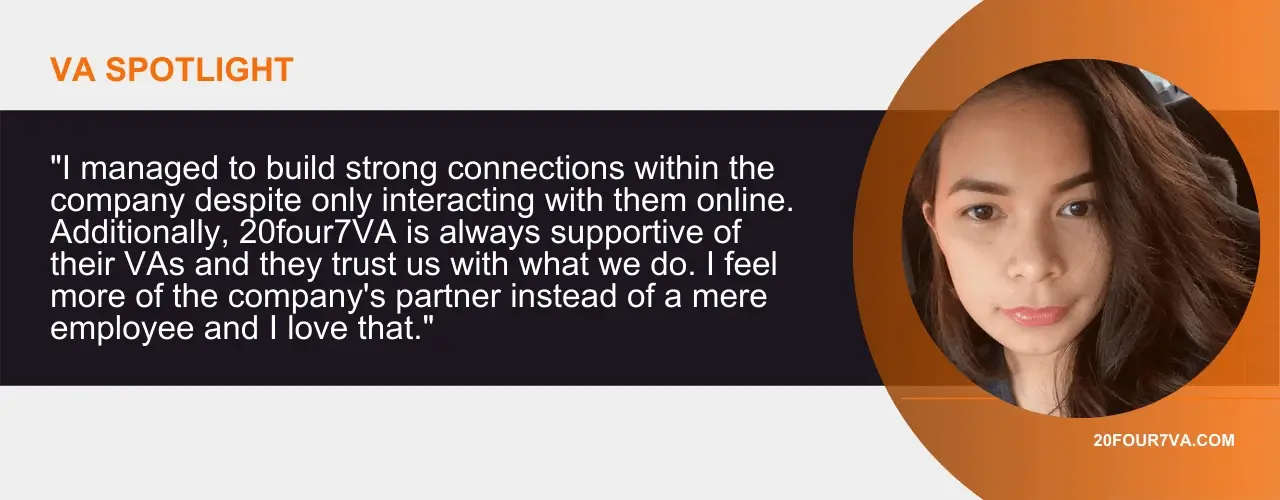
This is actually my first remote work agency and what keeps me here is that I have a support system even if I’m physically alone. I managed to build strong connections within the company despite only interacting with them online. Additionally, 20four7VA is always supportive of their VAs and they trust us with what we do. I feel more of the company’s partner instead of a mere employee and I love that.
What are your top 3 benefits of working with 20four7VA?
My favorite will always be the support system, but to add to that are: being paid on time, freedom to choose clients, and the fact that I can put 20four7VA as an employer when filling up important documents related to work.
What advice would you give someone who’s thinking about applying at 20four7VA?
If you’re tired of going from project to project, consider applying as a 20four7VA remote assistant. You will have job stability because they will entrust you with another client for work in case your former clients no longer need your service.
If you were to recommend 20four7VA to your best friend, what would you say?
If you want an opportunity to earn more, you should go through the thorough application process, it’s going to be worth it.
Curious who the next featured 20four7VA agent will be? Follow our official Facebook page for more updates.
Want to be featured in your very own VA Spotlight articles? Click the link below to launch our VA Spotlight Intent Form.
READ MORE5 Freelance Virtual Assistants You Need For Your Business

Virtual assistants (VAs) have become indispensable to businesses around the world. A truly modern and convenient staffing solution, virtual assistant services give business owners access to a broader talent pool and help them cut considerable costs. Working with a freelance virtual assistant also relieves entrepreneurs of various big-ticket expenses such as real estate, office equipment, and utilities. When you work with VAs, you are able to grow your business faster and on more affordable terms.
The question is: who should be the key players to help you realize this feat?
What is a freelance virtual assistant?
But first, what is a freelance virtual assistant?
A freelance virtual assistant is a remote service provider who may assist more than one client at a time.
Freelance virtual assistants may have a generalized skill set or have fields of expertise. For instance, as more and more businesses invest in their virtual presence, it’s not uncommon to find a freelance VA taking on various marketing roles.
For example, content writer VAs may invest in SEO training to complement their writing skills. More than just a feather in their cap, this will make a content writer more valuable to clients. Business owners looking to hit two birds with one stone and save on staffing costs prefer to hire VAs with more than one expertise.
5 freelance VAs to get on your team
Whether you choose to hire someone with a single focus or one with a wider skill set, make sure you get the following types of VAs on your team:

1. Digital Marketer
In today’s content-saturated world, you can’t succeed in business without good marketing. To cut through the noise and get your message heard, you need to work with experts who understand that marketing is a mix of strategy, art, and technology.
A digital marketer virtual assistant will help you achieve this goal. A good marketing VA knows how to combine content, consumer psychology, and technology to build awareness for a brand, promote a product, and spark a connection with potential customers. Look for a digital marketer with solid knowledge in SEO, social media, PPC, and email.

2. Content Writer
While marketers are responsible for getting your message across, it is the content writer who crafts this message and guarantees that it is listened to and remembered. Content writers can turn long, convoluted ideas into a crystal clear message. They can make consumers interested in a brand that they have no previous knowledge of. They can help people put together, take care of, and appreciate a product.
Content writers are an entrepreneur’s partner in bridging the gap between business and customer. Writers can also proofread and edit your business communications to show credibility and professionalism.
3. Web Developer
Many platforms enable business owners to design and launch their own website. So, why should you still consider hiring a web developer VA?
One, because it takes a professional web developer to create a professional-looking and -performing website. And two, working with web developers will help you save money in the long run. Imagine that you’re a newbie and only have limited knowledge of creating your digital turf. You’ll probably spend countless hours on what would seem like backbreaking tasks with no guarantee of quality output.
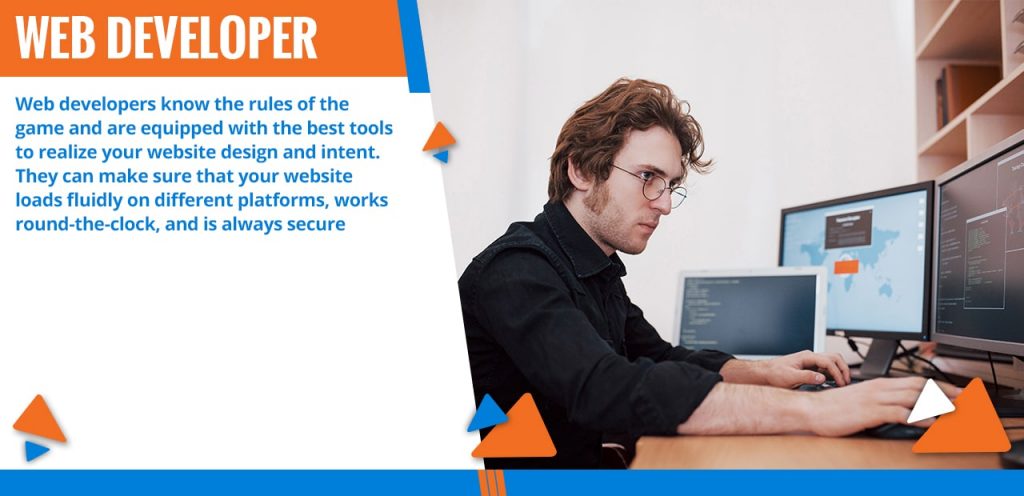
Web developers, on the other hand, already know the rules of the game and can use the best tools to realize your website design and intent. They can finish complex tasks faster and more efficiently. They can make sure that your website loads fluidly on different platforms, works round-the-clock, and is always secure. Through professional web development, you can decrease bounce rates, protect company and customer data, and foster your credibility as a business.

4. Social Media Manager
People are almost constantly browsing their social profiles. This makes it super quick and easy to research a product or brand, check out reviews, and directly contact a business for inquiries, complaints, or feedback. Social media is arguably the currency of modern-day business. Thanks to highly popular channels like Facebook, Instagram, Twitter, and Pinterest, social media has evened out the field for new and established brands alike.
While traditional marketing bridges the gap between business and consumer, social media gives businesses direct contact with the right people, at the right place, and at the right time. With social media, companies can tailor their paid ads and organic posts to reach their target audience. A tool as highly influential and competitive as this can’t be taken lightly. You need a social media VA in your team to ensure that your social channels display up-to-date information and brand-consistent content, and to stay engaged with your audience.
5. Customer Service Specialist
The rules of the game may change from time to time, but certain business principles remain the same. Just as on-site staff are trained to wear a smile and show warmth towards customers, customer service VAs must also be well-equipped to deal with customer complaints, inquiries, and feedback.
Communications must be clear-cut, especially when non-verbal cues are taken out of the equation. Complaints must be de-escalated more quickly, as one disgruntled customer review can quickly become viral and ruin your brand’s reputation. Work with a freelance virtual assistant with customer service skills that transcend different platforms, from social media to email and voice.
How to build your virtual assistant team
There are a plethora of websites where you can find freelance virtual assistants, such as these 15 noteworthy Upwork alternatives.
Of course, you can just save yourself the headache and work with 20four7VA. As a full-service staffing agency, 20four7VA employs a Recruitment Team to source, screen, and skill-assess VAs, an Accounting Team to take care of payroll, a Training Team to ensure that all VAs’ skills are current, and a Customer Support Team to onboard VAs and monitor their performance.
The staffing agency will help you find the 5 freelance virtual assistants you need to scale your business. Another benefit of working with a staffing firm is that you can quickly build your team as you go along. As your business grows, you can expand in a specific area. You may start with a full-stack marketer or someone with wide-ranging knowledge and experience in all the branches of marketing.
As your brand grows and your customer base gets bigger, you can coordinate your marketing approach and assign one freelance virtual assistant to each field. You can find someone to focus on SEO while another works on your email marketing and social media.
It takes the right people to run a business like a well-oiled machine. Thanks to virtual assistance, you have a wider arena for finding the best freelance VAs to scale your business.
READ MOREWhy Businesses In Australia Should Hire A Virtual Assistant

Waves of different issues are changing the economic landscape of Australia. From the pandemic to globalization, various factors are reshaping and transforming businesses at a rapid pace. Small business owners must quickly find sustainable solutions to keep up. In Australia, virtual assistant services have proven to be one such solution.
8 Reasons to Get Virtual Assistant Services
A virtual assistant (VA) is a professional service provider working remotely to support businesses.
Here are 8 reasons you should outsource labor to one:

-
Virtual assistance has kept businesses afloat during the pandemic.
The pandemic has reshaped all kinds of industries in unimagined ways. Amidst these changes and adjustments, virtual assistance has kept businesses of all sizes afloat during the economic scare. When governments have imposed restrictions and stringent health regulations, virtual assistance made it possible for companies to continue operations. A business solution with this kind of resilience is hard to ignore.
-
It can reduce your operational costs.
Hiring a full-time employee in Australia is costly, even with work-from-home arrangements. For Australian businesses, hiring a virtual assistant from countries with a lower cost of living is more economical.
What’s more, working with a full-service staffing agency to find your VA will let you save bigger bucks. 20four7VA, for instance, takes care of training, payroll, and employee monitoring. These responsibilities, when taken off your plate, will leave you more time and resources to invest in critical business functions.
-
It will allow you to work with the most qualified people.
Forget about hiring for the sheer convenience of proximity. Virtual assistance will let you tap into a more expansive pool of talented individuals. Through remote staffing, you can work with the most skillful or experienced people, regardless of where they are located.
As your business grows, you need to delegate more tasks to workers with specific fields of expertise. When you work with virtual assistants, you will be able to build your team of specialists without burning holes in your pocket.
-
It will give you access to the global market.
Imagine expanding a business to a country where you have limited knowledge or contacts. Even with extensive research, you will still have to invest ample time and resources to understand the market and learn the ropes. Now, imagine hiring someone from the inside. Working with a local will give you an insider’s perspective on what your target audience will respond to and how things are done. Some companies outsource virtual assistance services to a specific location to gain traction there.

-
It boosts productivity.
Your brand is only as productive as the people behind it. Hiring and building a remote staff is a sure way of improving productivity. Many studies and reports, such as this one from the Harvard Business Review, have highlighted a significant performance boost among remote workers. Virtual assistants work in the comfort of their homes and generally around flexible schedules. This gives them a better chance of finding work-life balance and, therefore, being better conditioned to do their job.
Even if you work with a mostly on-site team, hiring virtual assistant services for your Australia-based business will increase your productivity. By delegating administrative tasks or specialized projects to virtual assistants, your local team will have a more manageable workload.
-
It adds business flexibility.
Many entrepreneurs hire a personal assistant to gain flexibility. By having someone else take care of your schedule, manage your inbox and calendar, and handle communications, you can focus on your executive responsibilities.
In addition, you can extend your business hours by hiring virtual assistants in different time zones. If you plan on offering a 24/7 service, for instance, you can hire a VA to man the desk and handle inquiries during your offline hours.
-
It promotes efficiency.
Virtual assistants are generally paid on a productive hour or project basis. This means that they are compensated only after having achieved predefined milestones. Meanwhile, in-house employees are legally paid a fixed rate per hour. A typical workday, regardless of being productive or not, needs to be paid in full. In contrast, when you work with a remote assistant, you get more bang for your buck.
Another way that virtual assistance promotes efficiency is that it lets you access specialists. If a task requires specific knowledge and skills, such as SEO or web development, it is better left in the hands of people who have the training and experience to do it.
-
It is scalable.
The pandemic forced thousands of businesses across Australia to close their doors. As the new year unfolds and companies attempt to get back up, business models are changing drastically. Virtual assistance will help you ease back or continue operations on terms that you can afford.
Need your staff to work on specific hours and days only? Hire virtual assistants so that you only pay for productive hours. Preparing for seasonal sales and need an extra pair of hands? Get more people to share the increased workload by hiring short-term staff. Scalability is one sterling benefit of virtual assistance.
Tips for Working with a Virtual Assistant in Australia
Working with a remote assistant for the first time? Hiring and working with a virtual assistant can be tricky at first. That is why the means by which you hire a VA is just as important.
Instead of directly hiring a VA through job sites, you’re better off working with a full-service staffing agency. 20four7VA takes care of the groundwork, from skill vetting to background checks. After pre-screening VAs, 20four7VA will train them and even assist with onboarding.
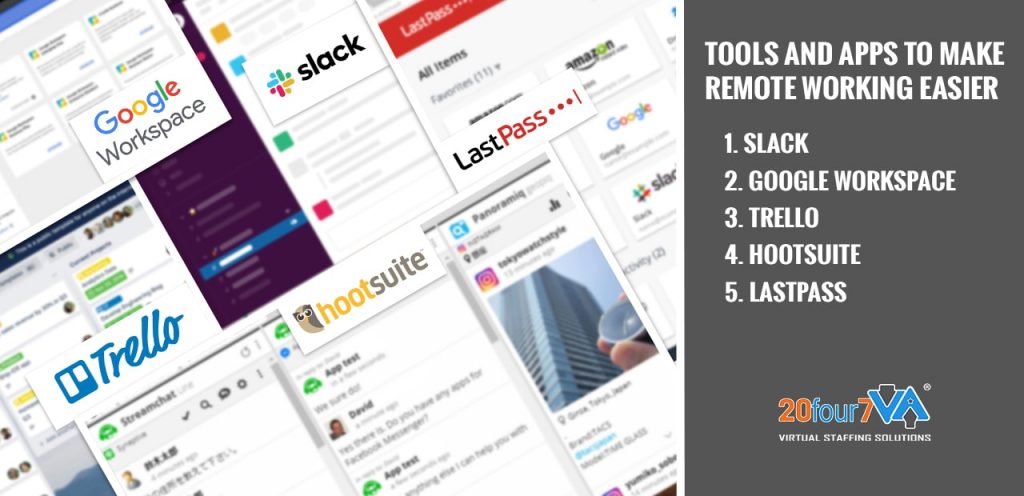
Communication and remote collaboration can be challenging if your team members are scattered across the globe. Fortunately, there are tools and apps that you can use to make remote working easier.
Here are a few examples:
- Slack is a popular tool for both synchronous and asynchronous communication. It’s also useful for file-sharing and project management.
- Google Workspace is the ideal collaboration tool for startups and small businesses. This cloud-based tool includes Gmail, Google Drive, Docs, Sheets, and Slides. Google Workspace has a web interface that allows team members to easily access, share, and edit files.
- Trello has a clean and straightforward interface that makes it an efficient tool even for beginners. This project management app lets you keep track of what tasks or projects your team is working on at a glance.
- Hootsuite is a content manager that lets you post across different social platforms simultaneously. If you’re working with a content marketing team, Hootsuite is an excellent tool for sharing, scheduling, and editing content.
- LastPass makes sharing passwords across remote teams safe and convenient. This tool enables remote workers to access business tools while allowing the business to preserve control and data security.
Final Thoughts
Even though virtual assistance has been around for a long time, it remains an effective and highly relevant staffing solution for the new normal. In Australia, you can get local support and grants from tax relief to funding. For day-to-day operations and eventual growth, business owners in Australia can find reliable and expert help by hiring a virtual assistant.
READ MOREHow a Video Editor Virtual Assistant Can Help You Succeed on YouTube 2023
As the new year and the new normal way of business continues, business owners must regroup to come up with inspired yet practical plans for their business, not the least of which should be investing in video content. After all, online videos have amassed a massive influence over modern-day living. Whether seeking entertainment or education, people are now showing their preference for videos compared to other content models if multiple studies are any indication. Before you set out to make custom videos online, however, it pays to watch and be inspired by those who have already mastered this medium.
5 YouTube Video Channels To Watch in 2023
Learn from and get motivated by these 5 YouTube video creators and their channels that every entrepreneur must watch in 2021:
1. Pat Flynn
Entrepreneurs today don’t need to build a mortar-and-brick establishment to start earning money. Still, if you’re stuck in a rut when it comes to starting or growing your business, Pat Flynn’s YouTube channel will inspire you with relevant business ideas. Made popular by his blog Smart Passive Income, Flynn is an authority in business concepts that are hot off the grill. His YouTube videos include the following titles:
- 5 Business Ideas That Will Be BIG For 2021 (But Easy to Start!)
- 5 Secrets To Better Audience Engagement
- How To Start a Podcast
- How To Earn Passive Income Online
- The 3 “Best Ways” To Make Money Online
2. Marie Forleo
Marie Forleo has created a name for herself in business leadership. A world-renowned small business advocate and motivational speaker, Marie inspires people with her wit and industry insights. Her work has expanded in nearly 200 countries with her online school serving 50,000 entrepreneurs. Marie Forleo’s YouTube channel has a wide range of short yet substantial videos that cover topics from starting and marketing a business to personal growth and productivity. Her videos include the following titles:
- Goal Setting
- How To Start a Business With No Money
- How To Find Your Niche & Eliminate Business Overwhelm
- Marketing Strategy: How To Write Copy That Turns Website Visitors Into Customers
- How To Win People Over Without Manipulation

3. Tim Ferris
Looking for productivity hacks? There’s no better place to find excellent advice than the YouTube channel of The 4-Hour Workweek author, Tim Ferris. Forbes has included Tim Ferris in its list of Names You Need to Know. His video channel is a collection of workflow techniques, life lessons, business tips, and interviews with other industry leaders. Here are a few of his videos:
- How To Be More Productive
- How To Create a Better Morning Routine
- How To Start a Business or Podcast from Scratch
- How to Speed Read
- How To Use Writing To Sharpen Your Thinking
4. TEDTalks
It is almost inconceivable to discuss inspiring and educational videos without mentioning TEDTalks. Its YouTube channel is a collection of the finest talks and performances from TED conferences all over the world. With industry leaders and inspiring figures of Technology, Entertainment, and Design as its speakers, TEDTalks has amassed over 18 million subscribers on its YouTube channel. Here are some of its most popular videos:
- The Future We’re Building by Elon Musk
- How Great Leaders Inspire Action by Simon Sinek
- The Power of Introverts by Susan Cain
- 10 Ways to Have a Better Conversation by Celeste Headlee
- The Surprising Habits of Original Thinkers by Adam Grant
5. FightMediocrity
You won’t always have the time in the world to sit through an entire video, no matter how engaging and educational it may be. Good thing YouTube channel FightMediocrity condenses big ideas into compact and easy-to-digest videos. The insights and lessons shared in FightMediocrity are from leaders and experts such as English scientist and neuroscience and psychology professor Matthew Walker and former Navy SEAL officer and writer Jocko Willink. FightMediocrity consists of creative animation and whiteboard sketches to make the video clips even more engaging and memorable. Here are a few FightMediocrity videos to check out:
- The Best Advice I’ve Ever Heard by Jocko Willink
- Learn How To Reprogram Your Mind by Dr. Joe Dispenza
- 5 Habits of Millionaires That Will Instantly Change Your Life by Dan Pena
- 3 Surprising Steps To Influence Anyone by Jonah Bergr, PhD
- 3 Rules That Will Immediately Change Your Life by podcast superstar Joe Rogan
These YouTube channels are teeming with content that can help you grow as an entrepreneur regardless of where you are in your journey.
In addition, a quick review of these channels makes it clear how a quality video is no longer just an innovative move for businesses – it’s a must. That is why when it comes to investing in top-notch video content, it’s best to start by hiring a video editor virtual assistant (VA).
Why It’s Worth Working with a Video Editor Virtual Assistant
While there are many online tools that you use to create awesome video content, it’s still worth it to invest in a virtual video editor.
Just have a look at what they can bring to the table:
-
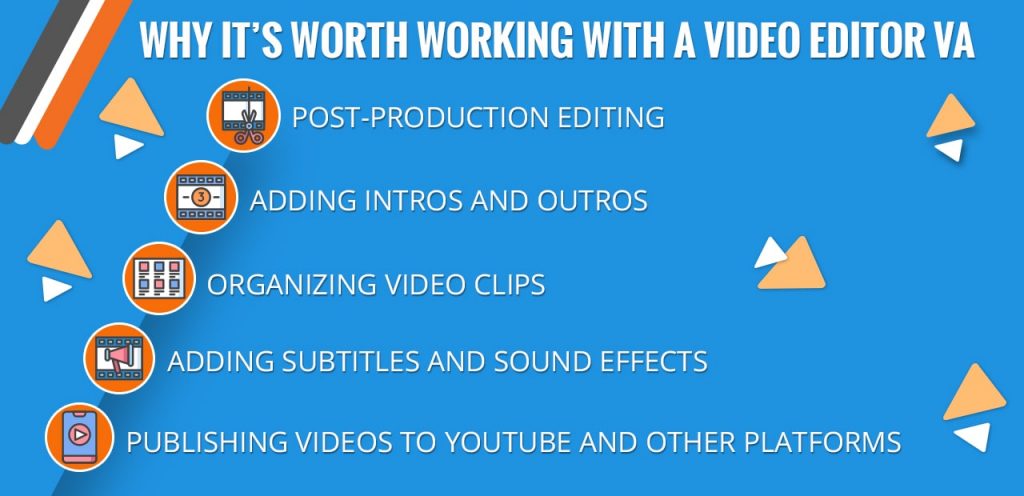
Post-production editing
Video editing is a daunting task for non-professionals. Still, it pays to polish raw footage to make your content more engaging and your message clearer. Besides, video streaming platforms like YouTube have standards and regulations on content. Delegating this task to a video editor VA ensures that your content is as high-quality as it is YouTube-appropriate.
-
Adding intros and outros
People will be more engaged and informed when you deliver your message following a proper outline. In video content, intros and outros build up and seal your message so that your ideas will be more refined and impactful. Adding these crucial elements to your videos is another task you can delegate to an editor.
-
Organizing video clips
Shooting videos doesn’t always follow your storyboard order. There are different elements to consider such as lighting, weather, timing, and even the availability of people involved. This may cause your video clips to be in disarray. Video editors rearrange the clips so that they follow a sequence that is in sync with your storyboard.
-
Adding subtitles and sound effects.
Videos have a more professional appeal when they come with subtitles and sound effects. Subtitles help viewers understand a video better and keep them hooked from start to finish. In addition, it will open up your content to non-native speakers of your language. Sound effects, on the other hand, are a vital element in boosting the appeal and clarity of your video.
-
Publishing videos to YouTube and other platforms.
Your video files need to have the right size and quality before being uploaded to YouTube and other platforms. Video editors are knowledgeable about the appropriate content specs on different channels. Apart from uploading videos, they can organize videos into playlists for easy browsing, optimize video titles and descriptions so they come up on top of search results, and add on-brand thumbnails to boost clicks.
Final Thoughts
The past year has presented unheard-of challenges on the business front. Entrepreneurs must double their efforts to rally and grow their brand in a time when past practices may no longer be effective. So, regroup and learn from experts by subscribing to the top YouTube channels for entrepreneurs. Then, put your ideas and learnings into practice by working with a video editor VA. Find your virtual assistant video editor from 20four7VA today.
READ MORE