Catherine vanVonno named one of the “Top 15 Staffing Professionals to Watch in 2021”
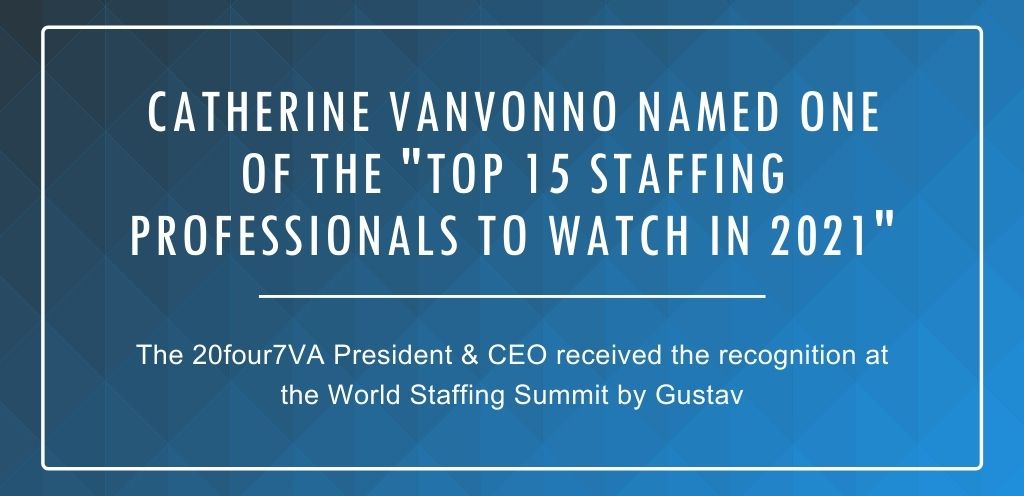
Catherine vanVonno, President & CEO of 20four7VA Virtual Staffing Solutions, was named as one of the “Top 15 Staffing Professionals to Watch in 2021” at the World Staffing Summit presented by Gustav on Jan. 28, 2021.
The World Staffing Summit is an annual virtual conference where staffing leaders and experts gather to discuss ideas, trends, and best practices in the staffing community. As the leader of a pioneering virtual staffing agency, Catherine vanVonno’s award and participation in the event highlight the company’s dedication to being a top virtual staffing resource for businesses worldwide.
Winners of the Top 15 Staffing Professionals to Watch in 2021 award was determined by public voting from a shortlist published on the World Staffing Summit website. More than 3,000 votes were cast, and the winners were announced during the virtual conference.
Catherine was among the Top 5 staffing leaders awarded during the World Staffing Summit conference which was attended by more than 5,000 staffing professionals. Catherine published a video shortly after thanking everyone who voted for her.
“I just wanted to take a quick moment to thank all of you that voted for me for the World Staffing Summit Awards Top 15 Staffing Professionals to Watch in 2021. It means a lot to me that you took the time, so thank you. From the bottom of my heart, I appreciate it,” said Catherine.
Catherine also gave an interview to the team at Gustav to discuss the current state of remote staffing. Below is an excerpt from the interview:
READ MORE“As someone who has been managing a fully remote team for almost 10 years, I can tell you that remote work isn’t just doable — it’s a game-changer! The thing that draws companies to remote staffing is, of course, the ability to slash operational costs. Instead of paying for rent and utilities, they can funnel these resources into revenue-generating projects. Remote staffing also breaks down geographic barriers to give companies access to a larger talent pool with enhanced flexibility. When you work with remote employees in different time zones, your business can operate 24/7.”
15 Skills a Medical Appointment Setter VA Can Do

Virtual assistance has been dubbed as the future of the workforce. As the pandemic pushed almost every business and service provider into new ways of operation, this truth has become more apparent than ever. In the time of worldwide health crisis, virtual assistance has become a vital tool in regulating the spread of infectious illnesses. Even better, it enables patients to seek medical help or continue obtaining healthcare services from their providers in the comforts of their homes through telemedicine and the help of a virtual medical appointment setter.
Telemedicine and The Virtual Assistant Appointment Setter
Telemedicine, otherwise known as Telehealth, is the remote provision of medical assistance or healthcare using technology. Through telecommunications and electronic medical tools, doctors, nurse practitioners, and other healthcare providers are able to examine patients, provide medical support, and dispense medications remotely.
While the world grapples with COVID-19, telemedicine becomes an indispensable tool in controlling the spread of the infection and keeping both patients and healthcare practitioners safe.
As health organizations and the government continue their efforts to produce and provide COVID-19 vaccines, it is crucial for healthcare practitioners to keep or start providing telemedicine options to patients.
This huge leap to healthcare is enabled and empowered by a Telehealth virtual assistant (VA). Like other VAs, a Telehealth virtual assistant can provide multiple services and offer a myriad of benefits to their team beyond setting a health appointment online.
What Can a Telehealth Virtual Assistant Do For You?
In an age where fake news and fear-mongering are prevalent, it is important to ensure that only proper and up-to-date health information is shared. This is where healthcare virtual assistants step in. A Telehealth virtual assistant initiates and improves the dialogue between healthcare providers and their patients.
Here are 15 skills that you can expect from a Telehealth VA:

-
Appointment setting and confirmation
Patients need to book an appointment to be seen by their healthcare providers. Telehealth VAs can just schedule appointments online or over the phone to minimize contact and keep clinic schedules organized. Pre-booking appointments also help in ensuring that clinics are not packed and social distancing is maintained. If your practice has a website where patients can book appointments, Telehealth VAs can call, text, or chat with patients to confirm their appointments or offer alternatives as needed.
-
Setting up automated reminders
Apart from booking appointments, practitioners also need to remind patients about their schedules, payments, or other engagements that involve their healthcare. Telehealth VAs can set up email reminders so patients keep their scheduled appointments, pay bills on time, or submit documents required by their providers.
-
Digitizing and updating health history and medical records
An EMR (electronic medical record) contains all health-related data of a patient – from their history and diagnoses to the medicines and tests that they received and the allergies and treatment plans that they currently have. EMRs are more organized, easily accessible, and secure compared to their paper counterparts. They can be shared across different healthcare settings to make the job of practitioners a lot easier. Telehealth VAs can digitize health records from paper copies and update them with every point of contact.

-
Insurance verification
Telehealth VAs also take care of insurance verification. The process involves contacting insurance companies to certify that a patient’s required procedures and prescribed medications are covered by their benefits. Insurance verification needs to be completed before the patient receives the services. Otherwise, patients risk paying out of pocket.
-
Answer general patient inquiries
Patients can have questions, requests, and clarifications about different matters, from insurance issues and prescription clarifications to scheduling concerns. However, doctors, nurse practitioners, and other healthcare providers can’t be expected to drop what they do and squeeze in time to answer general inquiries. Telehealth VAs can help in monitoring and answering these questions. Furthermore, they can provide additional sources of information to help with a patient’s inquiry.
-
Medical billing
Ease up the workload in your practice by delegating medical billing to a Telehealth VA. The VA can submit, follow up, and appeal health insurance claims so healthcare practitioners can receive payment for their rendered services.

-
Online customer support
Healthcare facilities are now expanding to different virtual platforms to reach and support patients. Have social media channels? Make sure comments and direct messages are answered by your VA. Telehealth assistants can also extend customer support through email, text, and chat channels.
-
Live appointment assistance
Telehealth is a huge step in medical practice. Through technology, patients and providers can communicate remotely. The process is straightforward and simplified by the help of a Telehealth VA. Generally, the VA sends the video conferencing link to the patient via text or email. After the patient joins, the VA would greet the patient and assess their history of present illness and review of systems (HPI and ROS). When these are taken care of, the VA would then send the same video conferencing link to the doctor or nurse practitioner and present the patient. While the doctor and patient is in discussion, the VA takes note of any update or significant information and simultaneously updates the patient’s chart or EMR.
-
Prescription assistance
Another huge advantage of telemedicine is electronic prescription processes. Practitioners, through the help of VAs, can refill, start, hold, or discontinue a prescription electronically. The patient’s preferred pharmacy receives these updates so they can respond to the changes appropriately.
-
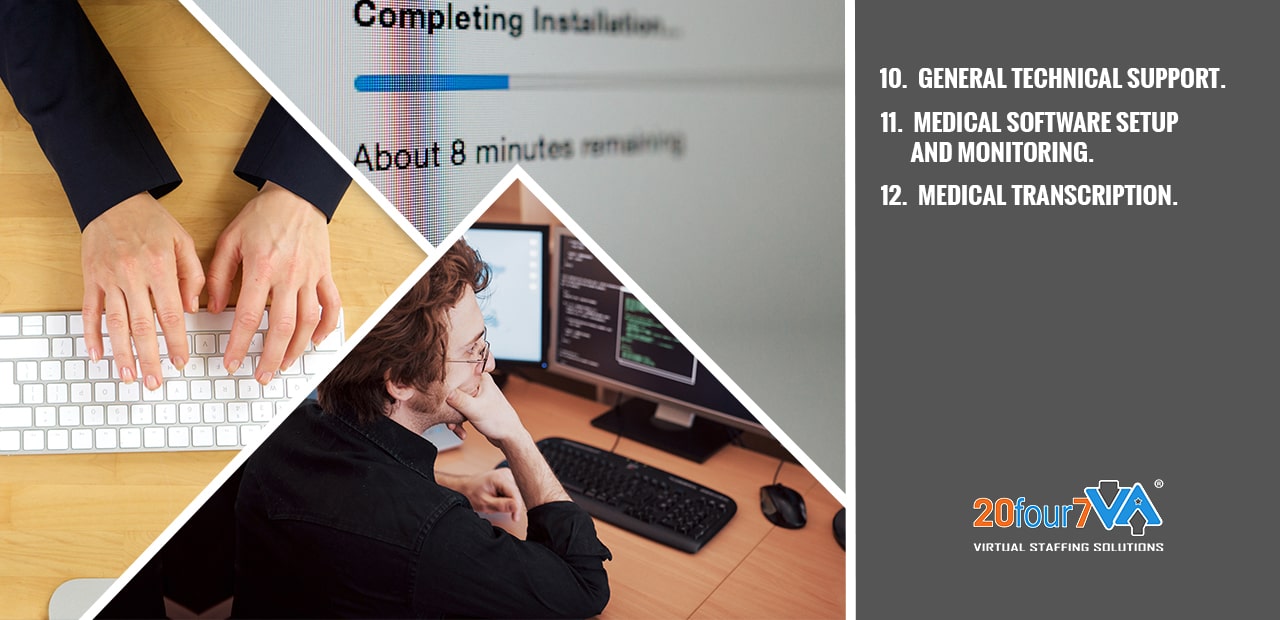
General technical support
Not all patients are savvy with technology. Connection issues and online tool glitches can also be expected to happen. For such instances, your VA can provide general technical support to the patient. They can call the patient’s phone to talk them through the resolution process. They can also send step-by-step instructions via text so patients can connect to the video conference or fix their tech problems.
-
Medical software setup and monitoring
Healthcare providers handle sensitive information. It’s imperative to set up and maintain security in all their software, tools, and web properties. Telehealth VAs can be the specialists to take care of these responsibilities.
-
Medical transcription
Many healthcare VAs have training and experience in medical transcription. They can transcribe or type out voice-recorded medical reports from physicians, nurses, and other practitioners. These reports can come in the form of voice files, lecture notes, and other spoken medical records.

-
Digital marketing
Apart from providing Telehealth-related services, VAs can also help in advertising. Find VAs with training, skills, and background in content creation, social media marketing, and web design to boost your online reach.
-
Triage assistance
The pandemic has pushed health organizations into more stringent protocols and regulations. Telehealth VAs, while located remotely, can help execute these orders. They can process and record patient information, put clinic protocols into effect, implement physician orders, and prioritize clinic visits and referrals to different facilities.
-
Executive assistance
Need support with your personal tasks? Assign executive duties to your VAs such as calendar and Inbox management, appointment setting with stakeholders. Your VA can also organize out-of-town conventions. As your practice expands, you may require the help of more than one Telehealth VA. Your present medical assistant can assist in the training and onboarding process of new Telehealth staff.

Benefits of Virtual Medical Appointments
Working with a medical appointment scheduler is one of the best investments you can make for your practice.
Apart from the apparent convenience that comes with it, virtual medical appointments can also:
-
Save time
No longer would patients need to drive down to your location to book an appointment, find answers to questions, or pay bills. In the same way, practitioners and their staff will have more free time when workloads are shared with a Telehealth specialist.
-
Cut business costs
Hiring in-house employees is a lot more expensive than hiring a Telehealth appointment setter. When you hire a Telehealth VA from 20four7VA, you’re relieved from taking care of payroll, insurance, training, and office space and utilities.
-
Access credible assistance
Staffing firms generally pre-screen applicants before recommending them to clients. In specialized fields such as telemedicine, stricter requirements are imposed such as a degree in nursing, pharmacy, and other healthcare fields, HIPAA or Health Insurance Portability and Accountability Act training and certification, and preparation in specific tasks such as transcription and EMR management.
-
Increase in-house productivity
Just consider the many skills a medical appointment setter can bring to the table. Delegating administrative, customer support, and marketing tasks will bring a huge relief to the workload of your in-house staff. Your local employees are bound to be more productive when they are not swamped.
-
Generate leads
More and more healthcare facilities are becoming aware of the benefits of working with a Telehealth VA. You want your practice to be ahead of the curve. As experts of digital operations, your Telehealth VA can help in designing your website, curating content, and engaging clients.
Conclusion
Healthcare practitioners are finding ways to continue supporting patients in the time of global health crisis and lockdowns, not the least of which is virtual medical appointments. As private organizations and government agencies work hand in hand to develop, procure, and disseminate medical support including the COVID vaccine, telemedicine continues to be a vital tool in such undertaking. Telemedicine has demonstrated and left an indelible mark in healthcare that it will surely remain even after the pandemic has passed.
READ MORETop Virtual Assistant Tools: Part 1 – Communication Tools
Table of Contents
- Why is Communication Important in Business?
- Top Virtual Team Communication Tools for Business
- BONUS: Grammar and Spell Check Tools
- Why are Communication Tools Important?
Communication is an essential life skill that we use every day. It is a two-way street that involves an exchange of messages between a sender and a recipient. Talking is one of the most common ways of communicating, but communication can also be conveyed non-verbally, in writing, and through behavior.
However, there are challenges when it comes to online communication. It lacks the social signals like facial expression, posture, and vocal intonation that is normally present in in-person communication that clues us in on a person’s disposition. These issues can get complicated from a business standpoint and especially when it comes to dealing with a remote staff of virtual assistants.
Why is Communication Important in Business?
Communication is used for a variety of reasons. In business, it is key to the growth of an organization and reaching its goals. There are many ways that communication can be utilized to its full potential, so using it to give instructions is not enough. Apart from metrics and key performance indicators, you should also take care of the human side of the business; the employees who are the lifeblood of any organization in the modern workplace.
The human experience is so complex that poor communication can lead to misunderstandings and conflicts. Its consequences can cause a negative emotional impact on anyone and it can cause low morale, mistrust, and frustration among employees in the (virtual) workplace. That is why it is more important than ever to invest in tools that improve employee engagement, foster company culture, and boost the team’s communication.
Top Virtual Team Communication Tools for Business
Internal Communication Tools and Software
Internal communications is the key to ensuring that all team members including those in remote teams are kept abreast of the goals, updates, company news, and upcoming events of an organization. Using the right communication tool together with collaboration software will improve employee communication and increase business success among team members including the remote workforce.
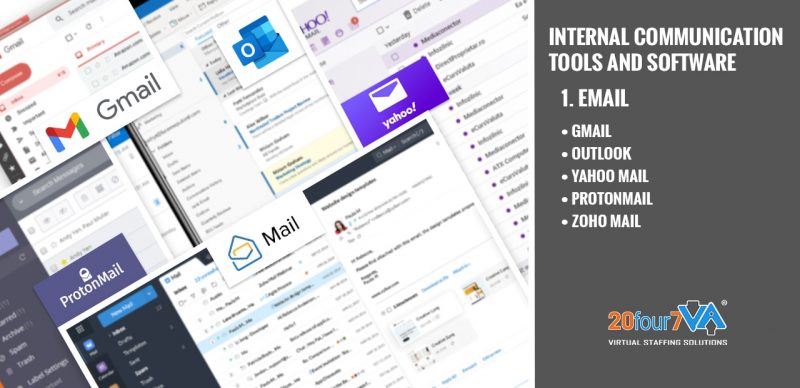
1. Email (Gmail, Outlook, Yahoo Mail, ProtonMail, Zoho Mail)
Email is one of the most common business communication tools in the workplace and rightfully so. Email is an accessible, cheap, and fast way to transmit information electronically to the entire organization. It is delivered in real-time and can be accessed from any device that is connected to the internet. Some of the most popular email services are free with limited but great features.
a. Gmail – This is Google’s email service and for the most part, it is free. There are plans you can avail of to get more storage, access to applications and third-party programs, and support.
b. Outlook – Microsoft Outlook email is free and comes with the Calendar as well as access to Office applications like PowerPoint, Word, and Excel. The paid version has all the benefits of the free one, and is ad-free, has larger mailbox storage, and enhanced email security.
c. Yahoo Mail – In its heyday, Ymail used to be the most popular email service when the internet was new. Anyone can make a free account with limited storage but as of January 1, 2021, you can no longer forward emails. However, the paid Yahoo Mail Pro will give that feature back and other benefits including customer support, ad-free interface, and better overall performance.
d. ProtonMail – Its most standout feature is end-to-end encryption for email and data security but only for the paid versions. The free version only has limited storage and support, but you are free to upgrade anytime.
e. Zoho Mail – Its free plan supports multiple users, so it’s great for personal and business and includes free mobile apps and email hosting for one domain. The paid plans allow you to fully utilize its built-in collaboration tools that anyone in the organization can see and share.
f. Onlyoffice – This is an email service that integrates collaboration tools into one suite. It has a free version for up to 5 users and 2GB of storage.
g. Mailbird – There are two types of accounts you can avail of, free or premium. The only difference is the support and adding domains for your business.
h. Fastmail – If you prefer email hosting services over software-based ones, Fastmail is the answer. They only offer paid accounts which starts at $10/month for 10GB of storage and support.
i. Mozilla Thunderbird – This free email client is fully compatible with most web-based email providers like Gmail, AOL Mail, Outlook.com, and Yahoo Mail. You can also synchronize your messages across different devices like Android smartphones and Windows PCs. It has a built-in junk filter to ensure spam is never an issue along with 500MB of cloud storage for emails.
j. AOL Mail – AOL Mail is free to use but you are limited to 1GB of storage. While that might seem minuscule, it’s great for small businesses with 10 employees or less. Plus, they don’t have ads so you can save on bandwidth too!
k. Sendinblue – This is a business communication tool that you can use for free to send newsletters and transactional emails to your clients. It also has an email automation feature that makes it easy for you to build lead generation campaigns and boost conversions!
l. Mailup – This communication system works like Sendinblue but it’s ideal for larger teams and has better messaging tools for communication. The difference is that they offer free trials instead of free plans like Sendinblue.
m. Mailjet – If you want an internal communications tool that combines the best features of high-end task management tool systems into a single platform, then Mailjet is the answer. It has built-in marketing automation for lead generation and tons of chat tools for communication.
n. Nylas Mail – This communication system is an open-source mail client that has tons of business communication tools built in. It also supports various standards like IMAP, Exchange, and email.
o. Edison Mail – If Gmail is your go-to business communication tool because you like its features but don’t want to use Google’s interface, then Edison Mail might be the answer. This communication system is compatible with Gmail and Google Inbox and it has tons of communication software tools like email tracking, read receipts, and smart filters.
p. Mailboxer – This business communication system was originally created for educational institutions but it’s perfect for teams who want to schedule communications ahead of time! It works by letting users build a list of communication topics and schedule when they should be sent out.
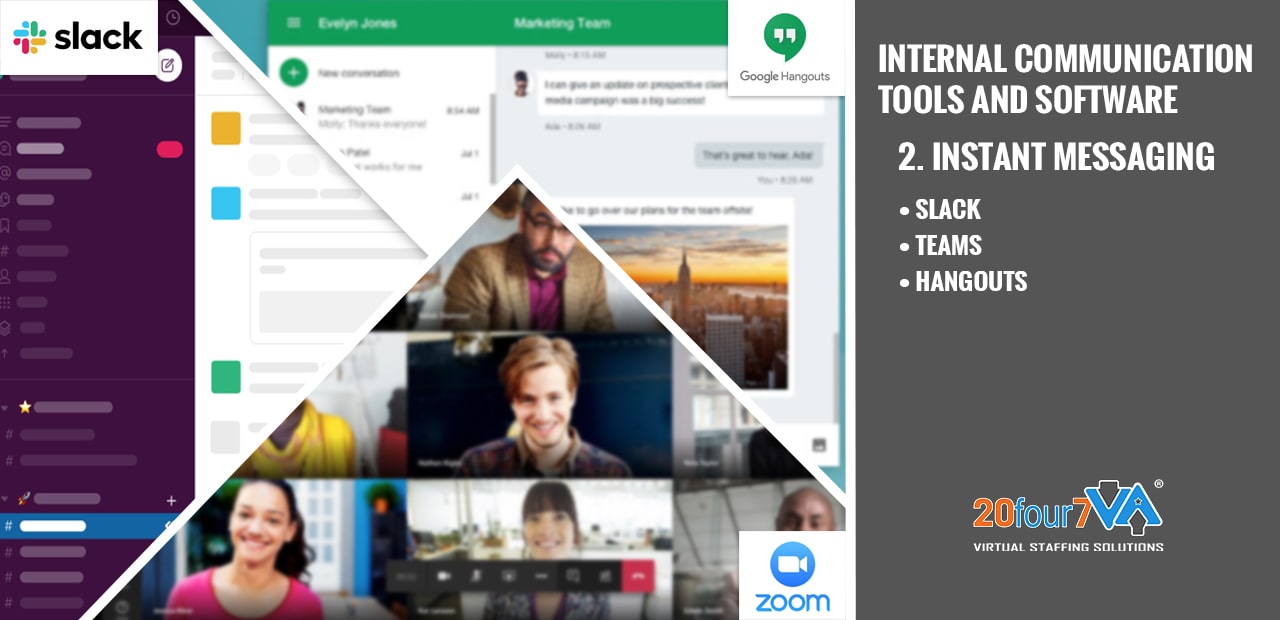
2. Instant Messaging (Slack, Microsoft Teams, Google Hangouts)
An instant messaging software or app for business allows you to quickly convey urgent information to individuals and teams. This type of office communication promotes efficiency and improved collaboration because conversations happen in real-time.
a. Slack – Slack is a secure team communication and collaboration platform where organization employees can chat with one another for work. You can create channels for various projects and one-on-one and group chats for employee discussions. It can integrate workplace tools and apps, do file and media sharing, and can even do voice and video calls. Slack is free but with limited use.
b. Teams – Teams is like Slack but it has native integration for Microsoft’s Office 365. It is more convenient for an organization that uses these tools. You can get Teams for free with unlimited chat messages, audio and video calling for up to an hour, and file storage per person. If you want more, you can get the Microsoft 365 plan to unlock features including enterprise-level security, rich file collaboration, and additional storage.
c. Hangouts – This is a built-in channel for Google users and is capable of instant messaging, voice and video calls, group conferencing, and screen sharing. Anyone with a Gmail account can freely use Hangouts which is convenient.
d. Skype – This group messaging tool is the most popular group communication software for businesses. It allows you to make business phone calls, video meetings, conference call with up to 250 people, do file sharing, screen share, and more.
e. IMessage – This communication and mobile app is exclusive only to macOS users but it does instant messaging for free! The cool thing about this group messaging tool is that it supports SMS messaging, so you can text message iOS and Android users for free!
f. Discord – Discord is one of the most well-known gaming communication tools originally among gamers but it has also become popular with businesses. The great thing about Discord is that you can do text messaging, voice and video conferences, host meetings, images and file sharing, group chats, web conferencing, knowledge sharing, invite link generation (similar to Slack), screen sharing support (with no time limits), bots for moderation purposes, and many more!
g. Telegram – This communication platform is free but you can use it for group chats, create channels, do one-on-one communication, send pictures and videos, send GIFs, share your location, start video calls, and more!
h. Signal – The main thing that makes this instant messaging tool nice is its security protocol. It is end-to-end encrypted and allows you to do group and private communication. It has a “disappearing messages” feature so things don’t stay on your chat box forever.
i. Brosix – This business communication tool is not only a communication channel but it also a communication service. You can use Brosix to communicate effectively using its basic communication tools including voice and video call, chat messaging, group chat, file transfer, live meetings (online or in-person), currency conversion for international communication with colleagues abroad, and more!
j. Tox – A business communication app with privacy features. It does communication goals like one-on-one communication, group communication, P2P communication, and more! Tox also has a built-in pairing service so you can talk to friends from other communication apps.
k. Flock – A communication tool for businesses to collaborate with colleagues all around the world. It has team communication tools like chat messaging, file sharing, one-on-one communication, live meetings (online or in-person), and more!
l. Mattermost – A robust tool for businesses to collaborate. It works like an internal communications platform by centralizing project management features across various communication channels, apps, and third-party systems (like Slack).
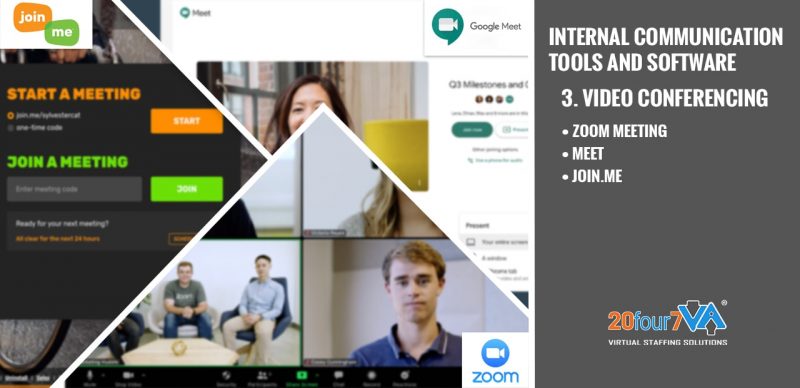
3. Video Conferencing (Zoom Meeting, Google Meet, Join.me)
Video conferencing allows you to have remote but face-to-face communication with colleagues. It is a useful business communication tool for virtual teams that consist of remote workers from different parts of the world. It helps saves time, money, and effort as it reduces the need to commute for meetings. Plus, it improves meeting attendance since most apps work on computers or any mobile device that can connect to the internet.
a. Zoom Meeting – The free version of this tool allows group meetings up to 40 minutes and hosts around 100 participants, so it is great for small businesses with a tight budget. There are multiple tiers of paid versions and each has its respective features to boost internal communication and business performance for medium to large-scale enterprise companies.
b. Meet – Formerly known as Hangouts, Meet is always free for personal use. The free version is capable of an unlimited number of meetings with participants up to a hundred. The paid versions of Google Meet accommodate more than that, plus other features like premium online support, meeting recording, attendance reports, and more.
c. Join.me – Anyone with an account can join meetings using the platform. There are three pricing tiers, and you can choose which plan to use depending on how many people will use it. With paid versions, you can unlock features such as user management, unlimited calls, toll-free numbers, recording, and more.
d. Jabber – This communication tool is an open-source communication platform. It can do communication goals like chat messaging, audio and video calls, group chats, file transfer, and more!
e. Microsoft Teams – All you need is your email address to get this communication tool. It can do communication goals like file sharing, chat messaging, audio and video calls, group chats, one-on-one communication, live meetings (online or in-person), and more!
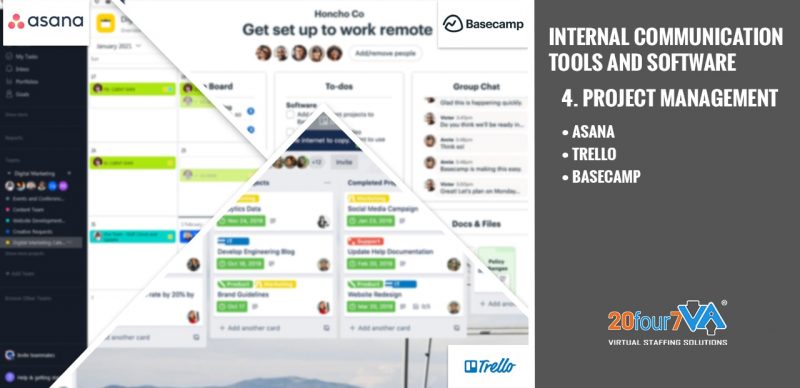
4. Project Management Tools (Asana, Trello, Basecamp)
Project management tools help plan, organize, and manage an organization’s tasks to align them with the business’ directions and goals. These project management tools are effective for online collaboration for teams that are working in the office or from home.
a. Asana – One of the most popular team collaboration tools, Asana has plenty of useful features and advanced tools that make managing projects a breeze. Its interface is well-organized and user-friendly that you can use it right away without getting lost navigating it. It has document collaboration tools where project managers can assign tasks and tag team members.
b. Trello – As a visual collaboration tool, you can use Trello to organize and manage tasks and projects in a tactile way. Users can use their respective workspaces for better task overseer or create a list of tasks. It can also provide access to several plug-ins and third-party tools.
c. Basecamp – As a collaborative communication tool, Basecamp allows you and your team to effortlessly keep track of projects. Its easy-to-use features including message boards, to-do lists, and file storage on top of the native group chat ensure that it has everything you need in one place.
d. Zoho Projects – Like the other business communication tools listed here, Zoho Projects lets you create to-do lists, collaborate on shared documents and tasks, assign responsibilities to team members, and provides access to business communication tools. It is free for up to 3 active projects with collaborators that are less than 10.
e. Monday.com – The communication tool that aligns work and life. It’s an online collaboration platform that lets you create a timeline of your daily tasks, monitor them under different projects, and prioritize based on what needs to be done first.
f. Airtable – A communication tool with a unique function as it lets you make your own custom apps. You can use this task management tool to track and monitor everything from routine meetings to more complicated projects.
g. ClickUp – This communication tool is based on three key features: communication, organization, and automation. It lets you create lists of tasks so you can organize your work well. It also has business communication tools that let you chat with other users or bring in external apps like Slack or Trello.
External Communication Tools and Software
In business, external communication is the transmission of a brand’s message, products, or services to the public including customers, suppliers, partners, and stakeholders. Most organizations use internal communications to align employees on the same page and they use external communications to share company news for publicity and to boost sales.
Businesses may use both traditional and digital avenues of communication to inform an audience. Communication channels may include print media like newspapers and flyers, radio, television commercials, and through electronic communication such as websites and social media platforms.
BONUS: Grammar and Spell Check Tools
Correct spelling and good grammar skills are essential in business communications because it helps you convey the message concisely, thereby eliminating any chance of misunderstanding or confusion.
Obvious grammar and spelling errors can be off-putting to clients, partners, and even employees. Not everyone in the organization needs to be as articulate as a seasoned wordsmith, but you can use tools to check basic grammar and spelling before you send an email, document, or even an instant message.
There are plenty of free spellcheck and grammar tools online. Some of these tools have browser extensions or mobile versions for convenience. Grammarly, Ginger, and Hemingway are some of the most popular apps used online and in businesses.
Why are Communication Tools Important?
Business communication tools are designed to convey and receive information efficiently. They are important in the workplace because organizations are made up of a few people up to a hundred teams. Working collaboratively with others is what makes businesses prosper and these tools make it possible.
What are the business communication tools that your business is using? Do you use it with other popular business tools too? Share your thoughts in the comments below.
This is Part 1 of our Top Virtual Assistant Tools 101 Series. Click here for Part 2: Scheduling and Appointment Apps. If you want to be notified of the next installment, enter your email below to subscribe to our Virtual Staffing 101 blog series.
Ready to have access to incredible people with incredible skills in the most cost-effective way? Give us a call at our toll-free number 1 (443) 856-4882 today!

20four7VA Launches New Service Lines for Podcast, Telehealth, and Construction SMEs
 20four7VA is growing! The virtual staffing provider is now offering Podcast, Telehealth, and Construction VA services in addition to its lineup of Admin, eCommerce, IT, and Specialist VAs.
President and CEO Catherine vanVonno said that with this move, the company hopes to empower entrepreneurs worldwide as they start, run, and grow businesses in the podcast, telehealth, and construction industries.
Read the press release for more info.
READ MORE15 Must-Have Administrative Assistant Skills for Top Virtual Assistants
The pandemic has pushed businesses to move partly or entirely into online operations. As people grapple with the new normal, the significance of virtual administrative assistance in business becomes more apparent. Job search for administrative roles is on the rise as virtual assistants (VAs) and entrepreneurs alike settle into operating online. With such tough competition and thousands of applicants, how do you find top VAs? Simple. By exploring the different administrative skills that make a virtual assistant top-notch.
Admin Assistant Skills: A Quick Glance
An administrative assistant or simply an administrator is a person who:
- Guides or overlooks the activities of another person or group; and
- Is responsible for achieving certain organizational objectives through these efforts
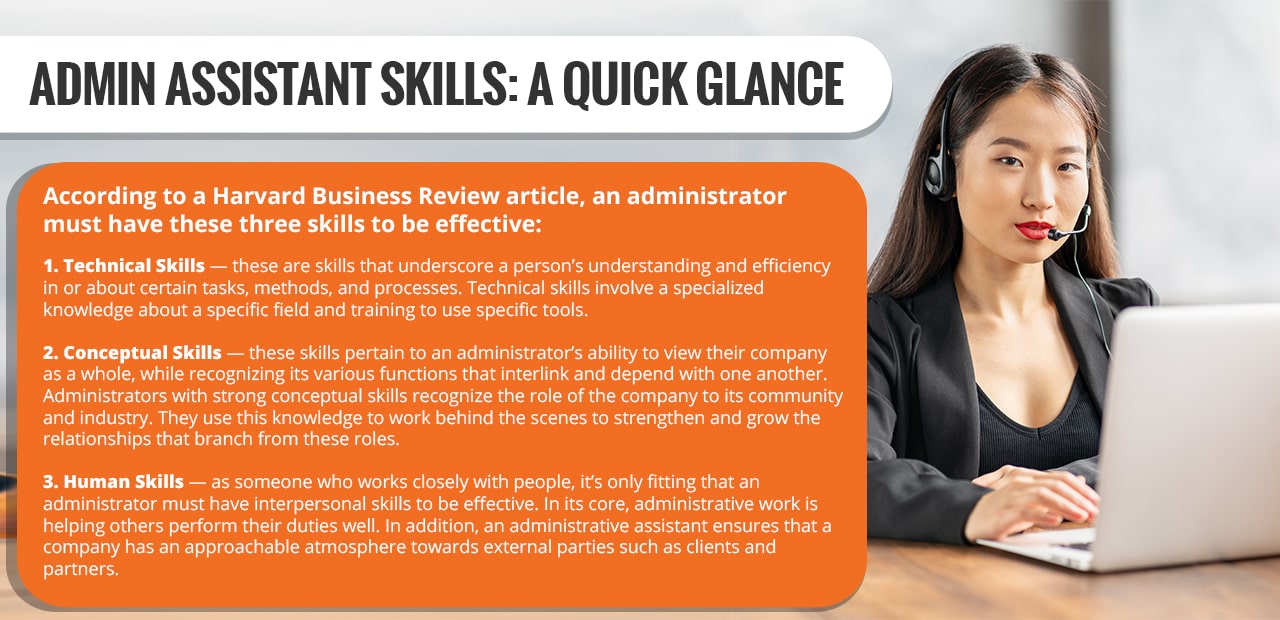
According to a Harvard Business Review article, an administrator must have these three skills to be effective:
-
Technical Skills
These are the administrative assistant skills that underscore a person’s knowledge and efficiency in or about certain tasks, methods, and processes. Technical skills involve specialized knowledge about a specific field and training to use specific tools.
-
Conceptual Skills
These skills pertain to an administrator’s ability to view their company as a whole while recognizing its various functions that depend on one another. Administrators with strong conceptual skills recognize the role of the company in the community. They use this knowledge to work behind the scenes to grow the relationships that branch from these roles.
-
Human Skills
As someone who works closely with people, it’s only fitting that an administrator must have interpersonal skills to be effective. At its core, administrative work is helping others perform their duties well. In addition, an administrative assistant ensures that a company seems approachable from the point of view of clients and partners.
So, how do these administrative assistant skills translate to the virtual way of doing business?
15 Must-Have Administrative Assistant Skills for Top VAs
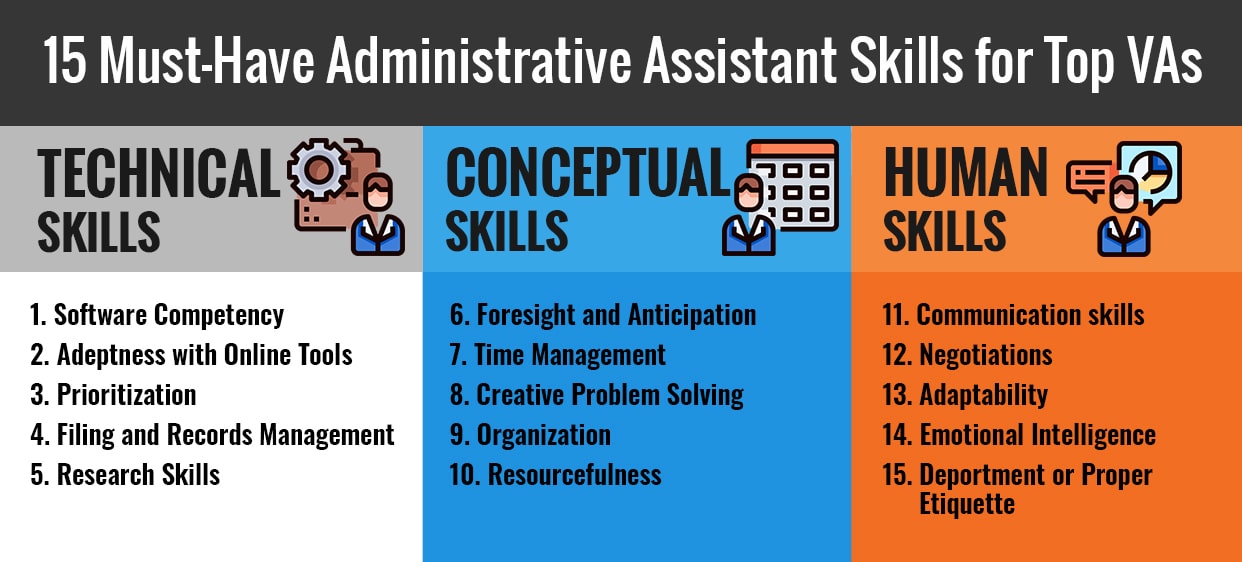
What must VAs learn to be marketable administrators? What competencies should business owners look for to land an effective VA? Here are the 15 administrative assistant skills that set-top virtual assistants apart:
Technical Skills
-
Software Competency
A virtual administrative assistant primarily uses a computer in performing their tasks. As admin VAs conduct business support through email, phone, and chat, it’s a must to have software competency. These programs include Microsoft Office and Google Suite. Even though these are basic programs and may not even be used by some companies, the skill in using them remains beneficial. The more an administrator is familiar with basic software programs, the easier it will be for them to learn more advanced tools.
-
Adeptness with Online Tools
Apps for communication, tools for virtual collaboration, programs for design and planning — there’s a myriad of online tools out there for every project, purpose, and work that one can imagine. It is the administrator’s job to know these tools. More importantly, it is their job to recognize which of this wide variety of tools will be most efficient and practical for their company. Does your company only have less than 5 members working on a project? Perhaps a free or basic project management tool is better than paying for a premium version. Are your team members located in different time zones? Maybe Slack and Zoom are more convenient communication tools than VoIP. An effective admin assistant can help the company choose more suitable and affordable online tools.
-
Prioritization
A top admin VA knows how to arrange tasks and projects according to importance and urgency. The ability to prioritize is key to helping an admin VA do operations management tasks such as calendar and project management, appointment setting, and scheduling.
-
Filing and Records Management
Customer details, company information, employee data — a company deals with different types of information all the time. The longer you are in business, the higher this pile of information grows. It’s important to have a system of filing and recording important company information to keep day-to-day operations smoothly. Efficient files and records management is also key to keeping your company secure.
-
Research Skills
Planning to branch out to a different location? Exploring other product ideas? You need comprehensive research to determine the feasibility of your plans. This is another task that you can delegate to an admin assistant. Be sure to select one with excellent research and fact-checking skills.
Conceptual Skills
-
Foresight and Anticipation
Imagine working with an assistant who doesn’t need to be told what to do. That would definitely take a huge load off your shoulders! An assistant who has the initiative to do what needs to be done is rare but a definite must-have. How do you find one? Look for VAs with excellent attention to detail, while having the ability to see things in the big picture. Such admin assistants would have the ability to think on their feet and make the best choices in a given situation.
-
Time Management
From processing orders to dealing with suppliers, customers, and partners, a company works on schedule. An admin assistant must therefore have the competency to organize daily, weekly, and monthly agenda. Time management is important not only in ticking off items on your to-do list but also in ensuring your company’s clocked-in hours are as productive as possible.
-
Creative Problem Solving
Running a business is exciting in that dealing with unique people and situations comes with the territory. However, this also means having to come up with solutions that you don’t learn from school or from books. It’s best to work with an admin assistant who has creative problem-solving skills. During the job interview for your admin assistant, make sure to ask candidates about the tricky situations they had to face, and how they managed to fix such hitches.
-
Organization
Being organized is more than just planning ahead of time. For top virtual assistants, organization skills extend to the ability to regroup and push forward when things don’t fall according to plan — which would sometimes happen in business. When employees call-in sick or if you are working on a tight seasonal schedule, your admin VA should help you accomplish goals even when plans have to change from time to time.
-
Resourcefulness
A resourceful administrator can help a company save big bucks, boost product quality, and eventually expand. Resourcefulness is another conceptual skill that a VA needs to be efficient in their tasks such as sourcing for suppliers, market research, and organizing events.
Human Skills
-
Communication skills
Administrators work with different people — from company executives to business partners and new team members to prospects. Effective communication skills are therefore non-negotiable. Find a VA who is adept in communicating via email, phone, social media, or instant messaging platforms.
-
Negotiations
Whether appeasing a disgruntled customer or closing a deal with a supplier, negotiations are part of an administrator’s job description. Top VAs have the ability to nurture relationships with third-parties while taking care of the interests of the company.
-
Adaptability
The pandemic and the economic changes in its wake prove how businesses need to be flexible to survive. You must therefore work with someone who can quickly adapt to any situation. Top administrators know how to roll with the punches. They can think on their feet while keeping the company’s best interests at heart.
-
Emotional Intelligence
Emotional intelligence is the ability to use, understand, and manage one’s emotions positively. Apart from having the knowledge and training for their job, an administrator must also have the emotional intelligence to be effective. As someone who deals with different people and is likely to face stressful situations, an administrator should learn how to relieve stress, empathize, and defuse an otherwise volatile situation. An emotionally intelligent administrator can influence their organization, persuade and appease customers, and healthily address their own limitations and needs.
-
Deportment or Proper Etiquette
Administrative assistants can wear many hats. According to the needs of their company, they can help organize events, provide help desk support, train and onboard new employees, and engage with business partners. Whatever task you delegate them, you must be confident that your administrative assistant will present themselves in a way that befits and benefits your business. Top administrative assistants must have the ability to leverage their communication skills and emotional intelligence in representing their company in all types of situations.
Where to Hire Top Virtual Administrative Assistants
A CNBC report projected that 1 in 4 Americans will be working from home in 2021. Whether you are a virtual assistant or a business owner, you must know where to find the cream of the crop among administrators.
While there are different platforms that can help you find and hire administrators, it is better to work with staffing agencies instead. For one thing, staffing agencies such as 20four7VA would pre-screen applicants before linking them with clients. For another, the agency provides training so virtual assistants can continuously hone their skills and develop specialities. Here are other advantages of working with a virtual staffing company.
Final Thoughts
Regardless of your company size and current circumstances, you’ll find many benefits by hiring a virtual admin assistant. To ensure you find the best one, look for these 15 must-have administrative skills that set-top virtual assistants apart.
READ MORE