12 of the Best Grammar Checkers to Try Right Now

Table of Contents:
Finding the Best Grammar Checker Online: Free and Paid Tools
– After the Deadline
– Ginger
– Gradeproof
– Grammarly
– Hemingway
– Language Tool
– Linguix
– NounPlus
– OnlineCorrection
– PaperRater
– ProWritingAid
– Qordoba
How Good Writing Affects Your Business
How to Strengthen Your Communications and Content Further
Grammar is as much an important aspect of business communications. Not only does proper use of grammar display professionalism, it also helps your audience understand you better. Whether you’re writing emails to your staff, drafting blog posts, creating business proposals for clients or business partners, or chatting with your customers, it’s important to check for grammar and punctuation errors before hitting send. One of the keys to navigating the complex rules of grammar is using some of the best grammar checker tools at your disposal.
Finding the Best Grammar Checker Online: Free and Paid Tools
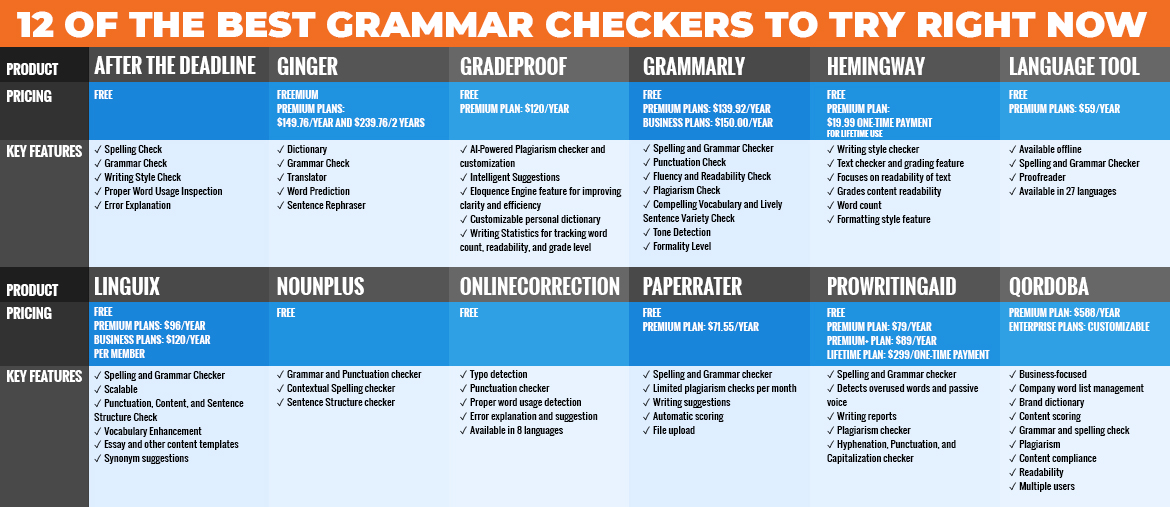
A grammar and spell checker is a tool that can help you check for grammar mistakes or spelling mistakes. Some tools that are more complex can even help you improve your tone, word usage, and sentence structure to make your message more impactful. Here are 12 of the best grammar checker for free or paid subscriptions:
*Disclaimer: Prices and features are accurate at the time of writing (August 18, 2020). Many of these tools often run sales or change their pricing, so the current information on their website might be different to the ones listed below.
1. After the Deadline

Pricing:
✓ Free
Platform Availability:
✓ Browser Extension (Chrome, Firefox)
✓ Other (AtD Tool, bbPress, Bookmarklet, BuddyPress, Confluence, OpenOffice.org, Windows Live Writer, WordPress)
Language/s: English, French, German, Portuguese, Spanish
Key Features:
✓ Spelling Check
✓ Grammar Check
✓ Writing Style Check
✓ Proper Word Usage Inspection
✓ Error Explanation
After the Deadline is a straightforward, open-source grammar corrector that comes with essential features including spelling and grammar checkers, writing style assessment, and word usage inspection. The tool offers an explanation of grammar rules for every detected error. It’s not just for English writing too; this free grammar tool is also available for checking your text written in French, Spanish, German, and Portuguese. As a plug-in, you must be online to use this tool. However, its features are few compared to other grammar checkers. If you want to check long-form writing or edit high volumes of business content, you might want to look for premium grammar checkers.
2. Ginger
Pricing:
✓ Freemium
✓ Premium Plans: $149.76/year and $239.76/2 years
Platform Availability:
✓ Web
✓ Browser Extension (Chrome, Safari)
✓ Desktop (Windows, Mac)
✓ Mobile (iOS, Android keyboard)
Language/s: English, but with translation in 40 languages
Key Features:
✓ Dictionary
✓ Grammar Check
✓ Translator
✓ Word Prediction
✓ Sentence Rephraser
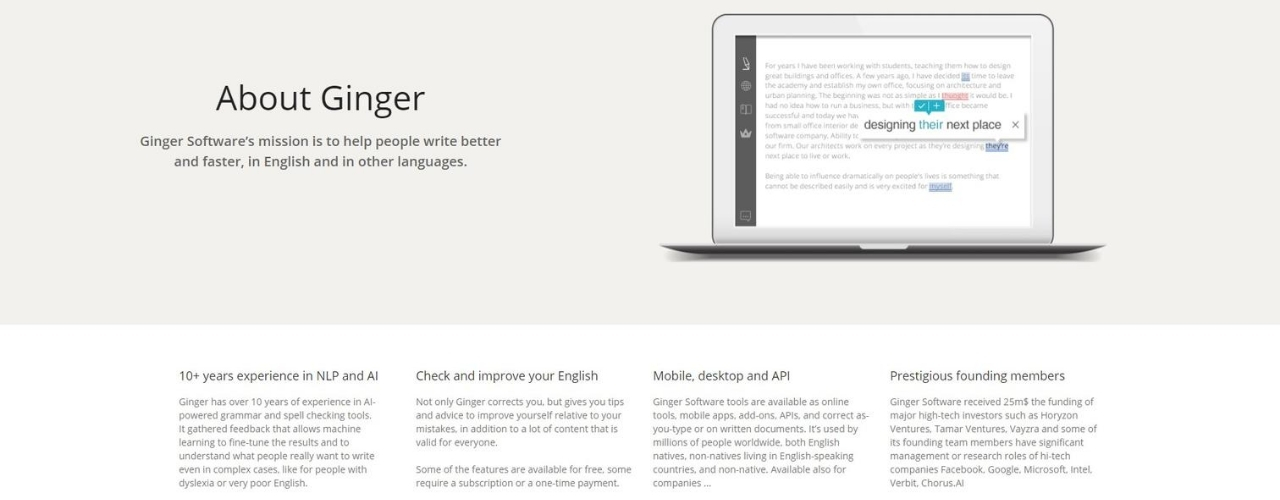
Ginger is a grammar checker that claims to correct all kinds of grammatical mistakes including sentence style and structure. Users can also use Ginger to translate content in more than 40 languages. The free plan only allows you to check up to 350 characters, while the premium plan includes a personal trainer on top of the free product features. This feature allows users to improve their writing through customized practice sessions based on one’s usage history. Ginger is also available as a Safari browser extension and an iOS app.
3. Gradeproof
Pricing:
✓ Free
✓ Premium Plan: $120/year
Platform Availability:
✓ Web
✓ Browser Extension (Chrome)
✓ Other (Microsoft Word, Google Docs)
✓ Mobile (iOS)
Language/s: English
Key Features:
✔ AI-Powered Plagiarism checker and customization
✔ Intelligent Suggestions (Intuitive suggestions for spelling, sentence rephrasing, and grammar)
✔ Eloquence Engine feature for improving clarity and efficiency
✔ Customizable personal dictionary
✔ Writing Statistics for tracking word count, readability, and grade level
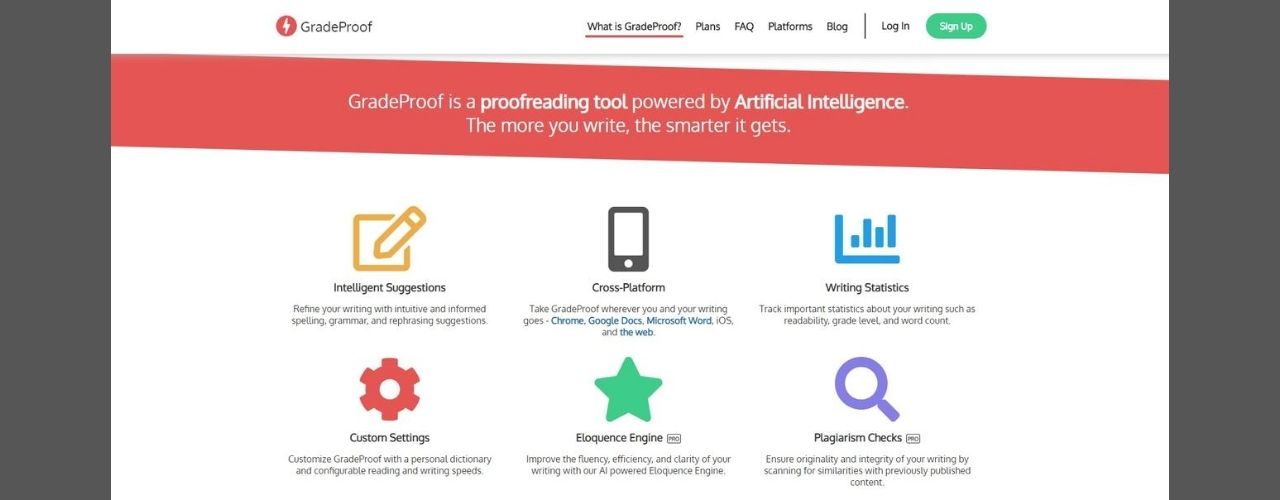
As an AI-powered grammar checker, Gradeproof claims that the longer you write, the smarter it gets. The more you use Gradeproof, the better it works when it comes to assessing and predicting your writing style and suggesting words and sentences based on your tone and format. The premium Gradeproof plan includes the Outwrite feature which offers different ways for writing a sentence to add variety to your content.
4. Grammarly

Pricing:
✓ Free
✓ Premium Plans: $139.92/year
✓ Business Plans: $150.00/year
Platform Availability:
✓ Web
✓ Browser Extension (Chrome, Safari, Mozilla Firefox, Internet Explorer)
✓ Desktop (Windows and Mac)
✓ Mobile (iOS and Android Keyboard)
✓ Social Media (Medium, Facebook, Twitter, LinkedIn)
✓ Other (Microsoft Word, Outlook, Google Docs)
Language/s: English
Key Features:
✔ Spelling and Grammar Checker
✔ Punctuation Check
✔ Fluency and Readability Check
✔ Plagiarism Check
✔ Compelling Vocabulary and Lively Sentence Variety Check
✔ Tone Detection
✔ Formality Level
Grammarly is perhaps one of the most popular grammar checkers for personal and business use. Free Grammarly only includes the spelling, grammar, and punctuation checkers. If you want to boost your writing further and have your tone, formality, and sentence variety inspected, you can upgrade to the paid plans. The Business plan of Grammarly is scalable and is made for companies with 1-150+ team members. Business plans are charged per user, so you will pay a variable price depending on the size of your team.
5. Hemingway
Pricing:
✓ Free
✓ Premium Plan: $19.99 one-time payment for lifetime use
Platform Availability:
✓ Web
✓ Desktop (Windows, Mac)
✓ Other (Microsoft Word, Medium, WordPress)
Language/s: English
Key Features:
✔ Writing style checker
✔ Text checker and grading feature
✔ Focuses on readability of text
✔ Grades content readability
✔ Word count
✔ Formatting style feature (Bullets, Numbers, Link, Bold and Italic text, Headings, Hyperlink)
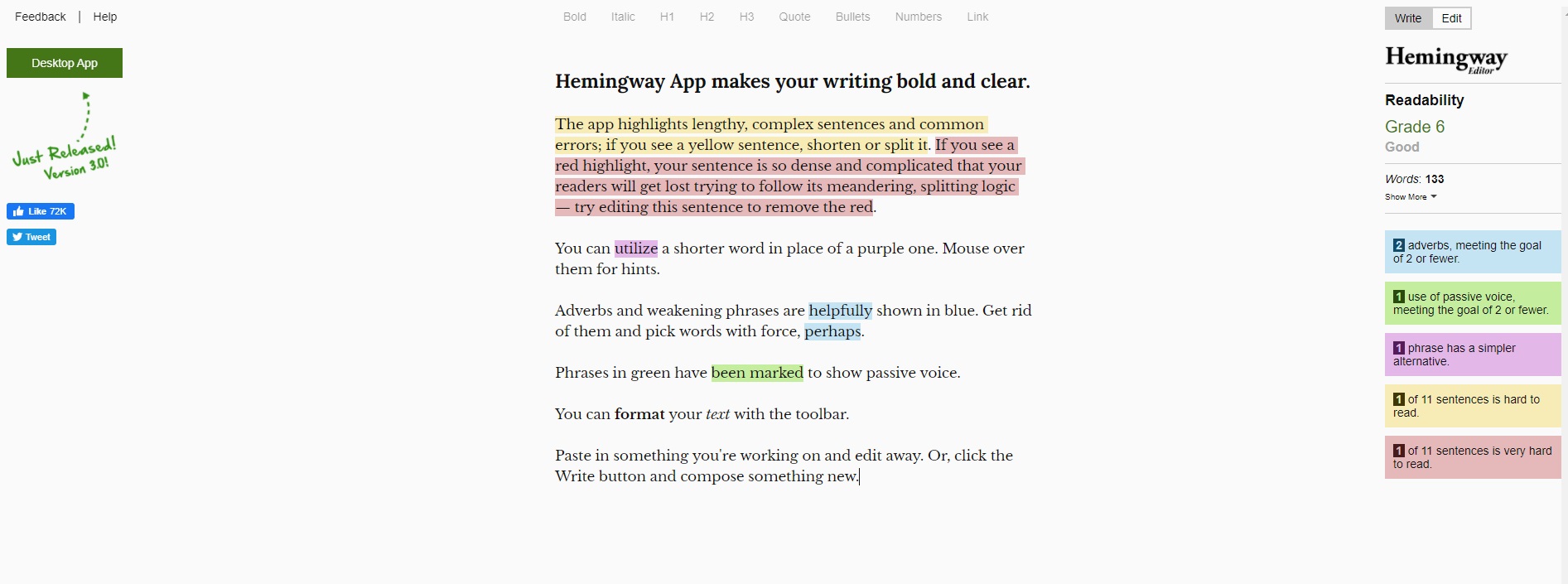
Hemingway is designed to make one’s writing readable and concise. Apart from detecting misspellings, Hemingway highlights run-on sentences, misused words, overused adverbs and other common writing issues. A grade is generated with each use, so the user can track their progress. The premium Hemingway plan unlocks the ability to save and export content and view an in-depth analysis of one’s writing.
[activecampaign form=68]
6. Language Tool
Pricing:
✓ Free
✓ Premium Plans: $59/year
Platform Availability:
✓ Web
✓ Browser Extension (Chrome and Firefox)
✓ Desktop (Windows and Mac)
✓ Mobile (Android)
✓ Other (Google Docs, Microsoft Word, LibreOffice)
Language/s: English, Asturian, Belarusian, Breton, Catalan, Dutch, Esperanto, French, Galician, German, Greek, Italian, Japanese, Khmer, Persian, Polish, Portuguese, Romanian, Russian, Simplified Chinese, Slovak, Slovenian, Spanish, Swedish, Tagalog, Tamil, Ukrainian
Key Features:
✔ Available offline
✔ Spelling and Grammar Checker
✔ Proofreader
✔ Available in 27 languages
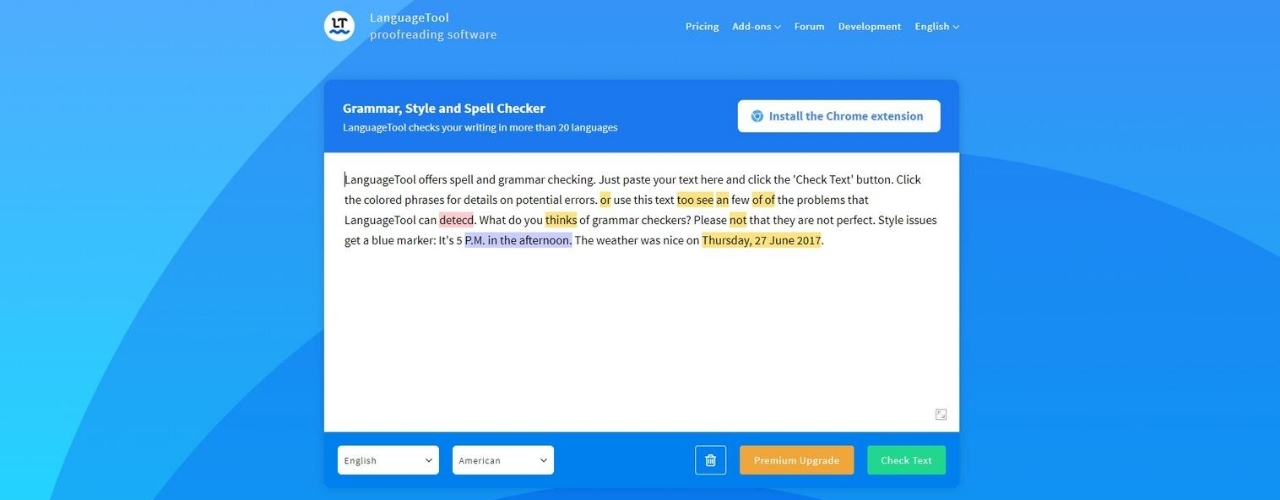
Language Tool can detect typos and misspellings in 20 languages. One of Language Tool’s best upside is its availability to be used offline. This is especially helpful for writers who want to stay focused on their writing and avoid distractions. Language Tool is an open-source software with API availability which means developers can customize it to their needs.
7. Linguix

Pricing:
✓ Free
✓ Premium Plans: $96/year
✓ Business Plans: $120/year per member
Platform Availability:
✓ Web
✓ Browser Extension (Chrome, Firefox, Microsoft Edge)
✓ Desktop (Windows, Mac)
✓ Other (LinkedIn, Yahoo, Gmail, Twitter, Facebook, Messenger, Medium, Google Docs)
Language/s: English
Key Features:
✔ Spelling and Grammar Checker
✔ Scalable
✔ Punctuation, Content, and Sentence Structure Check
✔ Vocabulary Enhancement
✔ Essay and other content templates
✔ Synonym suggestions
Linguix is a great personal and business grammar checker. Linguix offers templates for essays and other types of content, making it the preferred grammar checker for non-writers. The Business plan is priced per member, so that the tool can grow or scale with your team. AI writing assistance is also available for Business plans, so users can customize it based on tone and writing style. This helps a team produce content with uniformity and consistency.
8. NounPlus
Pricing:
✓ Free
Platform Availability:
✓ Web
Language/s: English
Key Features:
✔ Grammar and Punctuation checker
✔ Contextual Spelling checker
✔ Sentence Structure checker
NounPlus is completely free, so it’s a great tool for personal users and solopreneurs. Apart from detecting grammatical errors, NounPlus also offers suggestions for sentence improvement. Its spelling checker is contextual, so that it detects misspellings and improper use of words. This means users can avoid mixing up words like affect and effect. NounPlus is not available as a browser extension or app, so users need to be online to use.
9. OnlineCorrection
Pricing:
✓ Free
Platform Availability:
✓ Web
Language/s: English, Portuguese, German, Polish, French, Italian, Spanish and Russian
Key Features:
✔ Spelling and Grammar checker
✔ Typo detection
✔ Punctuation checker
✔ Proper word usage detection
✔ Error explanation and suggestion
✔ Available in 8 languages
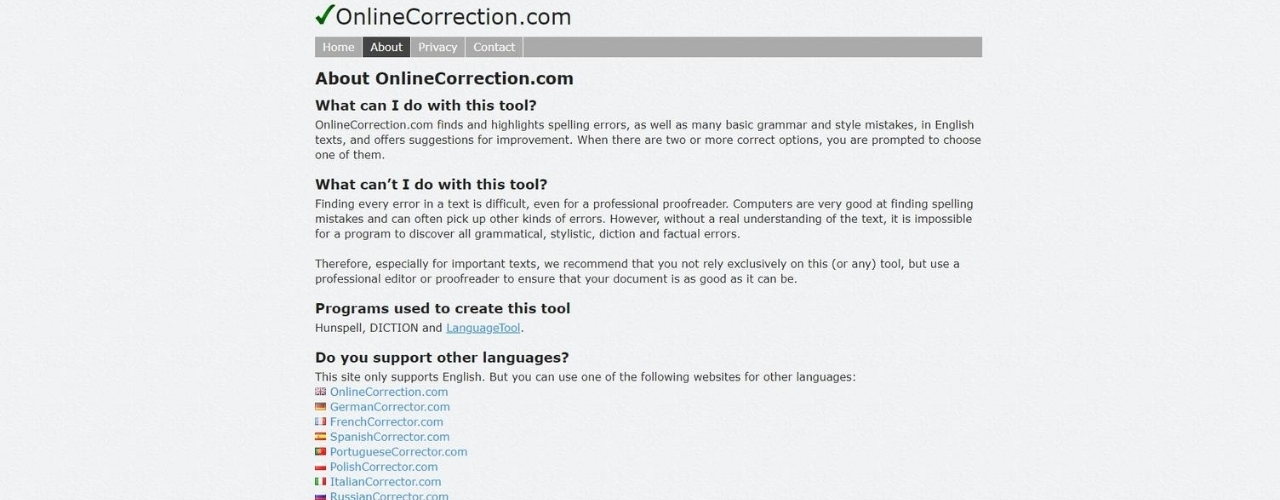
OnlineCorrection is another free grammar checker ideal for students, personal bloggers, and solopreneurs. OnlineCorrection will automatically delete all submitted content after 30 minutes. Although this feature guarantees privacy, the time limit can be a drawback when you’re writing and editing long-form content. OnlineCorrection was designed using programs like LanguageTool and DICTION and supports UK, US, New Zealand, Australian, and South American English dialects.
10. PaperRater
Pricing:
✓ Free
✓ Premium Plan: $71.55/year
Platform Availability:
✓ Web
Language/s: English
Key Features:
✔ Spelling and Grammar checker
✔ Limited plagiarism checks per month
✔ Writing suggestions
✔ Automatic scoring
✔ File upload
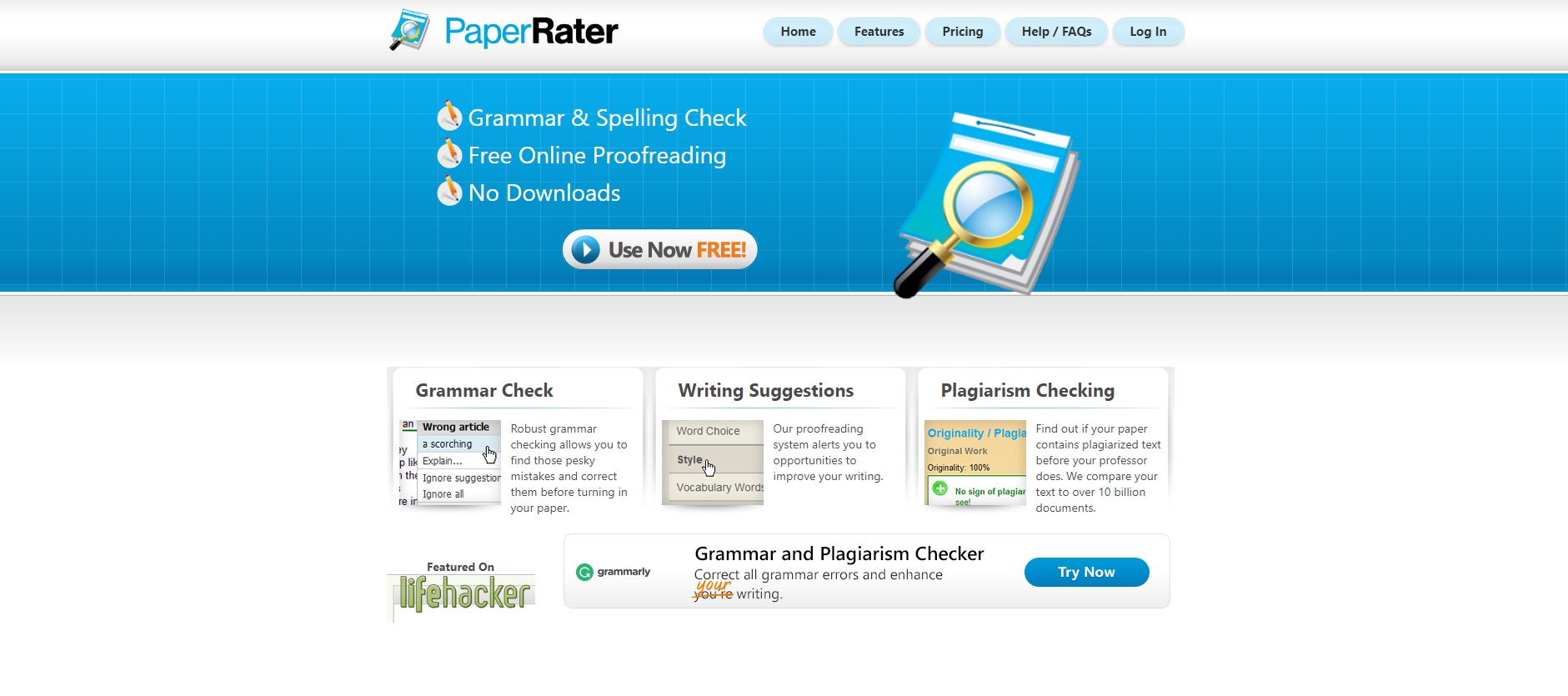
The free version of PaperRater includes spelling and grammar checkers with automated writing scores. This makes it a perfect tool for students who want to improve their essays and personal bloggers and solopreneurs who want to gain traction in their online platforms. PaperRater also offers analysis and comparison reports, so that students can compare their paper with other users on the same educational level. Its plagiarism checker indexes over 10 billion results from Google and Bing to help users craft original content.
11. ProWritingAid
Pricing:
✓ Free
✓ Premium Plan: $79/year
✓ Premium+ Plan: $89/year
✓ Lifetime Plan: $299/one-time payment
Platform Availability:
✓ Web
✓ Browser Extension (Chrome, Firefox, Safari and Microsoft Edge)
✓ Desktop (Windows, Mac)
✓ Other (Outlook, Word, OpenOffice, Google Docs and Scrivener)
Language/s: English
Key Features:
✔ Spelling and Grammar checker
✔ Detects overused words and passive voice
✔ Writing reports
✔ Plagiarism checker
✔ Hyphenation, Punctuation, and Capitalization checker
ProWritingAid offers more writing reports than its counterparts. After detecting misspellings, sentence structures, and overused words, it offers analysis and explanation to help the user learn from their errors. It features an editing tool that tests sentence length, spots ambiguity and repetitiveness, and highlights clichés and passive sentences. After reviewing these writing style corrections, users can watch ProWritingAid’s learning videos and take quizzes to test their ability and writing skill.
12. Qordoba
Pricing:
✓ Premium Plan: $588/year
✓ Enterprise Plans: Customizable (users can ask for price quotes)
Platform Availability:
✓ Web
✓ Browser Extension (Chrome)
✓ Other (Google Docs, Word, API, GitHub, Bitbucket)
Language/s: English
Key Features:
✔ Business-focused
✔ Company word list management
✔ Brand dictionary
✔ Content scoring
✔ Grammar and spelling check
✔ Plagiarism
✔ Content compliance
✔ Readability
✔ Multiple users
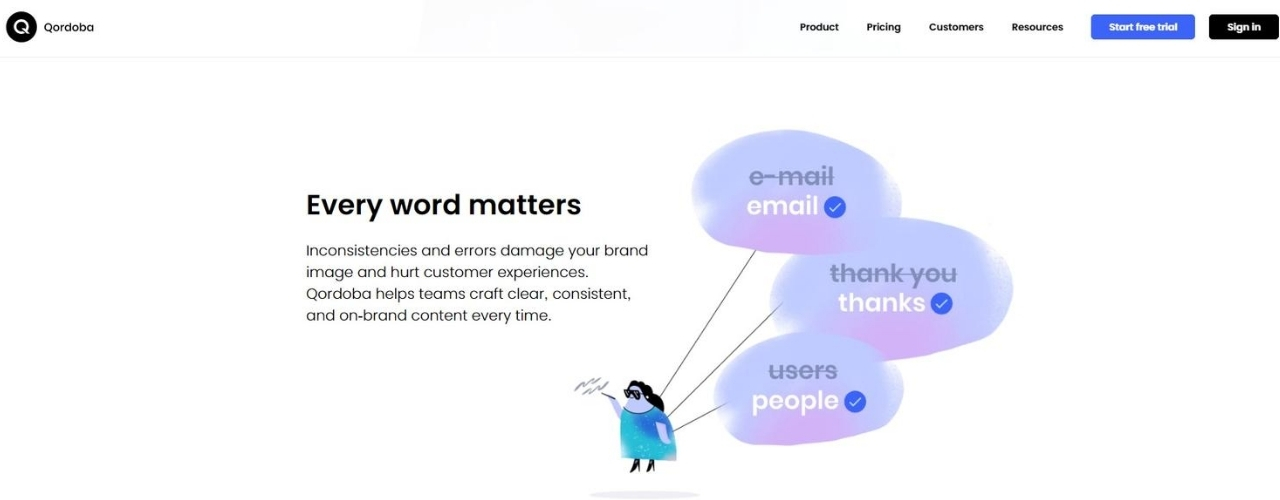
Qordoba is a grammar checker made especially for business. Entrepreneurs, marketers, bloggers, and brand managers will especially find Qordoba helpful. You can incorporate and customize your product and brand names and content writing style. The tool goes beyond checking basic grammar and spelling errors. It can also detect if the content complies by your branding style and tone. This makes it a highly commendable tool when you have several writers in your team. The brand dictionary and content compliance features allows a team to produce consistent content.
How Good Writing Affects Your Business
You already have social platforms with a huge following and website videos that get a good number of views. With all the high-tech tools that you have and trendy marketing tactics in place, do you really have to invest time and money in good ol’ grammar?
Turns out, a company’s language efficiency — or lack thereof — is more important than you think. In fact, 59% of polled UK consumers admit to avoiding businesses with blatant spelling and grammatical errors in their websites or marketing materials.
Here are 5 ways poor grammar can affect your business:
- It can lower your search rankings. Google only puts the most relevant pages on its search results. Business pages that exude authority and the closest text match relevance top its list. If your content is riddled with misspellings and grammatical errors, you’re likely to end up at the bottom. Here are 3 other ways to get a higher website ranking in Google.
- It can diminish your credibility. Credibility is currency in business. It takes years of hard work to build and a poorly conveyed message to break. Grammatical errors in written and verbal communications will instantly make your authority hit the floor. The key to always put your best foot forward? Keep the best grammar checker app in your pocket.
- It can pull the plug on prospects. Imagine doing research about a company. You check their official business website and read through the content, only to be greeted with misspellings, misused punctuation marks, and sentence fragments. Poor grammar shows sloppiness and can quickly cast doubts in your reliability as a business. It’s a quick way to turn prospects away.
- It can mislead or confuse people. Whether you’re closing a deal with a client, pitching a proposal to an investor, or negotiating with an investor, you need to word all your business documents accurately. When you don’t keep your grammar in check, you run the risk of getting into mix-ups.
- It can sidetrack readers. You should always give your readers a good read. For one thing, people have a shorter attention span if your content is uninteresting or poorly written. For another, grammatical errors can take away from what your message. Even worse, people might share your poorly written content, thus drawing flak to your brand.
How to Strengthen Your Communications and Content Further
Remember that grammar checkers are just tools for polishing the content you already have. To maximize it, you need to submit relevant and engaging content first.
This is where having a Content Writer Virtual Assistant or Content Creation team comes into play.
You need content writing specialists to research, write, and edit your communications and content for multiple platforms. Grammar checkers will keep your team in check and ensure everyone follows the same branding style and tone consistently.
Hire a content writer from 20four7VA or build your content marketing team as your business grows. There are many grammar checkers made to scale and 20four7VA offers scalable virtual staffing solutions to grow with your team.
Grammar is important to both professionals and entrepreneurs. It can boost your authority in your niche, strengthen your ties with clients, and help you capture the essence of your band. Work with content specialists to create your brand content. Then, find the best grammar checker software or app that best suits your business.
[activecampaign form=68]READ MORE
How Jeanine Grew ‘The Supreme Love Project’ from $0 to $250k in 4 Months
[vc_row][vc_column][vc_column_text css=”.vc_custom_1698169283876{margin-bottom: 0px !important;}”]
Here’s how The Supreme Love Project founder, Jeanine Staples, grew her company from earning $0 to a $250k launch in 4 months — and earning close to 7 figures 5 years after.
At a Glance
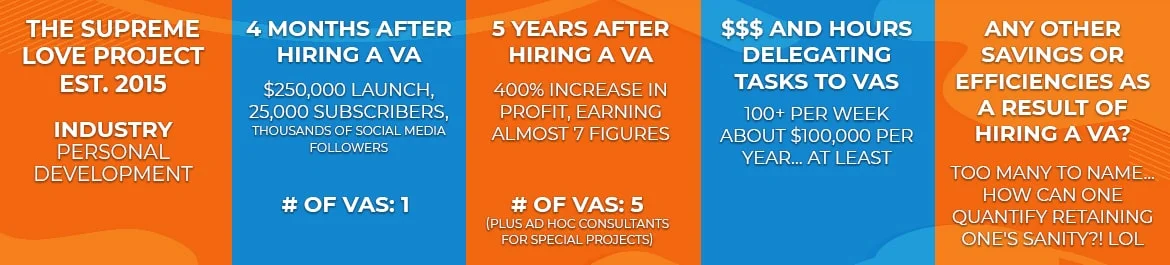
When Jeanine Staples started working on The Supreme Love Project, she had a total profit of $0, a team consisting only of herself, and a major feeling of uncertainty about what the future holds for her company.
Fast forward to five years and an amazing team of virtual assistants (VAs) later, The Supreme Love Project is now a “high-impact, high-influence, and high-income” organization providing coaching, strategies, and products that help so many struggling women find their sense of self and tap into their own power.
The Problem
The Supreme Love Project was formed out of Jeanine’s amazing vision of having a support system for struggling women that would allow them to heal, escape toxic love, and rebuild their lives.
But while Jeanine had an incredible goal, she didn’t know how to achieve it back then. She spent months trying to do everything herself: from answering emails and calls to building landing pages and funnels just to get people to sign up for her coaching business. Nine months after she started, she had nothing to show for it. In her own words, she had “zero dollars, zero subscribers, and zero energy.”
To get out of this unpromising situation, Jeanine invested in a coach who promptly told her that she needed to form a team, and to start by hiring just one person to assist her.
The Solution
Prompted by a referral from a friend of her colleague’s friend, Jeanine decided to hire her first VA from 20four7VA. Before landing on 20four7VA, she had already stumbled upon other self-employed VAs and virtual staffing companies. 20four7VA’s professionalism and clarity, however, convinced her to get her first VA from them. Here’s what she had to say about the experience:
“I like that they had a team of people who ran HR, who ran messaging, who offered to me what I felt like was a concierge service. They listened to me, first of all, [talk about] what my vision was and what I was hoping to achieve. And they directed me to a clustering of people. I had like 5 or 6 people that I could choose from, and they organized video testimonials of the VA. They wrote out what their skill level was, what their rate was. I got to interview them via Zoom with the help of the 20four7VA staff to help facilitate the conversation and the communication — it was fantastic! It was such an easy experience. It took so much stress out of the search for me.”
The Results
Four months after hiring just one VA from 20four7VA, Jeanine was finally able to give The Supreme Love Project the debut it deserved: a $250,000 launch, 25,000 new subscribers, and thousands of people following her on social media.

“The difference was night and day. Toiling on my own, going through trial and error, not knowing what I was doing, trying to be a jack-of-all-trades; I was a master of none,” Jeanine said. “When I hired VAs with expertise in creating pages, in creating funnels, in answering emails, in doing client care, in creating testimonials, in creating Facebook groups, in creating Facebook ads, in editing videos… Literally, so much weight fell off of my shoulders.”
Five years after her first VA hire from 20four7VA, her core team now consists of five people (including three VAs from 20four7VA) and a couple of ad hoc consultants. The Supreme Love is earning close to 7 figures and still growing!
Her VAs have now been with her for about three years and are now in management positions in her company. The relationship that she was able to build and the mutual trust that grew from this relationship makes Jeanine incredibly optimistic about the future of The Supreme Love.
“Now the sky is the limit… None of this would have been possible without my team of VAs,” Jeanine remarked.
Her final advice? “Go for it, get your VA. Don’t wait!”
Watch Jeanine’s full story on video here!
About Jeanine Staples:
Jeanine Staples is a Professor of Literacy and Language, African American Studies, and Women’s, Gender, and Sexuality Studies at the Pennsylvania State University, an author, speaker, coach, and the founder of The Supreme Love Project. Learn more about Jeanine and her company by visiting her website https://jeaninestaples.com/ and https://thesupremeloveproject.com/.[/vc_column_text][/vc_column][/vc_row]
READ MORE
60 Tasks to Outsource to a Social Media Virtual Assistant
[vc_row][vc_column][vc_column_text css=”.vc_custom_1629271091299{margin-bottom: 0px !important;}”]
Table of Contents
Why You Need a Social Media Virtual Assistant
60 Tasks You Can Outsource to a Social Media Virtual Assistant
-
Account Setup
-
Account Management
-
Content Creation
-
Marketing and Sales
-
Customer Relations
-
Strategy and Analytics
Where to Hire a Social Media Virtual Assistant
An entrepreneur should know how to adapt to the constantly changing world of business. Today, this means leveraging the extraordinary influence of social media on consumers. Because there are multiple social media networks available, business owners need help in maintaining their social media pages. To deal with this, you need a social media virtual assistant.
 Why You Need a Social Media Virtual Assistant
Social media influences people’s lives in many ways. It’s no longer just for reaching out to family and friends. These days, it also connects consumers to brands and businesses. To show the impact of social media, here are some facts about how different social platforms influence consumer behavior and purchase decision.
1. Instagram as a brand influencer
A study by Quintly discovered that Instagram has a higher engagement rate compared to other networks. When it comes to visual content and user-brand engagement, Instagram is the network of choice. In fact, people have used Instagram for product research by reading and watching reviews from influencers or fellow users.
2. Facebook posts as word-of-mouth recommendations
Word-of-mouth recommendations still work wonders for businesses. Instead of being shared in actual conversations, however, word-of-mouth recommendations are now seen on Facebook Check-ins, Likes, and Posts. According to Asian Journal of Business Research, people are now taking notice of products and brands that they see their family and friends use or support on Facebook. (Source)
3. Twitter as a sales driver
According to Digital Marketing Institute, 4 out of 10 users purchased a product after seeing it on Twitter. Additionally, a separate report from Twitter also said that 77% of its users feel more positive about a brand that replied to their Tweets. (Source)
These are just some of the many facts that show how consumers use social media for decision-making and shopping. However, these numbers sufficiently show the critical roles that platforms like Instagram, Facebook, and Twitter play in connecting brands to consumers.
Each social media platform has a dominant user demographic, so it’s a good idea to consider that when creating your strategy. Just because one network has a larger user base doesn’t mean that it’s the strongest channel for your business. For instance, millennials and Gen Zers prefer Instagram to Facebook. If younger consumers are your target audience, then you should invest in Instagram over other platforms.
Managing various social channels also entails knowing the best times to post on different social networks as well as using the right image dimensions appropriate for each platform. Social media management can be tricky if you handle it all by yourself. Hiring a virtual assistant for social media should help you manage this otherwise impossible task.
[activecampaign form=68]
60 Tasks You Can Outsource to a Social Media Virtual Assistant
So, how exactly can a VA help you capitalize on the power of social media? Here are 60 social media virtual assistant services that will boost your business:
Account Setup
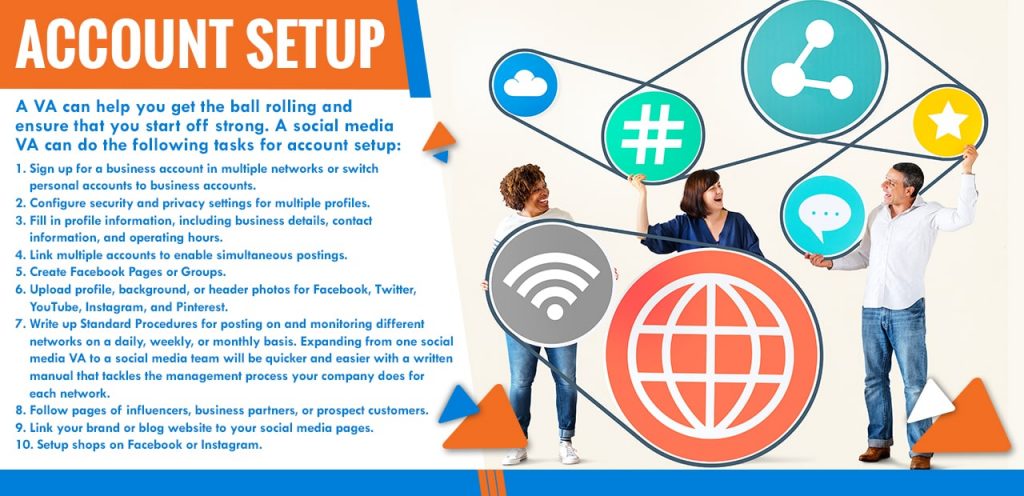
A VA can help you get the ball rolling and ensure that you start off strong. Therefore, have a social media VA do the following tasks for account setup:
- Sign up for a business account in multiple networks or switch personal accounts to business accounts.
- Configure security and privacy settings for multiple profiles.
- Fill in profile information, including business details, contact information, and operating hours.
- Link multiple accounts to enable simultaneous postings.
- Create Facebook Pages or Groups.
- Upload profile, background, or header photos for Facebook, Twitter, YouTube, Instagram, and Pinterest.
- Write up Standard Procedures for posting on and monitoring different networks on a daily, weekly, or monthly basis. Expanding from one social media VA to a social media team will be quicker and easier with a written manual that tackles the management process your company does for each network.
- Follow pages of influencers, business partners, or prospect customers.
- Link your brand or blog website to your social media pages.
- Setup shops on Facebook or Instagram.
 Account Management
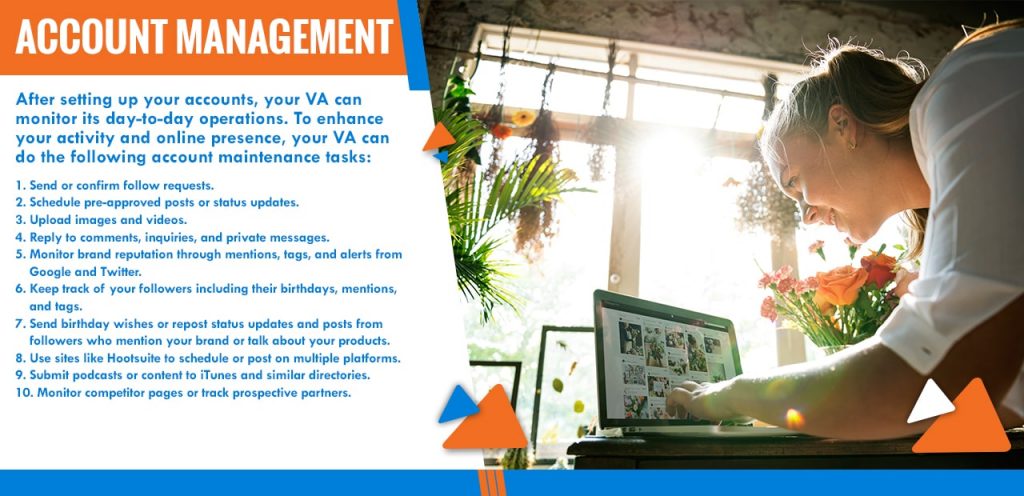
After setting up your accounts, your VA can monitor its day-to-day operations. To enhance your activity and online presence, your VA can do the following account maintenance tasks:
- Send or confirm follow requests.
- Schedule pre-approved posts or status updates.
- Upload images and videos.
- Reply to comments, inquiries, and private messages.
- Monitor brand reputation through mentions, tags, and alerts from Google and Twitter.
- Keep track of your followers including their birthdays, mentions, and tags.
- Send birthday wishes or repost status updates and posts from followers who mention your brand or talk about your products.
- Use sites like Hootsuite to schedule or post on multiple platforms.
- Submit podcasts or content to iTunes and similar directories.
- Monitor competitor pages or track prospective partners.

Content Creation
To make your social pages more interesting, a social media VA can help you curate, proofread, and edit content that you can push on different channels. Here are basic content creation assignments for a VA:
- Create About Us content for various platforms.
- Write or proofread status updates on Facebook.
- Create clever Tweets so you can grow your audience.
- Write witty photo captions on various channels.
- Create written descriptions on YouTube or other social media videos.
- Create stories for Instagram, Facebook, or Messenger.
- Setup and manage Rich Pins on Pinterest so you can keep content up-to-date.
- Research keywords to create targeted and SEO-driven content.
- Create a Content Calendar to plan postings on different channels.
- Repurpose high-engagement social media and blog posts into different types of content. For example, Facebook posts with a high volume of Likes, Shares, and Comments can be turned into a YouTube Webinar series. An Instagram post with high engagement can be elaborated into an Infographic that can be shared on Facebook or your business blog.

Marketing and Sales
Optimize your networks to drive sales and increase awareness about your brand. Here’s how to utilize your virtual assistant for social media marketing and sales:
- Link posts to your eCommerce store or business website.
- Push promotional posts on various platforms that mention product features and benefits.
- Create hype prior to a product launch by posting sneak peeks or teasers on social media stories and feeds.
- Provide adequate answers to product or service queries.
- Link inquiring followers or customers to your eCommerce store.
- Provide incentives to followers who buy or to buyers who follow your channels or share your posts.
- Create and set up paid ads on various platforms.
- Research potential partnerships with other brands or influencers.
- Syndicate content through social media groups, bookmarking sites, and other social networks.
- Contact other media outlets like Podcasting channels, Radio networks, or popular blogs for more social publicity.

Customer Relations
Consumers are now using social networks to inquire about a product, follow up on a purchase, or research about a brand. Social media has provided a direct way for brands to reach their audience. Here’s how your VA can capitalize on this connection:
- Reply to comments and private messages in a friendly and helpful manner. Social media is the perfect avenue to show the human side of your brand. Make sure your team steers clear of long and generic responses.
- Handle customer service concerns quickly and efficiently.
- Organize contests or virtual events that celebrate customer loyalty and support.
- De-escalate complaints by offering solutions or refunds according to the company’s service terms.
- Repost user-generated content to show appreciation and boost online presence.
- Monitor posts with the highest or lowest engagement for marketing and strategy insights.
- Listen to what people are saying about your brand or competitors through tags, hashtags, mentions, and Twitter Trends.
- Encourage reviews and ratings in an effort to improve brand trust.
- Assess unsatisfactory reviews so as to facilitate service improvements.
- Reach out to unsatisfied customers or dormant followers in order to manage reputation and repair customer relations.
Strategy and Analytics
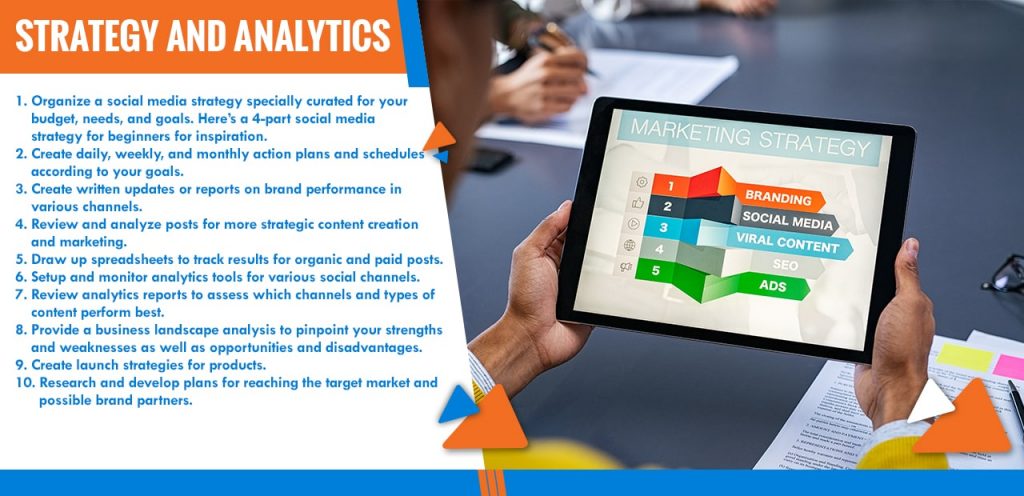
- Organize a social media strategy specially curated for your budget, needs, and goals. Here’s a 4-part social media strategy for beginners for inspiration.
- Create daily, weekly, and monthly action plans and schedules according to your goals.
- Create written updates or reports on brand performance in various channels.
- Review and analyze posts for more strategic content creation and marketing.
- Draw up spreadsheets to track results for organic and paid posts.
- Setup and monitor analytics tools for various social channels.
- Review analytics reports to assess which channels and types of content perform best.
- Provide a business landscape analysis to pinpoint your strengths and weaknesses as well as opportunities and disadvantages.
- Create launch strategies for products, and implement them.
- Research and develop plans for reaching the target market and possible brand partners.
Where to Hire a Social Media Virtual Assistant
This list of tasks to outsource to a social media virtual assistant is just a start, and you can develop it or add to it as you go along. To do that, however, you must first hire the best social media management virtual assistant.
20four7VA is a veteran virtual staffing agency, so they can find the most qualified VA for your business. When it comes to social media management, 20four7VA has specialist virtual assistants that have been pre-screened and trained for digital marketing tasks including social media work.
Social media created a direct and powerful link between business and consumers, so use it to your advantage by hiring a specialist social media virtual assistant.[/vc_column_text][/vc_column][/vc_row]
READ MORE
15 Misconceptions About Virtual Assistant Services
[vc_row][vc_column][vc_column_text css=”.vc_custom_1625732449137{margin-bottom: 0px !important;}”]
Imagine this: you had a great business idea that will undoubtedly help a lot of people. So, you launched your brand new business excited to turn your vision into a reality. But on the way to realizing your goal, you got derailed by hundreds of emails, marketing tasks, sales calls, and so many other small but time-consuming business tasks. If micro distractions and routine tasks keep your business from really taking off, It’s time for you to take advantage of virtual assistant services.

3 Signs That You Need Virtual Assistant Services
Spending most of your day doing tasks that don’t fall within your area of expertise is an obvious sign that you need to delegate. After all, delegation is an important skill among leaders. You might be surprised how many kinks in your day-to-day operations can be smoothed out if you outsource. Here are 3 important signs that you need virtual assistant services:
1. Your ROI is at the minimum.
There may be many reasons why your ROI is at rock bottom, not the least of which is substandard work. Marketing, project management, and accounting are significant facets of business. If you let non-experts handle them, or if you do them yourself, you might end up doing your business more harm than good.
2. Your stress level is through the roof.
Highly effective people know how to manage time wisely. However, a growing business often means more work than any single person is capable of. Also, managing time wisely means knowing what tasks you need to do personally and what tasks to assign to others. If you insist on doing everything yourself, you’ll end up stressing over your business instead of enjoying it. If you often find that your business is running your life instead of the other way around, then it’s high time to delegate.
3. Your funds are dwindling.
According to a report, 35% of small business owners have resorted to using personal funds to keep their business alive during the pandemic. The great thing about virtual assistant services is that you can cut your expenses by lowering overheads and keep your business running at the same time.
Virtual assistance has become increasingly popular, and the number of VA users is only expected to increase in the coming years. So, why aren’t more business owners taking advantage of this convenient and popular work setup?
The answer: virtual assistance is still held back by many misconceptions.
[activecampaign form=68]
15 Misconceptions About Virtual Assistant Services — Debunked
Despite its increasing influence in various industries, virtual assistance has remained a mysterious concept to many business owners. Here are 15 misconceptions about virtual assistant services debunked:
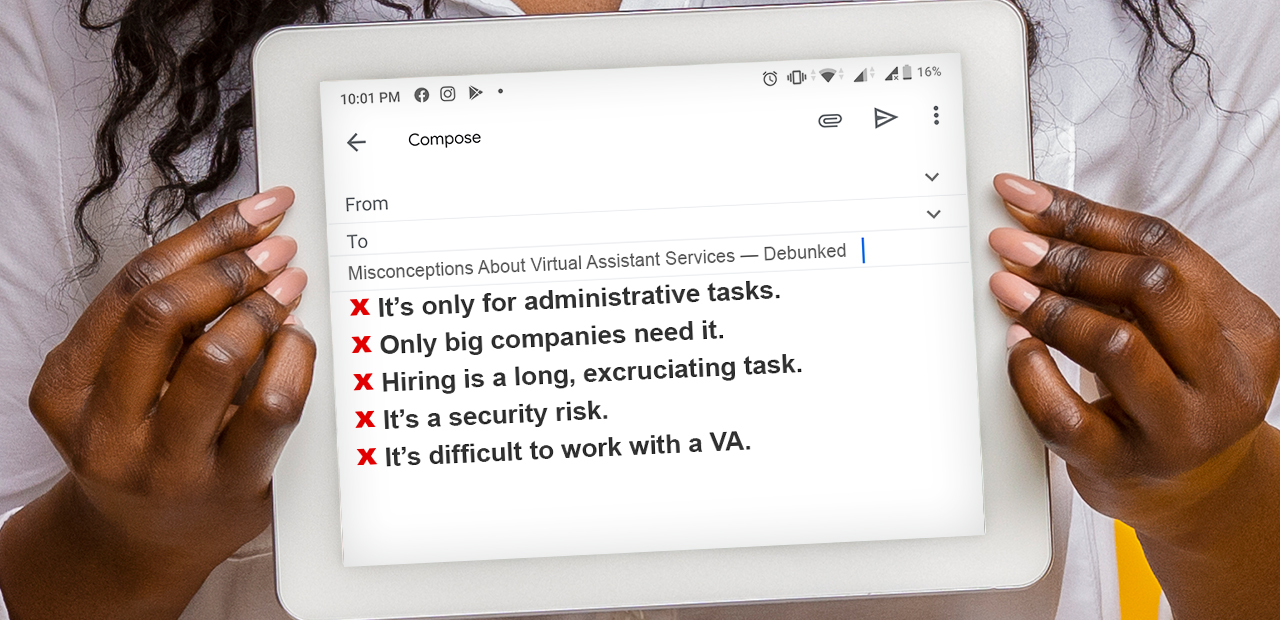
1. It’s only for administrative tasks.
One common myth about virtual assistance is that it is focused only on administrative and routine tasks. Although it is a must to outsource administrative responsibilities, don’t think that it’s the only thing virtual assistants (VAs) can do. Many VAs have different fields of specialties. Because their craft is their business, VAs go out of their way to learn more and train themselves on specific fields like marketing, web design, and business management.
Also, as more and more people appreciate the convenience of working from home, even skilled and experienced employees in various fields are pivoting towards being their own bosses by becoming full-time virtual assistants. This means businesses can now work with people who have years of training and experience in a specific field.
2. Only big companies need it.
Companies with a high volume of customers and dealings that span across different parts of the globe can obviously benefit from remote workers. However, what some people don’t realize is that startups, home-based businesses, and solopreneurs can also cash in on the many benefits of virtual assistance. Remember, you don’t need to hire an entire team of remote workers, you can work with one and scale as your business grows. In fact, outsourcing some of your business processes to a VA may be one of the best investments you can make. You’ll have more time for your executive duties and have a better headspace if you’re not overworked. Here’s what it’s like to have your own personal virtual assistant.
3. Hiring is a long, excruciating task.
Every time you think about hiring a VA, you imagine scouring through Upwork looking for qualified candidates. You think about filtering applications, scheduling interviews, and all the other long grueling tasks that come with hiring and recruitment. Fortunately, this isn’t the only way you can work with a VA. For one thing, there are tons of other Upwork alternatives for business owners with simpler and faster hiring processes. For another, you can work with a staffing agency and forget about the groundwork that comes with recruitment. 20four7VA is a remote staffing company that specializes in providing businesses with virtual assistance. Part of the company’s virtual assistant services package is to lay the groundwork for remote recruitment and onboarding.
4. It’s a security risk.
Sharing high-value and sensitive information online is inevitable with remote collaboration. It’s perfectly reasonable to be concerned about security when working with a VA. Fortunately, you can take certain measures to protect your business. You can work with a staffing agency that pre-screens candidates before hiring and actively monitors VA activity. You can also have your VA sign nondisclosure and non-compete agreements to ensure your intellectual properties are protected during and after employment.
5. It’s difficult to work with a VA.
It’s easy to see how virtual assistance can be challenging. Communication may not be as fast and convenient and collaboration may be trickier. The good news is that there are now many tools and processes especially built for remote collaboration. What’s more, there have been many studies that prove freelancers are happier and more productive working from home. This only suggests that they are more inclined to perform and put in their best efforts. Know how to make virtual working relationships farewell. Check out these top 3 remote team challenges and ways to overcome them.
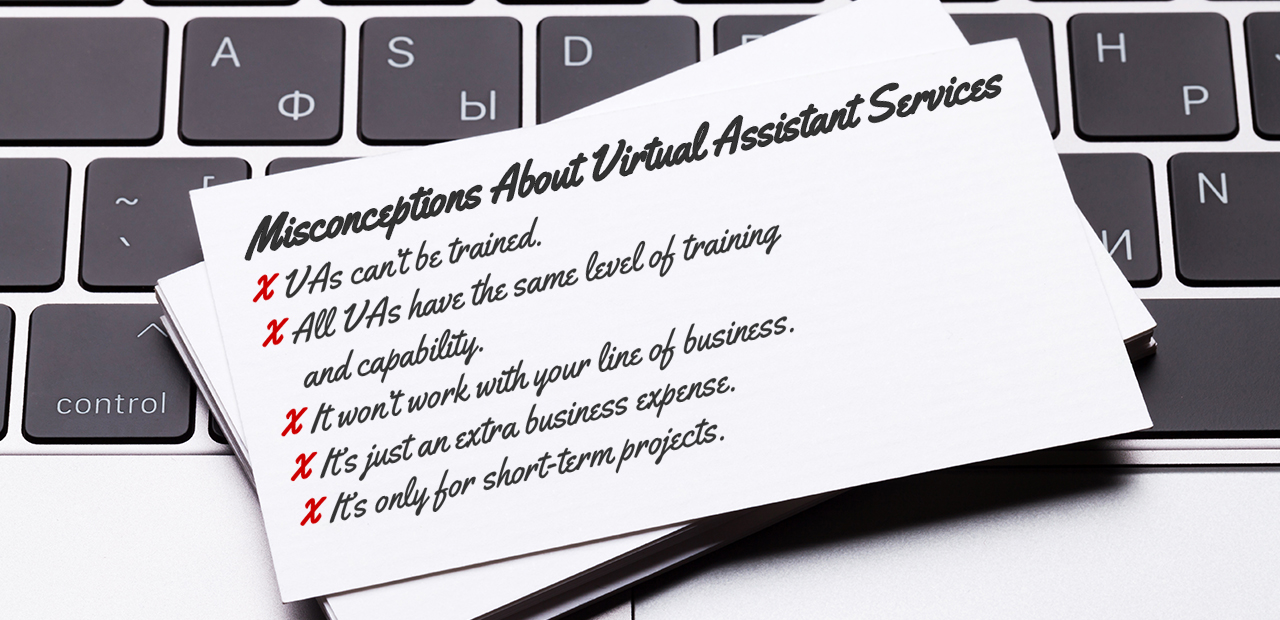
6. VAs can’t be trained.
While it is true that many virtual assistants have years and fields of expertise, it doesn’t automatically mean they won’t need a hand to be effective at work. VAs may already have the skills and the background for certain tasks, but they still need instruction, debriefing, and upskill training. Some of the tasks you want to delegate may be unique to your processes and line of business. It’s important to thoroughly train your VA on your processes so they can be more effective and productive. Many staffing agencies also provide basic and upskill training for VAs, which is another advantage to consider working with one.
7. All VAs have the same level of training and capability.
Some VAs have zero to basic working experience, while some are experts at what they do. If you’re looking for a highly skilled person to do a certain job, don’t think that you won’t find one remotely. 20four7VA, for instance, has top virtual assistant services that cover important business aspects such as digital marketing, IT and content development, and creative design.
8. It won’t work with your line of business.
This misconception is closely related to the myth that VAs can only handle menial tasks. You already know that there are VAs with specific fields of expertise. You may be surprised to find out that more and more industries now have virtual assistant services unique to them. There’s a Construction VA, Podcast VA, and Telehealth VA to name a few. Most VAs are naturally quick e-learners. This means that virtually training them for tasks unique to your company or industry won’t be as challenging as you might think.
9. It’s just an extra business expense.
Although working with a VA has obvious benefits, hiring one would just be an extra expense, right? Wrong. On the contrary, you might actually cut some business expenses if you choose to work with a VA. For starters, if you work with a staffing agency, you won’t have to worry about payroll anymore. Here are 5 other business expenses you can reduce by hiring a virtual assistant.
10. It’s only for short-term projects.
The upsurge of virtual assistance bore the phrase gig economy. Although the phrase is closely related to remote working, it implies that virtual assistance is just for short-term projects or gigs. This couldn’t be farther from the truth. Many VAs are independent contractors and there is often no agreement that binds them to a certain client. However, this doesn’t mean they’re not in it for the long haul. In fact, most would prefer a long-term working relationship.

11. It’s a temporary business solution.
This misconception might also be related to the wrong idea that VAs are only good for short-range or menial tasks. If its increasing business influence is any indication, virtual assistance is here to stay. As the pandemic has forced many businesses to shift to online operations, the relevance and need for virtual assistance is further highlighted.
12. VAs may derail your operations.
Another false impression about VAs is that they’re incapable of meeting deadlines and completing tasks. However, there’s a good number of surveys revealing how part-time and full-time VAs are more productive working from home. When people work within the comforts of their own space and schedule, they are in better form to perform. Besides, many VAs understand the demand of online work and are therefore well-equipped to meet deadlines and remote work challenges.
13. Hiring the right VA is a hit and miss.
Both traditional and virtual employment have the risk of not hiring the right person for the job. One advantage of hiring a VA, however, is that you can partner with a staffing firm that would prescreen and train the candidate even before you meet them. Some staffing agencies also offer a service trial period where clients can select another VA if their first choice wasn’t as appropriate.
14. VAs may not report their hours correctly.
Having reservations about appropriate billable hours is understandable when working with someone remotely. Fortunately, there are many ways to ensure transparency with virtual assistance. You can request for character references prior to recruitment, use tools like ScreenMeter, Time Doctor, RescueTime, SnapLogger, and TimeSnapper to monitor the activity and track the hours of your VA, and work with a full-service staffing firm who can offer extra managerial services for you.
15. VAs will leave you high and dry.
You wouldn’t want to be left without assistance when you’re up to your eyes with the workload. However, employee turnover isn’t as costly or as frequent with VAs. Remote workers understand the demand of finding a client and mostly prefer a long-term work relationship. Clients can also draw up a contract to determine minimum employment duration and avoid abrupt resignation or leave of absence.
It’s easier to find the best virtual assistant services for your business now that you’ve debunked these misconceptions. Hire a VA with the right expectations and you are more likely to leverage from this working setup.
[activecampaign form=68]
[/vc_column_text][/vc_column][/vc_row] READ MORERecommended Reading: 20 eCommerce KPIs to Track in 2020
20 eCommerce KPIs to Track in 2020
[vc_row][vc_column][vc_column_text css=”.vc_custom_1645031255240{margin-bottom: 0px !important;}”]
Table of Contents
What are eCommerce KPIs?
KPIs VS Metrics: What’s the Difference?
20 eCommerce KPIs to Track in 2020
Marketing KPIs
Sales KPIs
Customer Service KPIs
Project Management KPIs
Attributes for KPIs in eCommerce
Guide to Setting Your KPIs
Today, business owners can access so much information with the click of a button or a tap of their finger. But all this data is worth nothing if you don’t know what to do with it. Setting eCommerce KPIs (Key Performance Indicators) allows you to leverage information to your advantage.
Now more than ever, you need KPIs to keep your business going and beat the challenging economic climate.
What are eCommerce KPIs?
Every business has its goals.
eCommerce KPIs are the benchmarks that let you know how close you are to achieving those goals. As the phrase itself suggests, Key Performance Indicators how well your company is performing on a certain aspect of a business.
Are you fulfilling your day to day targets? How far along are you in achieving your year-long objective? Your KPIs will give you concrete answers to these questions so that you can revamp your strategies accordingly.
KPIs VS Metrics: What’s the Difference?
The verbiage in business can be confusing as several terms are used interchangeably including KPIs and metrics.
So, what exactly is the difference between eCommerce metrics and KPIs?
Metrics are data points derived from the different platforms or tools that you use for business. For example, Google Analytics will tell you the number of people that visit your website at a given time. However, that’s all there is to it unless you will take that number and do something about it.
KPIs, on the other hand, is tied to a goal. In its core, KPIs are performance measurement tools. They objectively show how you are doing on different aspects of your business. Even better, they offer actionable insights so you can fine-tune your strategy and realize your objectives.
Suffice it to say that every KPI is a metric but not all metrics are KPIs.
[activecampaign form=68]
20 eCommerce KPIs to Track in 2020
KPIs cover different business aspects. However, as the pandemic reshapes business operations, you want to focus on KPIs that will help you keep your business going even in the most challenging times.
Here are 20 eCommerce KPIs to track in 2020:

Marketing
Marketing KPIs should tell you which products are selling as well as who’s buying them. They should show what type of campaigns gain the highest engagement or which platforms are more effective.
- Site Traffic
How many visitors are you getting on your eCommerce website daily or monthly? The higher your site traffic, the higher chances you have of getting more sales. Although not everyone will buy, a high volume of visitors will still foster the authority of your website and give you a favourable ranking in search engines. - Time Spent On-Site
How long do visitors stay on your website? The longer they stay, the better engagement you are likely to get. - Bounce Rate
Bounced rate shows the percentage of people who leave your site after visiting a single page only. Often, these people exit after only a few seconds of being on your website. This gives you a chance to investigate your website performance or content and find out what turns people away. - Traffic Source
Where do your website visitors come from? Knowing your traffic sources will help you zero in on your strongest and weakest channels. - Email Open Rate
How many of your subscribers open your messages or newsletters? Email marketing is a rich source of paying customers—if you know how to do it properly, that is. These 6 email marketing tips will help you boost this KPI.

Sales
Your marketing efforts are closely linked to your sales performance. How high is your conversion rate? How many revenues are you getting and from which channel or what period? Here are 5 Sales KPIs to get you started:
- Conversion Rate
This is the percentage that shows how many visitors in your store are buying or converting. You can get the conversion rate by dividing the total number of your website visitors to the total number conversion. Then, multiply the answer by a hundred. - Average Order Size
How much are customers spending on a single transaction? You can get the AOS by taking the sum of your revenue and dividing it by your number of orders. For an in-depth analysis of your sales, use the AOS KPI alongside your Site Traffic KPI. - Abandoned Shopping Cart Rate
How many people do not complete their shopping? Knowing this KPI will help you assess the shopping process in your website, tweak your marketing campaigns, and reevaluate your product pricing. - Cost of Goods Sold
How much are you spending to sell a product? This KPI will reveal the price of getting your products off the shelves, from manufacturing fees to operational expenses. Need help in reducing operational costs? Here’s how you can build a cost-reduction action plan. - Inventory Level
How much stock do you have on hand? How long do products sit in inventory? Use this with Product Affinity, which shows which products are bought together. This should give you a deeper insight into your product performance and help you with product placement and bundling.
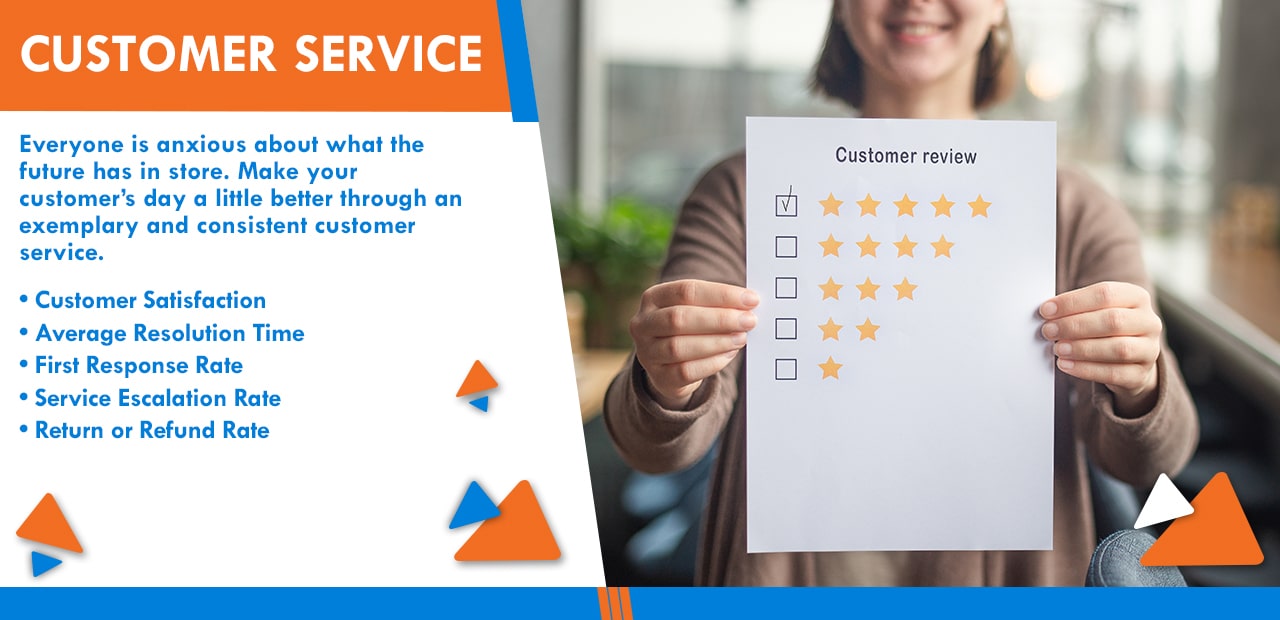
Customer Service
Everyone is anxious about what the future has in store. Make your customer’s day a little better through an exemplary and consistent customer service.
- Customer Satisfaction
Usually acquired from surveys or questionnaires, the CSAT score reveals your efficiency to resolve issues, answer queries, and overall customer relations. - Average Resolution Time
How soon can your team resolve customer issues? Knowing the ART can help you improve your processes and problem-solving skills. - First Response Rate
With so many communication channels today, customers expect a quick response for every contact. Aim for a low FRR to fare well with customers. - Service Escalation Rate
This KPI reveals the number of times a customer has asked to be referred to a supervisor or senior staff. SER manifests how well your team can solve a problem and should be assessed together with your Average Resolution Time. - Return or Refund Rate
How many people are requesting refunds or returns for a certain product? A high return or refund rate indicates that a certain product is not fulfilling customer expectations.

Project Management
As more companies are pivoting to online operations and skeleton staffing, collaboration and productivity become even more important. Project Management KPIs reveal your efficiency to work together in achieving your goals.
- Budget
How many funds do you have for a certain project? This KPI will help you with expense management and proper budget allocation. - Hours Worked
How long does your teamwork for a certain project or task? Knowing this KPI should help you plan future projects better. - Return on Investment
How effective is your campaign? The rate of your ROI reflects the rate of your success. It accounts for all earnings and expenses included in the project. - Cost Performance Index
This Project Management KPI will help you determine the worth of your resource investment. Find out what your CPI is by dividing your Earned Value by the Actual Expenses accumulated in the project. - Cost Variance
This KPI will help you see and compare the estimated cost for a project versus its actual cost. Knowing the cost variance can help you determine which aspects you should invest more or spend less.
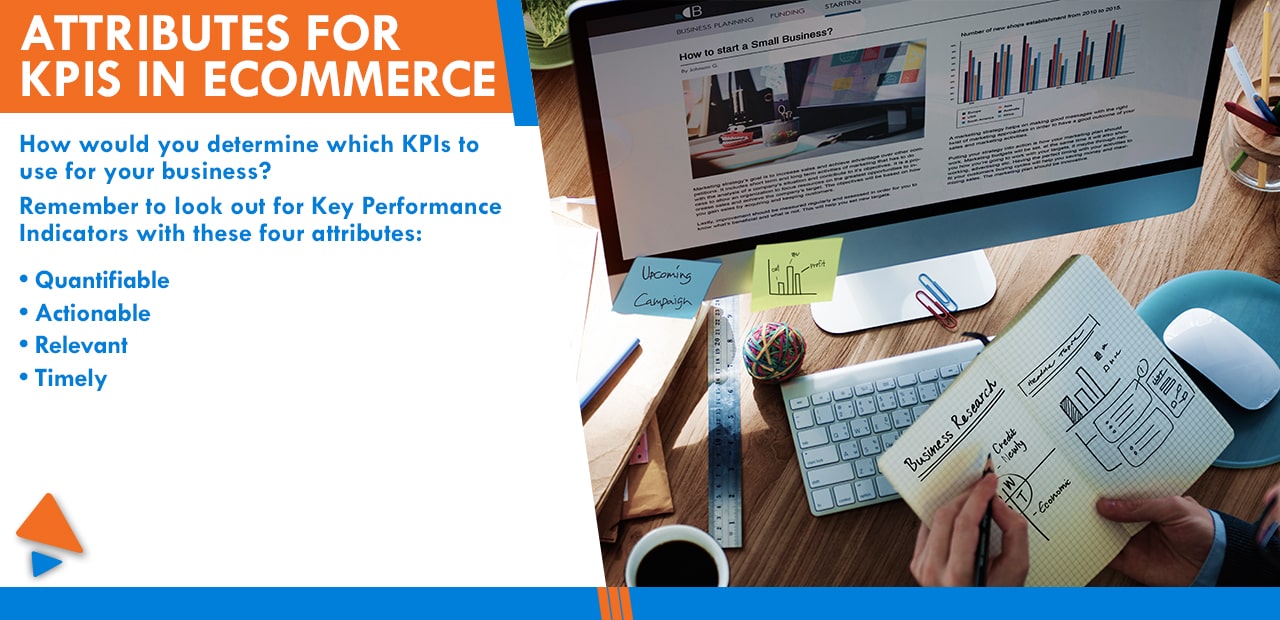
Attributes for KPIs in eCommerce
How would you determine which KPIs to use for your business?
Remember to look out for Key Performance Indicators with these four attributes:
- Quantifiable
You need to be able to measure the data you collect so you have concrete proof of whether a certain process is working or not. - Actionable
KPIs should be the road signs that tell you where you are on your journey towards achieving your goals. They must help you analyze what specific adjustments or actions you need to make. - Relevant
Will your selected KPIs lead you to the objectives you set out? Make sure to use indicators that are appropriate to your bottom line. - Timely
Your KPIs should be up-to-date so that you have relevant information at hand to base your strategy from.
Because every business has unique goals and circumstances, you must define your own objectives and map out your own KPIs.
Guide to Setting Your KPIs
Here are two sample scenarios:
Scenario 1:
According to a study, people have been shifting to online purchases of different products because of the pandemic. As more people choose to buy within the safety of their homes, businesses are sprouting left and right to accommodate consumer needs.
This increase in sellers has made the competition tougher in your line of business and contributed to your sales slump.
So, you aim to boost your sales in the coming month.
Sample KPI Template:
Objective: Increase sales by 10% in the next month
KPIs:
- Conversion Rate
- Purchase Frequency
- Shopping Cart Abandonment Rate
Scenario 2:
Pivoting to online operations is the more practical business route because of the pandemic. Expense management and safety precautions also forced you to switch to a skeleton workforce. Still, you don’t want this to be the reason for your performance and service quality to decline.
Sample KPI Template:
Objective: To maintain or increase productivity with a skeleton workforce.
KPIs:
- Budget
- Hours Worked
- ROI
Having your objectives and KPIs clearly laid out will help you assess your current situation and come up with grounded strategies.
Comparing the Two Scenarios
In the first scenario, you can boost your sales by finding out why people are adding products on your site but not completing their purchase. Perhaps your buying process is complicated or customers don’t feel safe keying in their payment details.
In the second one, you can maintain or boost productivity while working on your budget by hiring an eCommerce Virtual Assistant (VA). eCommerce VAs can help you with a wide range of tasks from account management to internet research and order fulfilment. The key is knowing where to find the most qualified ones.
20four7VA pre-screens and trains eCommerce VAs so they are knowledgeable and skilled to handle tasks from various platforms including Amazon, eBay, and Shopify. Hire an eCommerce virtual assistant from 20four7VA and expect them to be well-versed in logistics coordination, multi-variation listings, customer service, performance metrics tracking, and competitor research among other tasks.
Knowledge is power and in business, it can rev up a money-making machine. Start with these KPIs for eCommerce for better-informed business decisions.
[activecampaign form=68]
[/vc_column_text][/vc_column][/vc_row] READ MORERecommended Reading: 30 Tasks You Can Outsource to a Virtual Marketing Assistant