Can a Pinterest Virtual Assistant Help Improve Sales?

How people use social media has evolved over the years. Pinterest, for instance, is not just a digital visual board for one’s interests and hobbies. People are now also using Pinterest as a search engine for offline purchases. Millennials go to Pinterest when they want to discover new products. And when it comes to finding ideas, starting new projects, and long-term content use, people trust Pinterest more than other social channels.
As more consumers turn to social media for research, communications, and sales, businesses must also learn to use their social profiles with intent. For a platform with high consumer trust and intentional use as Pinterest, businesses will do well to work with a Pinterest virtual assistant.
What is a Pinterest Virtual Assistant?
A Pinterest virtual assistant (VA) is a remote worker who helps clients establish, grow, and manage their business on Pinterest.
But is it really worth it to hire a virtual assistant with a special concentration on Pinterest, especially since there are so many other more popular social platforms today?
If you’re still undecided if it’s worth to hire a Pinterest virtual assistant, these facts and figures might change your mind:
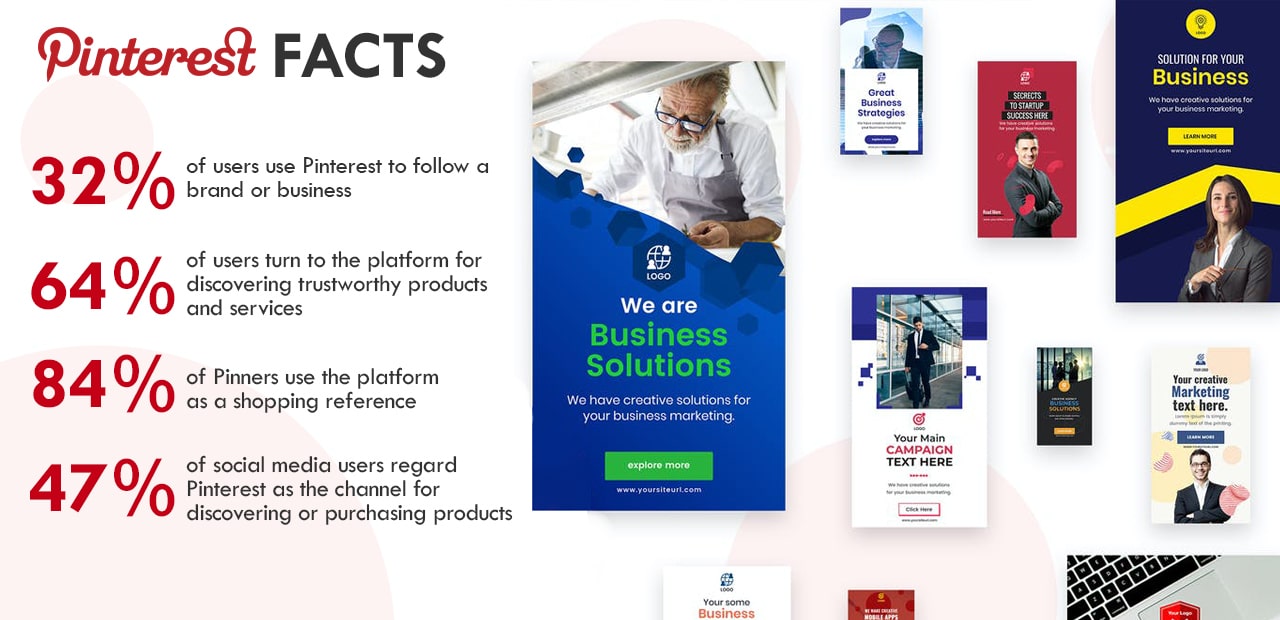
- 32% of users use Pinterest to follow a brand or business
- 64% of users turn to the platform for discovering trustworthy products and services
- 84% of Pinners use the platform as a shopping reference
- 47% of social media users regard Pinterest as the channel for discovering or purchasing products
Although there are other social channels with a bigger user base and wider reach, Pinterest ranks higher when it comes to relevant social commerce. For business owners, the fact that it’s free makes Pinterest a gold mine of marketing and selling opportunities.
Of course, you would need assistance in leveraging this promising platform for your advantage. That is why getting Pinterest virtual assistant services is not a luxury, but an essential move for increasing sales.
But how will a Pinterest VA help with your business exactly?
[activecampaign form=68]
20 Tasks to Outsource to Your Pinterest Virtual Assistant
Here are 20 tasks that a Pinterest virtual assistant can handle for your business:
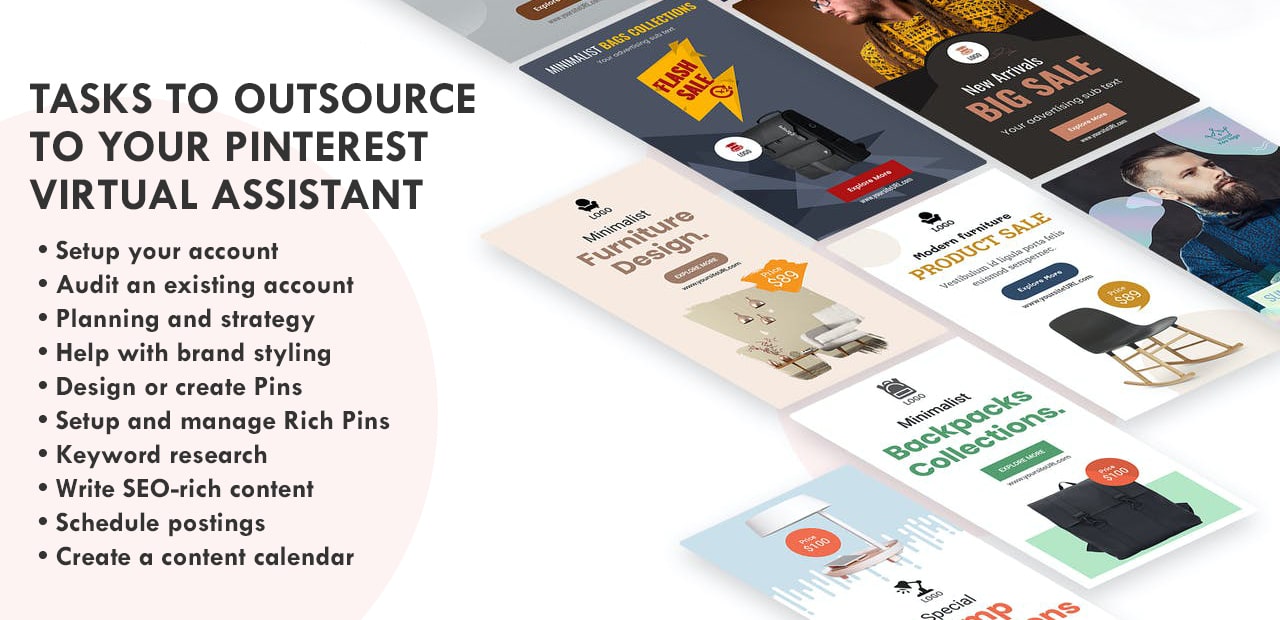
- Setup your account. If you don’t have an account yet, you can delegate the setting up of your Pinterest account to a VA. This task includes verifying your email, setting privacy and security measures, and filling out profile information. If you already have a personal Pinterest account, you can ask your VA to convert it into a business one.
- Audit an existing account. Many business owners create social media profiles and then forget about them. But businesses can’t afford to keep social media accounts dormant anymore. Consumers will be looking at your profile to know more about your company or to check out your products. What they will see will determine their purchase decision. It’s good to have a Pinterest VA review and update your existing account so that it shows updated information and social activity.
- Planning and strategy. As with any marketing platform, Pinterest marketing must be handled with careful planning and strategy. As someone who should be well-versed in Pinterest, your VA must know how the platform works from a business standpoint. They should use this knowledge to map out goals and a strategy to achieve them. Your VA can brainstorm and execute plans on how to use Pinterest to grow your business.
- Help with brand styling. As a highly visual channel, Pinterest is a great place to showcase your branding style. Pinterest itself helps businesses come up with their brand visuals. Searching “brand boards” will pull up dozens of design samples and layouts to choose from. How you present your brand on Pinterest will be a huge factor in growing your community there. It’s only fitting to have a professional Pinterest VA assist you in creating, editing, and carrying out your branding style.
- Design or create Pins. Users go to Pinterest to create digital visual boards for projects, interests, and hobbies. Because aesthetics are a currency in the platform, you need an expert eye when it comes to designing your Pins. Hire a Pinterest virtual assistant with a background in graphic design. That way, they can create Pins that grab attention, encourage sharing, and deliver your desired results.
- Setup and manage Rich Pins. Rich pins are a type of Pin format that show additional information right on the Pin itself. Rich pins are great for businesses and bloggers because they show details above or below an image. This format instantly grabs audience attention and gives them information at a glance. To set it up, you need to update the content on your website and apply for Rich Pins in Pinterest. After verification that takes 24 hours, you need to see into amplifying your Pins. This whole process can take a significant chunk of your time and requires a good Pinterest affinity. It’s a job best done by a Pinterest virtual assistant.BONUS:
There are four types of Rich Pins that you can use to promote your business:
a. App – this type of Rich Pin is ideal for businesses with a mobile application. App Rich Pins come with an Install button so users can download your app without being routed out of Pinterest.
b. Article – this rich pin is best for bloggers and content creators. Article pins include a headline, author, and a story description. Through article pins, Pinterest users can conveniently find and save stories that they are interested in.
c. Product – e-commerce brands and online sellers will find Product Pins highly useful. This type of Rich Pin will display your product availability, real-time price, and options on where-to-buy options. When product rates go down more than 10%, users will be notified through rich pins.
d. Recipe – Recipe Pin is a great feature for bloggers and businesses in the food industry. It will display the ingredients, cooking or preparation time, and serving details to help users review a recipe at a glance. - Keyword research. Just because Pinterest is a visual platform doesn’t mean you should ignore text content. If anything, you should take descriptions and titles more seriously. You can expect tough competition when it comes to aesthetics in Pinterest because other businesses will be sure to post their best designs to attract audiences. To increase your chances of being found, you must carefully select the best keywords or search terms that would pull up your content when users look for your product or service type. Virtual assistants are mostly well-versed in research work. This makes your Pinterest virtual assistant a great fit for finding the best keywords to use on your Pins.
- Write SEO-rich content. Just like when writing blog posts and articles for business, having a list of keywords for your Pinterest content is not enough. You must also be strategic in using these keywords so they incorporate smoothly into your content. Remember that users go to Pinterest for ideas and inspiration. Help them find your content by writing keyword-rich and engaging descriptions, board titles, and board descriptions.
- Schedule postings. There are many stories of marketing nightmares where an innocent campaign earned terrible backlash because of ill-advised timing. In the same way, there are witty and smart campaigns that don’t earn as much traction because they didn’t get to the audience at the right time. In marketing, what you post and when you post should always go hand in hand. This principle is true for Pinterest posting. You worked hard to design your Pins and descriptions. You need to make sure these efforts don’t go to waste. For inspiration, check out this article on the best times to post on Pinterest and other social platforms.
- Create a content calendar. Having a content calendar is key to consistent social media posting. Your Pinterest virtual assistant can map out your postings weeks or months in advance. Having a content calendar is also essential when you have new products to drop. You can plan a series of postings to rouse excitement before the product launch and maintain engagement afterwards.
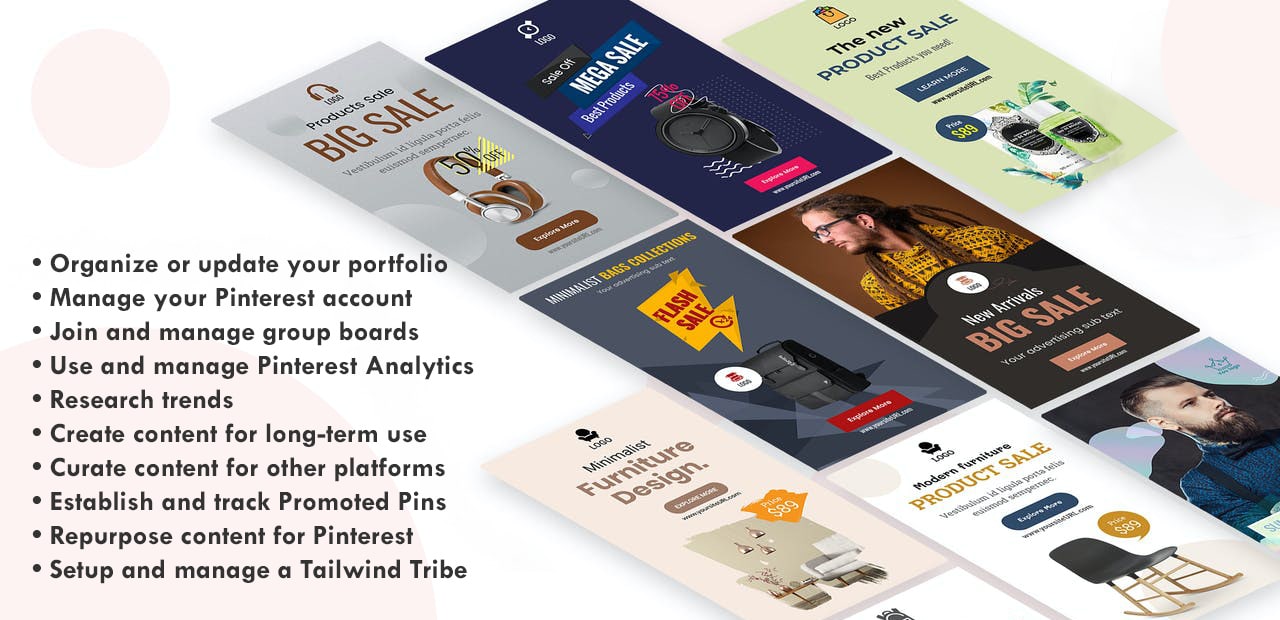
- Organize or update your portfolio. Freelancers, professionals, and entrepreneurs use Pinterest to create a digital portfolio. Thanks to the excellent visual platform, clients can conveniently browse through a person’s work and line of business through Pinterest. Apart from your brand account, you can have your VA organize and update your professional portfolio on Pinterest. Add this to your business page or link it to your accounts so current and future clients can get to know your works better.
- Manage your Pinterest account. Updating new information, reviewing underperforming Pins, managing Re-pins, growing followers — there’s a lot of work that goes into maintaining an active and engaging Pinterest account. The best way to stay on top of things and manage your online presence is to have a VA manage and monitor your Pinterest account for you.
- Join and manage group boards. There are millions of active Pinterest users worldwide. There are hundreds of similar companies vying to get the attention of your target audience. One other way to get the word out about your business and create and maintain a strong online presence is by joining Pinterest boards. This is a time-consuming but necessary task to grow your Pinterest community. Have your Pinterest VA search and compile a list of Pinterest boards in your niche or line of business. Afterwards, your VA can join and participate in the boards that you approved.
- Use and manage Pinterest Analytics. Thanks to Pinterest Analytics, it’s easier to know well your content is performing. However, you still need the expert eye of a virtual assistant for Pinterest to read the data and interpret it according to your personal goals and metrics. Your VA can draw up reports based on Pinterest Analytics to brief you on your performance and online presence.
- Research trends. How does your target audience use Pinterest? What topics or keywords are the best performing on the platform? While it’s important to stick to and optimize your niche, knowing the hottest trends on Pinterest can help you grow your brand. Your VA will help you keep a finger on the pulse of Pinterest trends.
- Create content for long-term use. One thing that sets Pinterest apart is that its content doesn’t go out of date. People use Pinterest to put together plans that they will reference and go back to for periods of time. When creating content for Pinterest, you must consider timelessness along with relevance and engagement. Hire a Pinterest virtual assistant with the proper skill set in creating evergreen content.
- Curate content for other platforms. In social media marketing, content must be relevant and shareable for different platforms. In addition to creating Pins, your VA must also curate content that you can share across different social channels and blogging platforms.
- Establish and track Promoted Pins. Paid Pins in Pinterest do not look like ads at all. Because they seamlessly blend in people’s feeds, Promoted Pins are an excellent advertising tool. Your virtual assistant for Pinterest can create Promoted Pins to highlight your products. Your VA would then track the performance of the Pins for strategy.
- Repurpose content for Pinterest. Have your Pinterest VA review your best performing blog post or content in other social channels. Then, make sure they would repurpose these topics into Pins or boards. Similarly, high-performing Pins can be repurposed into other forms of content. This may mean having your Pinterest VA work closely with your writer or marketing team.
- Setup and manage a Tailwind Tribe. A Tailwind Tribe is a group of people you can collaborate within sharing pins about a similar topic. This is another way to grow your Pinterest community as well as spread your brand reach. Because Tailwind tracks re-pins and shares, having a Tailwind tribe is another way to track your Pin performance.
A thriving company is a well-oiled machine. Growing sales, expanding brand awareness, and steady streams of customers are all by-products of a team that works forward together. Pinterest maybe just a single part of this machine, but with the right person handling it, it can be one of your most lucrative channels. Hire your Pinterest Virtual Assistant today.
[activecampaign form=68]
READ MORERecommended Reading: 30 Tasks You Can Outsource to a Virtual Marketing Assistant
45 Ways a Virtual Executive Assistant Can Help You

Business owners don’t just make executive decisions that determine the success of their company. Their daily workflow also impacts day-to-day operations as well as work culture. This level of influence has massive rewards, but it demands hard work, patience, and a lot of sacrifice. Often, your executive duties can rob you of your personal time. Before long, the pressure of running a business can take its toll on your health and passion for business.
Fortunately, you can stay on top of your responsibility and still enjoy what you do with the help of a virtual executive assistant.
What is a Virtual Executive Assistant?
A virtual executive assistant is a remote worker who can help you with your managerial responsibilities in a sustainable way. An executive VA will help ease your workflow and free up your calendar without adding organizational pressure. Most remote assistants are also willing to work on a flexible schedule, which means they can take care of business during off hours.
The question is, where should you hire an executive VA? Here are 2 common ways to get virtual executive assistant services:
- Direct Hire
There are many online platforms where business owners can post virtual executive assistant jobs. Facebook groups or websites like Upwork help entrepreneurs connect with freelancers who can do a wide range of jobs, including executive tasks. There are also other websites where entrepreneurs can post a job listing for freelancers to bid or send a proposal to. Here are 15 websites where you can connect with freelancers.
- Staffing Agencies
Entrepreneurs can also partner with staffing agencies to help them find the most suitable VA for their needs. Agencies like 20four7VA prescreen virtual assistants to gauge their strengths and experience level. Although employers can stay as involved in the hiring process as they see fit, virtual executive assistant salary distribution, training, and management are all taken care of by the staffing agency.
45 Ways an Executive VA Can Make Your Life Easier

-
Calendar Management
You’d be surprised by how much your workflow will improve with an organized calendar. Calendar management goes beyond plotting certain tasks on certain time slots or days. It also means prioritizing appointments or workload so that you don’t feel overwhelmed. Make sure you have an executive virtual assistant to organize your daily, weekly, or monthly schedule.
-
Setting Up Appointments
Along with calendar management comes setting up appointments. Maybe you need to meet up with clients to strike-up deals. You may need to have a sit-down dinner with partners to discuss plans. If you have an executive virtual assistant, you wouldn’t have to worry about booking tickets or reserving a venue because they can take care of it for you. All you need to do is prepare for your meeting and show up.
-
Email Management
Any business owner or CEO knows that emails from investors, partners, staff, and customers can quickly pile up. You wouldn’t want to miss important or time-sensitive messages because of a disorganized Inbox. Although email providers have built-in filters and ways to organize emails, an executive VA can further filter out unimportant messages and ensure that you don’t miss anything important.
-
Correspondence
Today, entrepreneurs enjoy multiple communication platforms. The downside of having multiple channels, however, is that you have a lot more platforms to keep an eye on. Good thing you can trust an executive virtual assistant to take care of your correspondence on different channels.
-
Making and Answering Calls
Making and answering phone calls sounds like a simple task. But consider having to make several outbound calls in a day or listening to an unrelenting ringing phone while you’re in the middle of an important task. Having a virtual executive assistant can help you avoid this issue.
-
Sending Out Thank-You Notes or Greeting Cards
Sending out digital or printed thank-you notes and greeting cards can improve your business relations by leaps and bounds. Whether it’s sending a birthday greeting to a loyal customer or creating a holiday greeting to partners, your executive VA can take care of it for you.
-
Live Chat Support
Instead of having to scour your website for answers or information, customers can just chat with your executive VA instead. Having live chat support also ensures that issues are taken care of promptly, therefore minimizing customer dissatisfaction. Whichever way it functions, live chat support can improve the overall experience of customers.
-
Setting Up Auto-Responders
You can use auto-responders to turn website visitors into subscribers. You can use it to welcome new customers or remind buyers of their unfinished shopping. Delegate the tasks of writing and setting up auto-responders to your executive VA, so you only need to review them for approval.
-
Managing an Email List
An email list segments your clients according to their demographics and communication preferences. It can help you analyze customer data or re-engage with dormant customers. Don’t miss out on the many benefits of having an email list by having a VA create and manage it for you.
-
Research
What topics are trending in your industry? Are there more cost-effective tools than the ones you’re using? How do your competitors handle the same issues you are struggling with? Research is inevitable in business. Good thing most VAs are skilled in research work.
-
Creating Buyer Personas
A buyer persona is a semi-fictional character that represents your ideal customer. Your executive VA can research about your target audience and use the collected data to narrow down common factors about them to create a buyer persona. Once you have it, a buyer persona can help you make targeted campaigns and improve product features.
-
Noting Meeting Minutes
Focus better during meetings by not having to worry about documentation. Discussions will go as smoothly as possible if you know you have your executive VA to transcribe or document meeting points.
-
Creating Reports
Creating reports can be time-consuming, but it is inevitable when you’re running a business. Fortunately, creating reports for different purposes is a skill that executive assistants have.
-
Making Travel Arrangements
Need to go to a convention or meeting? Your executive VA can take care of your travel arrangements, whether it’s booking a flight or accommodation.
-
Setting Up Social Media Accounts
Build your online presence by having a business page on different social channels. Your executive VA can create your account on different platforms.
-
Social Media Management
Your social profiles must show constant activity and updated info. Because having multiple accounts can be a lot of work, you can delegate social media management to your executive VA.
-
Blog Management
A business blog improves the customer experience in many ways. Your executive assistant can schedule or create posts, moderate comments, and upload visuals to your blog.
-
Reputation Management
One of the downsides of fast digital media is that bad customer experience can quickly go viral. Don’t let this happen to you. Have your executive VA monitor your digital channels including social media and any review websites to quickly resolve customer issues.
-
Data Entry
Data entry is a laborious task, but one that is unavoidable in business. Free up your time and focus on your core duties. Delegate data entry tasks to a virtual executive assistant.
-
File Management
Ensure that your documents, customer information, and other important business information are kept safe and organized. File management is a task that many executive VAs are well-versed in.
-
Transcription
Transcribing video or audio materials into a written one can be tricky. Luckily, you can also hire an administrative assistant with transcription skills and experience.
-
Client Invoicing
Your VA can create a template and set up client invoicing for you. This task can also include following up on payables and processing refunds.
-
Bookkeeping
Many VAs are trained in bookkeeping basics. Instead of hiring a third-party accountant, your VA can take care of bookkeeping for your business.

-
Creating Graphics
Graphics improve info consumption. Help clients understand and remember your posts by having your VA create infographics, blog banners, or social media visuals.
-
Proofreading/Editing
Your executive VA can proofread proposals, emails, or other content you write for print or digital publication.
-
Uploading Videos
Videos are a powerful marketing tool. Have your VA upload and monitor video content on different platforms.
-
Answering Comments
The comments section of your blog or social channels can help you answer inquiries, solve problems, and engage with customers. Don’t miss out on this opportunity by having an executive VA moderate and answer comments for you.
-
Email Marketing
Many customers prefer receiving promotions via email. Let your executive VA take care or oversee email marketing for you. Here are 6 tips for inspiration.
-
Updating Digital Content
New business hours? Updated contact details? Your VA can ensure your digital properties always display correct business or product info.
-
Keyword Research
Fill your digital content with keywords that rank high on search engines. The secret? The right set of keywords that your VA can research and compile for you.
-
Scheduling Postings
Meet deadlines and stay up-to-date with your content calendar. Your VA can set up content postings so that your media are published seamlessly across different platforms.
-
Data Analytics
Because many VAs are well-versed in different business tools, they can interpret results for you. That way, you can gauge website or campaign performance and plan accordingly.
-
Backing Up Files
Don’t lose or compromise important business data by having your VA back up your files. Most VAs know the best tools and workarounds for securely backing up or restoring data.
-
Database or Spreadsheet Management
Document product specs, store client details and update business info. Because your business handles a lot of important data, it’s important to have an assistant manager and update your database closely.
-
Monitoring Industry News
Stay in the loop of your industry. Know the hottest trends and latest scoop by having your VA monitor industry news for you.
-
Competitor Research
How do similar companies deal with your struggles? What makes the same customers prefer your competitors? Find out and strategize better by having your VA research about your competitors.
-
Business Tools Research
Find more productive and less pricey tools to improve your day-to-day operations. Your VA can research, sign up, and test runs business tools on your behalf.
-
Preparing Training Materials
Have a new product or work process? Ensure your team is up-to-date by having your VA prepare the proper training materials.
-
Training New Employees
Expanding your team? Make sure everyone knows your processes and products. Your VA can train new employees to help them with onboarding.
-
Tracking Performance or Deliverables
Make sure your goals are met and metrics are passed by yourself or your team, by having your VA track and monitor deliverables.
-
Project Management
From goal setting to project delivery and result tracking, project management needs close monitoring. Hiring dedicated assistants can help your team manage projects more efficiently.
-
Preparing Slideshows or Presentations
Deliver presentations with impact and confidence. Your assistant can take care of slideshows and graphics, so you can focus on your presentation instead.
-
Discussion Forums or Message Board Participation
Another way to boost online presence is by being active in forums and message boards. This is another task that you can delegate to your VA.
-
Scale with Your Business
Need an extra pair of hands for a seasonal sale? Need to trim down on hours on slower months? Because virtual assistance is a flexible setup, your executive VA can scale with your business.
-
Personal Errands
You can focus on your core business duties if you don’t worry about your personal responsibilities. Ease up on personal errands by having your VA run them for you.
An entrepreneur needs support to develop their craft, stay creative and passionate about what they do, and manage day-to-day operations. An executive virtual assistant can help you with the latter. Hire a virtual executive assistant from 20four7VA today.
[activecampaign form=68]
READ MORE
Running Remote Online (June 2020)
20four7VA will be an exhibitor at this month’s Running Remote, the premier online conference for remote-first founders.
Running Remote Online is an off-shoot of the popular live conference Running Remote, which has quickly become the go-to networking event for those in the remote work community. Running Remote Online will feature live presentations, speaker Q&A sessions, 1:1 networking events, hands-on workshops, and product demos. Over 2,000 attendees are expected to participate in the 2-day conference.
The list of renowned speakers for this month’s Running Remote online event includes Andreas Klinger of RemoteFirstCapital, Steli Efti of Close, Aaron Ross of PredictableRevenue, and Noah Kagan of AppSumo.
As an exhibitor, 20four7VA will have a virtual booth and will be available for meetings and networking sessions. An exclusive offer of waived setup fee ($99 value) + 10% lifetime discount* is being offered to all Running Remote attendees.
*The 10% lifetime discount applies to all additional VAs after the first 40 hour/week VA (paid at the non-discounted rate).
Who Attends the Running Remote:
- Anyone interested in learning more about remote work
- Anyone looking for remote work opportunities
- Remote work experts (like us!)
Event Details:
When: June 17-18, 2020 | 7:00 AM to 4:00 PM PDT
Where: Online at https://runningremote.com/
View Our Virtual Booth:
Check out our amazing virtual booth here! (PS: The link only works if you’re registered for the conference). If you’re attending the conference too, we’d love to chat with you! You can read more about us, avail our special Running Remote offer, and schedule a meeting with someone from our team on our virtual booth.
READ MORE38 FREE WordPress Themes for Business

WordPress has revolutionized online presence for businesses by providing them with a user-friendly, budget-friendly way to build a business site. In fact, WordPress powers 32.5% of websites all over the world including thousands upon thousands of company websites. Here are a few reasons why WordPress is so popular among business owners:
- It’s free. Post product photos, create product copy or build your portfolio without paying steep setup and maintenance fees. As a free platform, WordPress is popular and helpful for solopreneurs and home-based business owners. Business owners only need to pay for their domain and hosting (both purchased externally) to start creating a site with WordPress.
- It’s user-friendly. Thanks to its intuitive and simple interface and design, WordPress can be set up and managed by almost anyone. If you’re an aspiring entrepreneur without a lot of technical knowledge — or funds to pay for a developer to build your website from scratch — WordPress is the natural option.
- It’s functional. There are different plugins that help WordPress users in making their websites more practical. From creating a countdown to viewing website statistics, these plugins help entrepreneurs develop and optimize their websites.
- It’s highly customizable. The free WordPress themes for business websites makes it possible for entrepreneurs to customize their sites for functionality and create a brand identity.
Having access to free WordPress themes for business lets entrepreneurs create a strong brand persona and access more audiences regardless of their technical background or available funds. With great benefits such as these, it’s only fitting to know which themes suit your brand and target audience.
Don’t want to pay for a premium theme? Here are 38 of the best free WordPress business themes for any type of business:
-
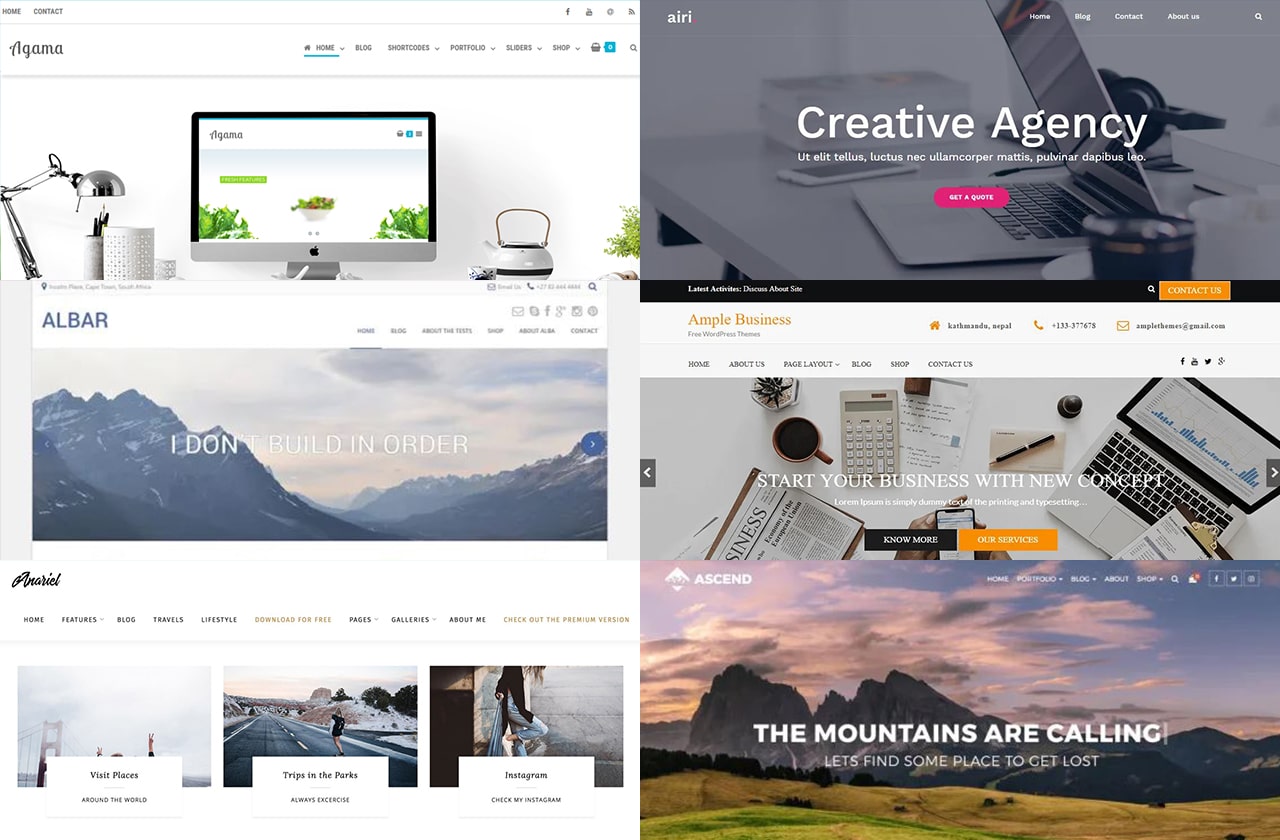
Agama
Agama is a free, multi-purpose WordPress theme that is ideal for corporate companies, agency businesses, freelancers, or photographers. It can seamlessly integrate with WooCommerce and can be further customized with various page builders such as ThriveArchitect, Brizy, Elementor, and BeaverBuilder.
-
Airi
Airi is a new WordPress theme that is ideal for users who prefer ample space, minimalist typography, and Elementor layout users. Lightweight and user-friendly, Airi can be integrated with WooCommerce for your online store. It’s also ready for translation.
-
Albar
Albar is one of the free WordPress themes for business that comes with minimal settings and fast setup. This functionality makes it ideal for people who have no technical background but want a secure and customized digital space. Albar is lightweight to ensure speedy loading time, but scalable so users can optimize its purpose and customize its functionality. A WooCommerce-ready theme, Albar is fully responsive and loads seamlessly in every device and screen size.
-
Ample
A theme for building portfolios and business websites, Ample is aptly named for its rich functionalities. It has a responsive layout and a professional design that makes it ideal for businesses and professionals. Theme features also include multiple background and menu choices, customizable colors and headers, and a threaded comments feature so users can interact with customers or website visitors.
-
Anariel Lite
Lifestyle bloggers and content creators will find great potential in Anariel Lite. The theme is designed in a way that content is displayed prominently with less distractions. This minimalistic look comes with three typography choices and several layout options. Because of its clean design, Anariel Lite helps users display multiple website content easily. Need help curating and marketing your posts? Here are 5 content marketing tips for beginners.
-
Ascend
Ascend is a free WordPress theme that offers premium customization, custom widgets, sleek design, and multiple features. Users of the theme enjoy different layouts, menus, and headers, including a transparent one that changes color with scrolling. Despite being packed with highly useful features, Ascend is designed for loading speed.

-
Ashe
Built for aesthetics, functionality, and clarity, Ashe is a WordPress theme popular in many niches. Among the many users of Ashe are bloggers of health and fitness, lifestyle, travel, beauty, cooking, and photography.
-
Astra
Of the many WordPress themes for small business websites free options, Astra is arguably the fastest-growing with over 900,000 users. It is built for speed and designed for customization, without the need for manual coding. It offers an awesome user experience and is SEO friendly to boot.
-
Astrid
Astrid helps business owners build their website from scratch in just 5 minutes. It has several font and color options, customizable widgets, a full header image, and several blog layouts, including a business layout.
-
Auberge
A responsive and retina-ready theme, Auberge is a free WordPress theme with premium design and functionality. Auberge is ideal for businesses in the food and coffee industry, what with its clean interface and easy integration to the JetPack plugin that enables menu creation.
-
Avant
Avant is one of the WordPress best free themes for business customization. It has 3 available footer layouts, 5 blog layouts, and 7 header layout options. Avant also features a full colour customizer so users can apply their brand colours.
-
Bard
Working with different writers and content creators? Bard is the WordPress theme for you. The theme comes with good documentation and translation compatibility. A responsive theme with a full header image and fullscreen slider, Bard also works with multiple page builders like Visual Composer and Elementor.

-
Blog Elite
Blog Elite may be free, but it’s full of premium features that help entrepreneurs promote, run, and grow their business online. Included in the free version are responsive design, SEO optimization, 1-click demo import, WooCommerce compatibility, and a translation feature.
-
Business Intuition
Apart from its stylish, contemporary design, Business Intuition also features a responsive layout, multiple theme options, footer widgets, ready translation, and a logo and title customization.
-
Business Startup
Ideal for new and aspiring entrepreneurs, Business Startup has several layout options, a featured video banner, 3 widget areas on the footer, and SEO customization. This free theme can smoothly integrate with Elementor and WooCommerce.
-
Business Owner
Business Owner is built to help entrepreneurs manage and run their business without going over budget. It features several creative Home Page sections, dozens of theme options, and multiple colour choices. This drag and drop design can easily be customized by novice users.
-
Colorway
Lightweight, fast, responsive, and translation ready, Colorway is a fun theme with serious business features. It is a free WordPress theme that is popular among restaurants, freelance professionals, e-commerce companies, and startup companies.
-
Cream Magazine
Ideal for digital magazines and content-focused businesses, Cream Magazine is customizable, modern, and versatile. Users can designate a custom front page while making different page changes in WordPress Live Customizer. Apart from this ability to edit and view changes real-time, Cream Magazine is optimized for SEO and multi-screen responsiveness.

-
Experon eBusiness
Made for small business owners from different industries, Experon eBusiness is as multi-purpose as it is business-focused. It allows users to customize business logos, create a homepage, and build a business platform using WooCommerce, Page Builder, Elementor, and SiteOrigin, among many others.
-
Fascinate
With 100% responsive design, Fascinate is popular among personal and business bloggers alike. The theme also supports gallery, quote, audio, and video content, making it ideal for reaching audiences in different, creative ways.
-
Foodica Lite
Foodica Lite is specially made for businesses and bloggers in the food industry. The free version of Foodica Lite includes WooCommerce integration, retina layout, and Gutenberg compatibility.
-
Fremedy
Documentation, backend options, multiple theme styles, and an easily customizable slider — these are just a few Fremedy features. Fremedy can run on either Genesis or Thesis 2, so users don’t have to spend money, time, or effort in building their websites.
-
Fruitful
Fruitful is compatible with BuddyPress, Contact Form 7, WooCommerce, and WPML. This multiple integrations makes Fruitful a hit for many small business owners. Other features include different responsive layouts, slider, fonts, and social icons.
-
Hestia
Though Hestia is easy to set up, it is designed for performance. Among its many helpful features are a slick material design and PageBuilder and WooCommerce compatibility. Users can also import starter sites and optimize their platforms for SEO.

-
Ignite
Popular among lifestyle bloggers and business owners, Ignite has social media icons, a minimalist design, WooCommerce integration, and a logo design feature. This allows users to easily set up their eCommerce store using Ignite as a theme.
-
JustWrite
A clean interface and open-spaced design make JustWrite the perfect theme for writers, online magazines, and businesses that produce long-form content. JustWrite has a translation feature and a module that allows users to display content archives.
-
Minimal Magazine
Minimal Magazine is specially made for digital magazines and publishers. This free WordPress theme has layouts made with fresh, creative designs and multi-device responsiveness. Minimal Magazine is translation-ready and comes with comprehensive user support.
-
Modern
Modern is a WordPress free theme that helps professionals and budding entrepreneurs build their online portfolios. The design can seamlessly load in various devices, be optimized for SEO, and translate to multiple languages.
-
Nothing Personal
Made with a mobile-first philosophy, Nothing Personal is packed with many features for personal bloggers and business owners alike. Among its features are hundreds of Google fonts, multiple layout and footer options, and a single-click demo installation.
-
Olsen Light
With its clean and contemporary look, Olsen Light is popular among lifestyle, travel and fashion bloggers and businesses in the health and fitness and food industries. Olsen Light is completely responsive and can be used with Divi, Brizy, and Elementor.

-
OnePress
OnePress is ideal for businesses that sell both physical and digital products. Its many features include backend and frontend features, a single page layout, and multiple site modules, some of which come with a parallax effect.
-
Prolific
Built especially for businesses, Prolific is packed with features that help companies market and sell. This includes cross-browser compatibility, page responsiveness, a testimonial and About Us section, contact section, and search placeholders among others.
-
Pinnacle
A multi-purpose free theme, Pinnacle can be used by personal bloggers, professionals, and entrepreneurs. Some of its features include a modern design, WooCommerce compatibility, and customizable fonts.
-
Storefront
Designed and developed by WooCommerce, Storefront is the intuitive choice for business owners. Users can personalize their stores by changing layout, colours, and widget regions.
-
Radiate
Supporting parallax themes and retina, Radiate is a great WordPress theme for displaying one’s content creativity. A translation-ready theme, Radiate also comes with free community support, customizable background, and custom css.
-
Regina Lite
Regina Lite is made for e-commerce and medical websites. Its multilingual features, responsiveness, and WooCommerce support help medical companies, hospitals, and doctors build and optimize their sites.
-
Riba Lite
Riba Lite is designed with storytellers in mind. It is optimized for speed and SEO, features multilingual support, and comes with clean but minimalist design.
-
Screenr
Bold and stylish, Screenr is a parallax-ready free WordPress theme. It features content blocks, responsive layout, and page speed optimization. Its many features make Screenr popular among its thousands of users.
These 38 free best WordPress themes for business will allow you to build, run, and eventually grow your business while managing your finances. Of course, managing a lucrative WordPress site requires services from a content writer, graphic designer, and admin virtual assistant. Hire one through 20four7VA today.
READ MORE10 Tips for a Virtual Marketing Assistant During COVID-19

“Congrats, you survived the Boston Marathon”, read the subject line of the email from Adidas to the Boston marathon runners. Under ordinary circumstances, this greeting sounds harmless and even good-natured. But because the brand sent out the email in 2013 in the wake of the Boston bombing that killed and hurt a number of people, Adidas received terrible backlash for its lack of sensitivity.
Marketing is more than just captivating words and beautiful graphics — it’s also about impeccable timing. In fact, timing can make or break a campaign as evidenced in the Adidas fiasco. In the midst of COVID-19, companies are in a trickier situation when it comes to marketing and communications. An otherwise innocent slogan or campaign can quickly be construed as malicious or opportunistic when done incorrectly.
If you’re a marketing assistant, it’s time to step up your game and learn what marketing means in the face of a global economic downturn. If you’re an entrepreneur, it’s time to hire a virtual assistant for marketing to promote your business effectively and economically.
What is a virtual marketing assistant? Is it really a good idea to hire one now?
A virtual marketing assistant is a remote worker who is trained and experienced in marketing. Although it seems counter-intuitive to hire people when the unemployment rate is on the rise, the benefits of expert virtual help far outweighs its cost. Check out these 5 business expenses you can reduce by hiring a virtual assistant.
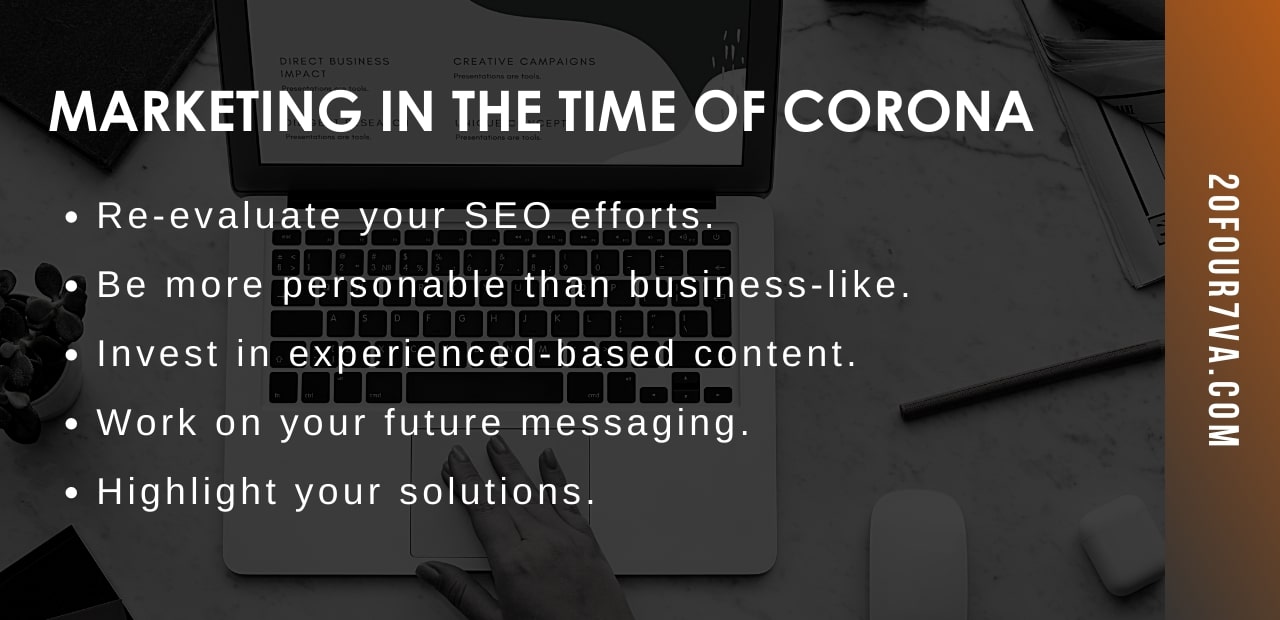
Marketing in The Time of Corona: 10 Tips to Remember
-
Review scheduled content and edit accordingly.
Thanks to tools like Hootsuite, you can now upload content in advance and schedule its date of publication. But as the coronavirus plunged the world in a health and economic scare, you need to quickly review the posts that you have had lined up. Make sure you publish your response about the crisis and remove content that sounds out of touch with what people are experiencing now.
-
Fine-tune your language and visual content.
Proofread your published and upcoming content. Are there posts that sound inappropriate and can be construed as harmful? For example, remove visuals that show or depict touching or staying outdoors. As for language, avoid figurative statements like “working hand in hand” or colloquial statements such as “going viral”.
-
Do not take advantage of the crisis.
There is nothing more off-putting than companies that capitalize on crises. Consumers today have easy access to information and communication. They can see right through businesses that try to make money out of people’s worry, and will not be afraid to call you out for it. Instead, stick to your mission of helping your target customers with your services.
-
Find your unique way to help.
An online marketing virtual assistant has a strong suit of virtual tools that make the remote business work. This is the time to leverage this knowledge and use it to help others. Perhaps you can set up a webinar that teaches people how to adjust to working from home. Maybe you can create visuals that tell the audience what they can do to stay healthy during the quarantine. Check out how other businesses are coping with COVID-19 for inspiration.
-
Stay positive but informed.
Staying positive amidst the pandemic doesn’t mean disregarding the gravity of the situation. You can post motivational campaigns and still encourage people to take proper safety precautions when going outdoors. Encourage people to find good things out of the ordinary. For example, a sit-down restaurant or a local cafe can make a social media poll and ask which dish or beverage their customers miss the most. Then, they can share the recipe of the most voted item through a video tutorial. That way, people can whip up their own versions at home while looking forward to enjoying it on-site after lockdowns are lifted.
-
Re-evaluate your SEO efforts.
SEO is a branch of marketing that when done right, allows consumers to know a brand in their own terms. As the pandemic is going on, this may mean putting your current KPIs on hold and replacing them with more relevant ones. This may mean letting go of the list of keywords you’ve put together and instead of creating content that will help, educate, and inspire people.
-
Be more personable than business-like.
It’s as good a time as any to close the gap between brand and consumers. Work with your customer service team to avoid sending generic spiels to customers. The same should be true to your social media and blog posts. Put the “rules” of SEO aside and remember that ultimately, Google prioritizes content that offers the best answer to people’s problems. So, prioritize creating content for search intent over individual keywords.
-
Invest in experienced-based content.
People’s fear of missing out has been capitalized by many businesses and for good reason. A report shows that 60% of millennials reactively buy something within a day because of FOMO. However, the fear of missing out goes beyond getting the latest gadgets. More than half of the millennial market also fear to miss the latest news, events, or status update. This is the time to invest in content that not just informs or entertains, but also creates the best experience, albeit virtually. This is a chance to integrate your marketing virtual assistant services with brand influencers and content writers.
-
Work on your future messaging.
During the 2008 recession, many brands rallied people together by spreading messages of hope and optimism. American journalist Bob Garfield notes, “There is always a bull market for optimism when there is a bear market for everything else”. The same philosophy can be applied to your messaging. What solutions and operations have you pivoted online? How do you ensure the safety and health of your partners? Using your company vision, mission, and values, let your partners, employees, and customers know your stance during the pandemic.
-
Highlight your solutions.
Take this time as an opportunity to develop your customer retention efforts. For B2B companies, this may mean learning the struggles of your clients and helping them stay afloat. For B2C brands, this may mean offering delivery discounts or contactless transactions.
The pandemic calls for advanced and responsible virtual marketing assistant services. Use these 10 tips to promote your brand, inspire your customers, and help your community cope with the pandemic.
READ MORERecommended Reading: 12 Things to Know Before You Hire a Telemarketer